How to build your Personal Ideas Management System



Hey everyone, ideas are everywhere - Facebook, LinkedIn, News, even TikTok
Imagine if you could capture and make the most of all these ideas exactly when you need them, without having to remember or organize them in the first place. Sounds great, right?
Thanks to AI, this isn't just a dream anymore. Right now, some tools allow you to gather and manage ideas with just a few clicks, ensuring every helpful information is captured and managed properly.
In this article, we will dive into what an Idea management system is, why it matters, and how to make one for yourself
I. What is an ideas management system?
A personal idea management system is essentially a way to keep track of all the thoughts and flashes of inspiration that hit you throughout the day. Think of it as a dedicated space - where you save everything from sudden insights to interesting articles and papers. This system ensures that no good idea gets lost in the shuffle of daily life.
Here’s how it typically works:
- Capture: The first step is to record your ideas as soon as they come to you. This could be done using a digital tool like a smartphone app, a voice recorder, or more traditional methods like a notebook or sticky notes.
- Organize: Once your ideas are captured, the next step is to organize them in a way that makes sense to you. This could involve categorizing them by themes, priorities, or the stages of development. Organizing ideas makes it easier to review and retrieve them later. (Hint, with AI - the need to do this manually is disappearing)
- Review and Refine: Go back to your collected ideas. Some might spark new thoughts, or combine well with other ideas. This step often involves refining and fleshing out the details of each idea, evaluating their feasibility, and deciding which ones to act on.
- Act: The final step is to put selected ideas into action. This might involve content creation, writing blog posts, writing research,..
II. Benefits of an Ideas Management System

An idea management system does a lot more than just store your thoughts. Here’s what it helps you with:
- Captures ideas instantly: We all have those moments when a fantastic idea strikes unexpectedly—during a walk, in the shower, or right before bed. With an idea management system, you can immediately jot down these thoughts. This means you won’t forget immediately. Later, when you have more time, you can return to these notes, refine them, and develop them further.
- Organizes all your thoughts: With everything in one place, it’s easy to see the big picture of what you’re working on. This can be incredibly motivating. Instead of getting overwhelmed by the chaos of random notes and half-formed thoughts, you’ll see your ideas organized and ready to be acted upon. This clarity can be a huge boost to your productivity.
- Spark creativity: Have you ever found yourself stuck for ideas, wishing for just a little nudge to get the gears turning? Imagine having an ideas manager system that remembers all the information you've saved and offers suggestions based on that. For example, with this system, you can ask the AI to sift through your saved ideas and offer fresh perspectives and suggestions, helping you break through any creative block!
At its core, the benefits I've mentioned are just the beginning of what an ideas management system can offer. When we add AI into the mix, things get even more exciting.
Below, I will talk about how I apply AI to build an ideas management system
III. Which Idea Management System is best for me?
If you create content, run projects, or just think a lot - you already know the real challenge isn’t coming up with ideas.
It’s keeping track of them.
A few months ago, I felt like I was drowning in my own thoughts. Ideas were everywhere - Google Docs, Apple Notes, voice memos, random screenshots, even scraps of paper. I had plenty of inspiration, but no way to make sense of it all.
The Reality of a Scattered Mind
Here’s what my workflow looked like (maybe you’ll relate):
- I’d have an idea and jot it somewhere “for later,” but never find it again.
- I’d spend more time searching for old notes than actually writing.
- Even when I had everything, it was a mess - repetitive, out of context, and overwhelming to sift through.
I knew I needed an idea management system. Something organized. Something intentional.
But building a whole system from scratch? That sounded like another full-time job.
Then Something Clicked
I didn’t set out to build a solution. But while working on Saner.AI - an AI personal assistant, I realized I already had one.
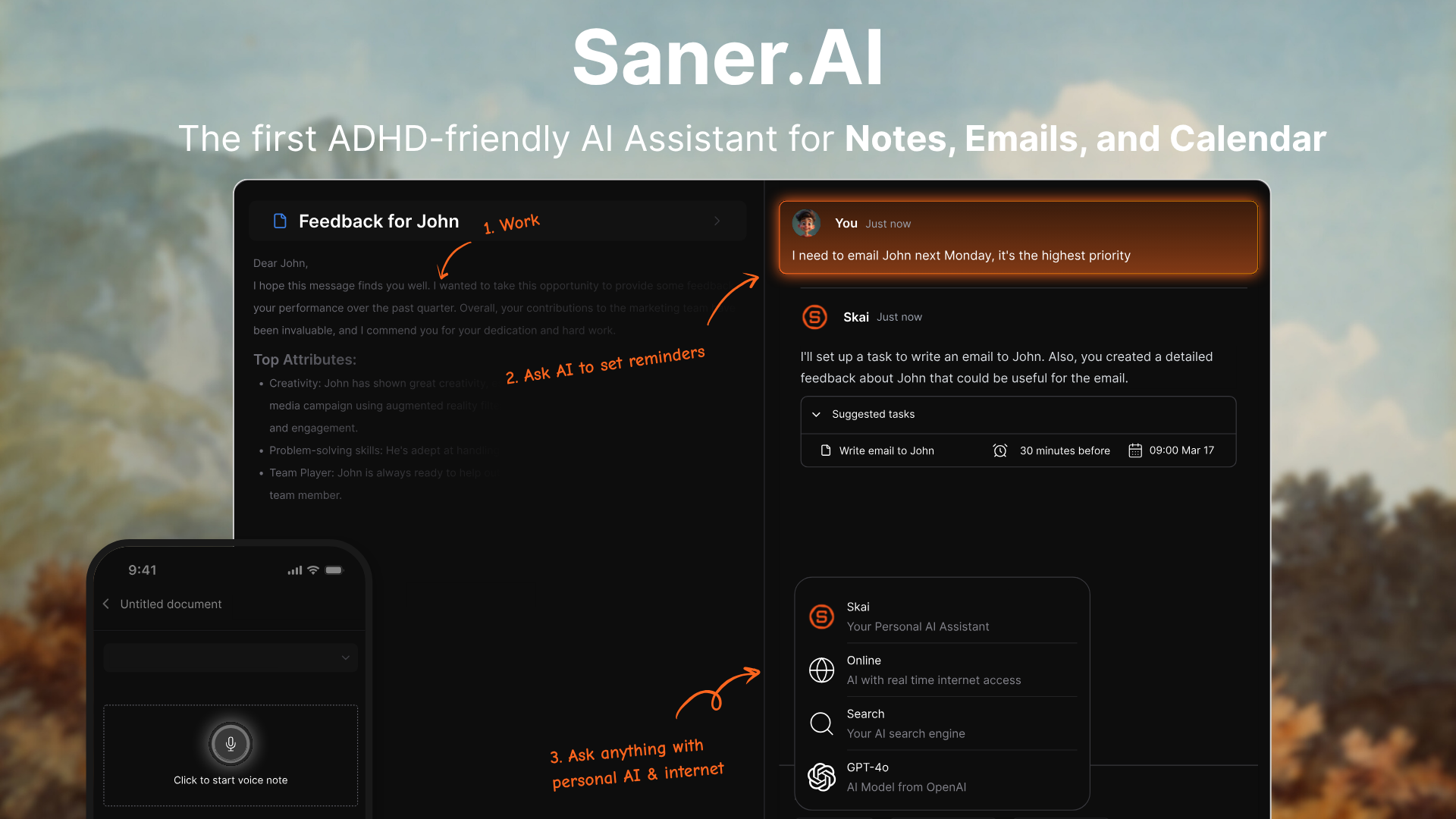
✍️ 1. Offload Every Thought - Without Losing It
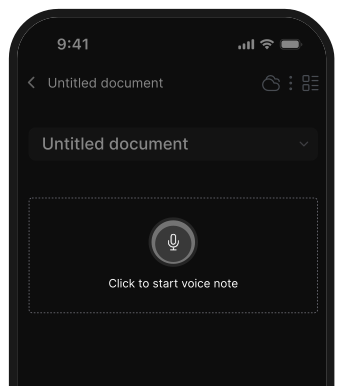
I just hit a shortcut or open the app, and boom - idea saved.
Whether it’s a tweet idea, article headline, or a rant about something annoying I want to turn into a post later... It’s in. No more “Where did I put that?”
🏷️ 2. It Organizes Itself (Seriously)
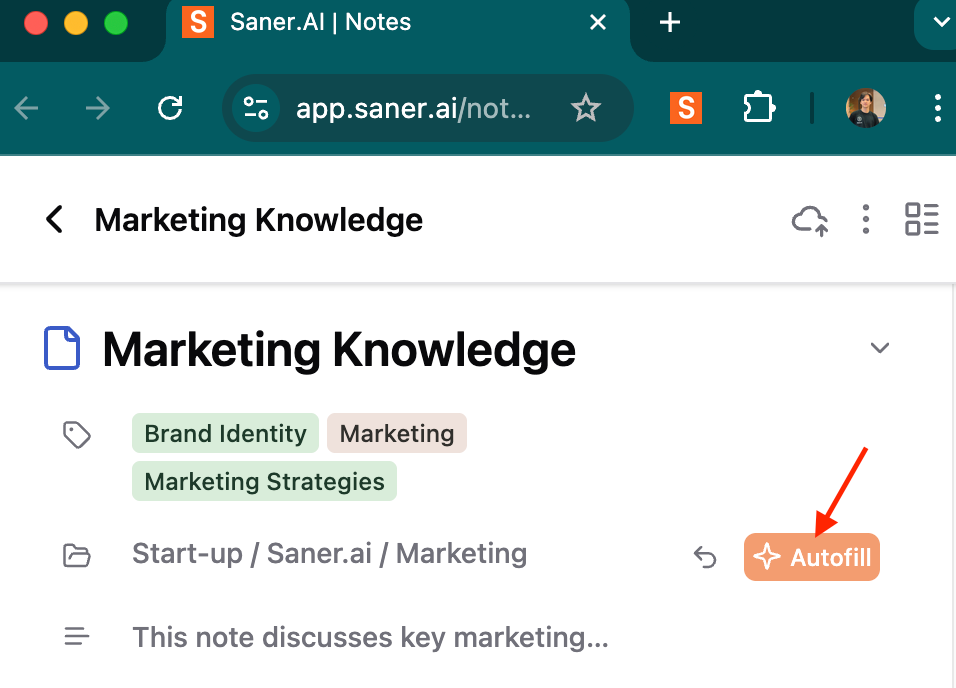
Saner auto-tags everything. If I drop a note about an ADHD video idea, it knows to tag it with “ADHD,” “content,” and maybe even “YouTube.”
When I search later, I don’t get noise - I get exactly what I need.
🤖 3. I Can Just Ask It Stuff
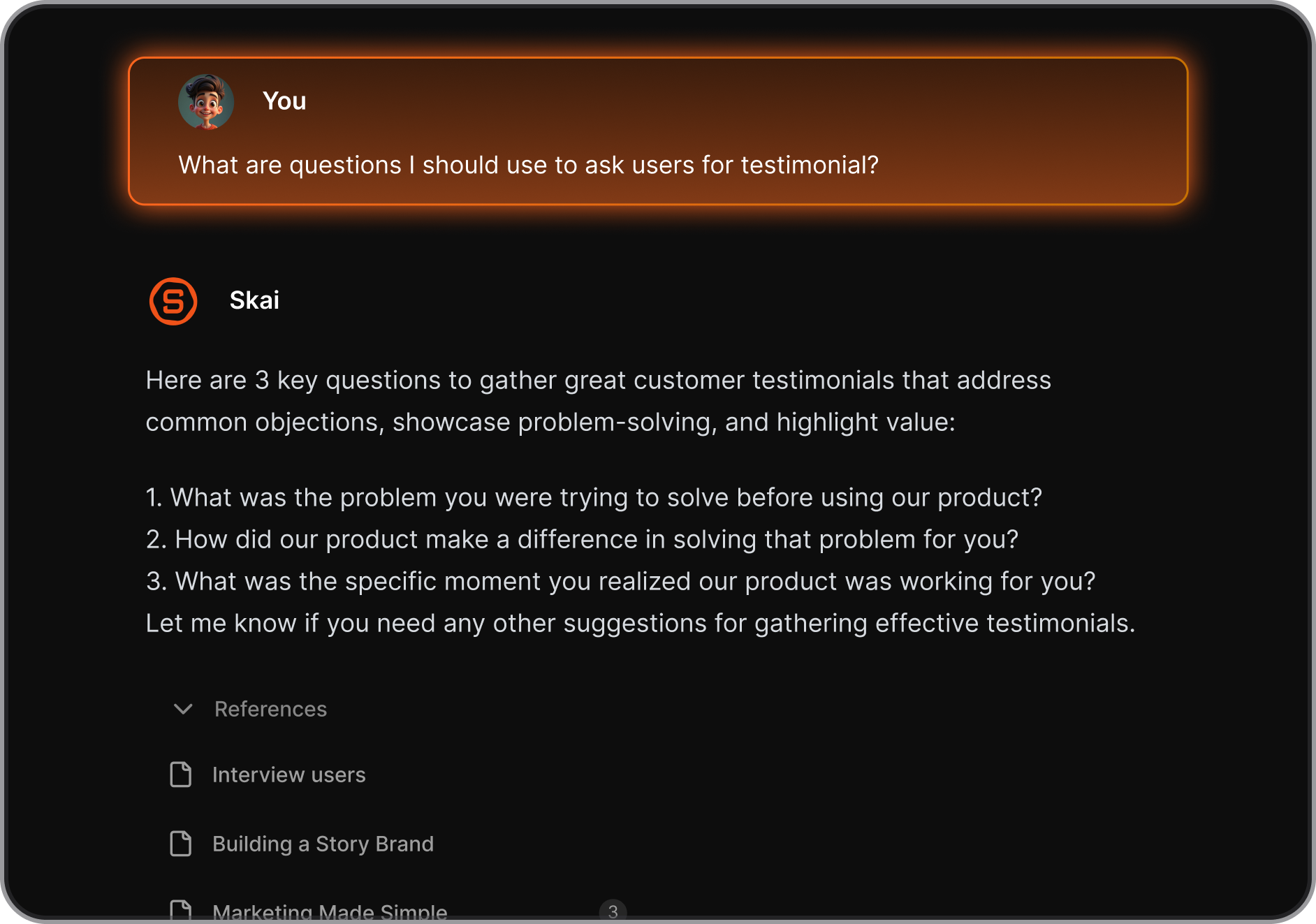
I don’t scroll or dig anymore. I ask:
“What have I written about burnout lately?”
“Find ideas I saved around productivity + storytelling.”
And it pulls everything relevant. Context included.
It even suggests ideas I forgot I had. Like a creative buddy who remembers everything and knows what you’re trying to say - even before you do.
🧘 4. It Keeps Me in Flow
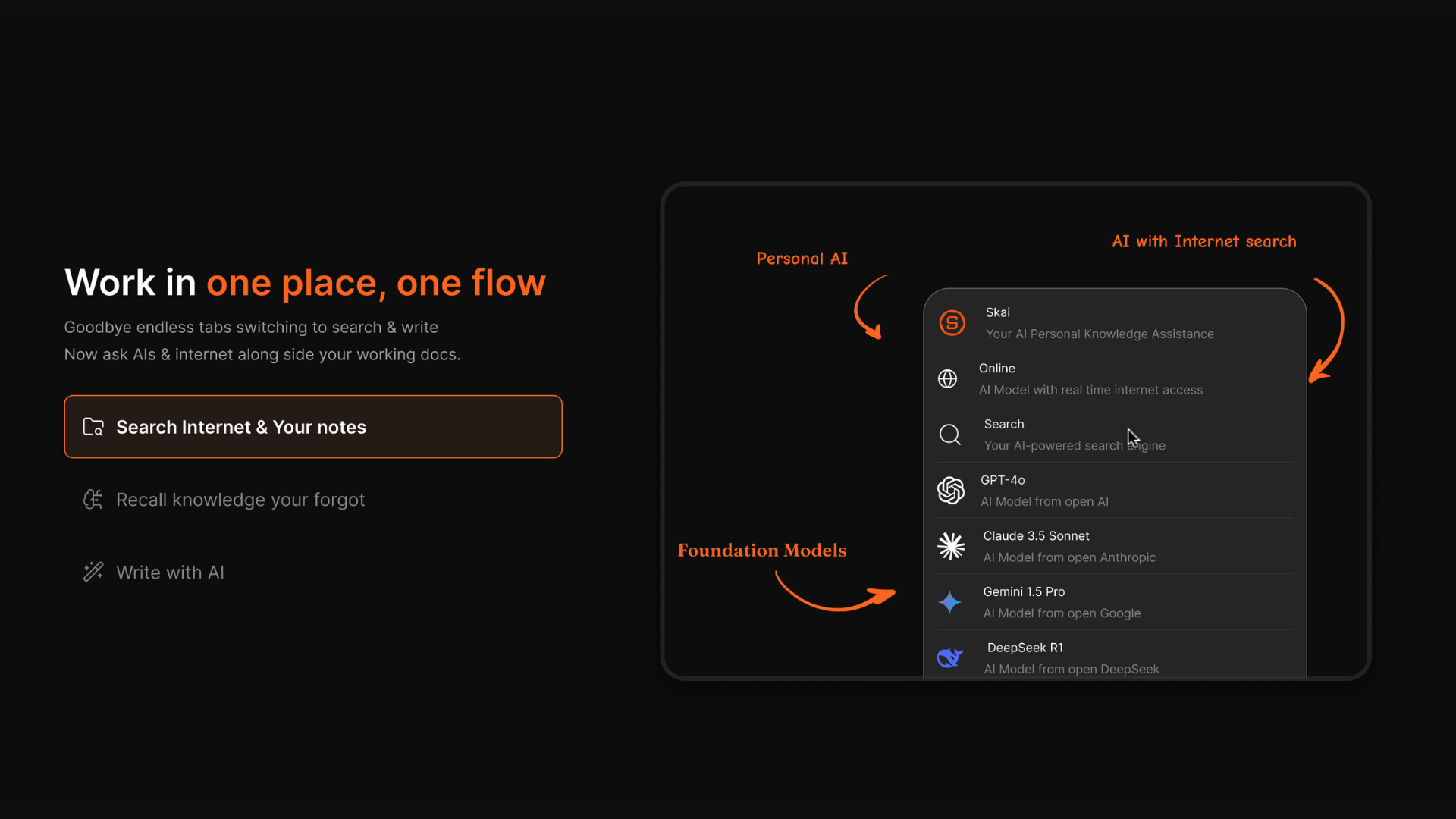
No tab-switching. No chasing links. I can write while seeing my notes. Ask the AI stuff mid-draft. Pull quotes from old projects.
It’s like having your own co-pilot who’s fast, chill, and doesn’t interrupt.
5. It Turns Rants Into Action
I can literally brain-dump a messy thought like:
“Ugh I need to follow up with Sarah about the collab, also that ADHD blog needs to go out this week, and I wanted to write something about dopamine systems...”
…and Saner turns that into structured to-dos and reminders.
Deadlines, tags, links - handled.
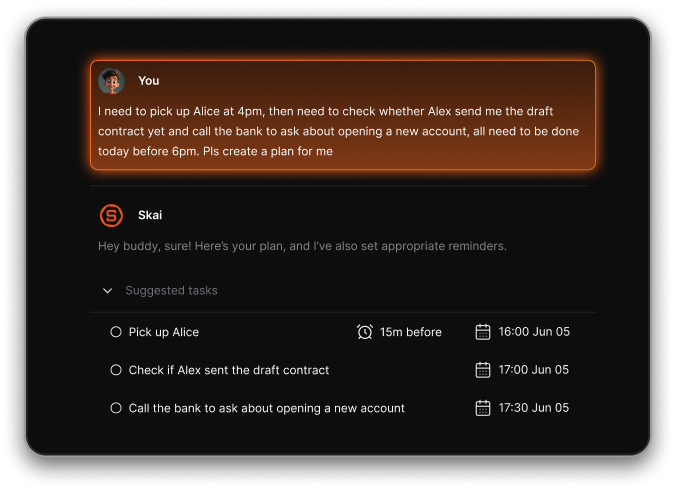
It feels like dumping your brain on a table - and someone else sorting it neatly for you.
IV. Final Thought
If you’re overwhelmed by the idea of setting up your own idea management system... don’t.
Use one that’s already built to reduce friction, not add to it.
Saner.AI helped me go from drowning in scattered thoughts to building better content, faster - and actually enjoying the process again.
If your mind feels full but your output feels stuck, this might be the system you didn’t know you needed.

Stay on top of your work and life