The Ideal ADHD Note-Taking App [2026]


The 1 ideal ADHD Note-Taking app you need to know
ADHD note-taking struggles are real: so many apps, none that truly fit. Let’s change that
The sky is blue, water is wet, and ADHDers struggle to manage their life.
Getting diagnosed with ADHD is like someone handing you the instruction manual you never knew you needed. Suddenly, all the frustration, forgetfulness, and chaos of your past make sense.
ADHD means battling inattention (where did that thought go?), hyperactivity (oops, I was pacing again), and impulsivity (yes, I just bought a 3-month supply of pens at 2 a.m.).
Navigating the world of note-taking and information management can be particularly challenging for individuals with ADHD
While it's a common solution to suggest using a note-taking app, the problem is that many of them aren't very friendly for people with neurodiversity.
We face a unique challenge:
- Too simple, and it doesn’t match how our minds work.
- Too complicated, and we’re overwhelmed before we even begin.
The sheer volume of information we handle today makes this harder. What was that research from last month? Which note had the key detail?
Technology should help. But for ADHDers, most apps don’t bridge the gap. We end up switching tabs, chasing tags, and, ultimately, forgetting why we started.
To figure out what ADHDers actually need, I interviewed hundreds of people -entrepreneurs, creators, and dreamers with ADHD brains - and the answer became clear:

What’s the Ideal Note-Taking App for ADHD?
The ideal ADHD note-taking app isn’t just about recording thoughts - it’s about making capturing, organizing, and retrieving information so effortless, you don’t even have to think about it.
Here’s what that looks like in practice:
- ✅ Effortless capture
Save information instantly - whether it’s a website, idea, or task - with one click. No tab juggling. No copy-pasting. See how it works → - 🏷️ Organize without friction
Let AI suggest tags and organize your notes automatically, so you don’t get stuck in a black hole of manual sorting. Learn more → - 🔍 Find anything with natural language
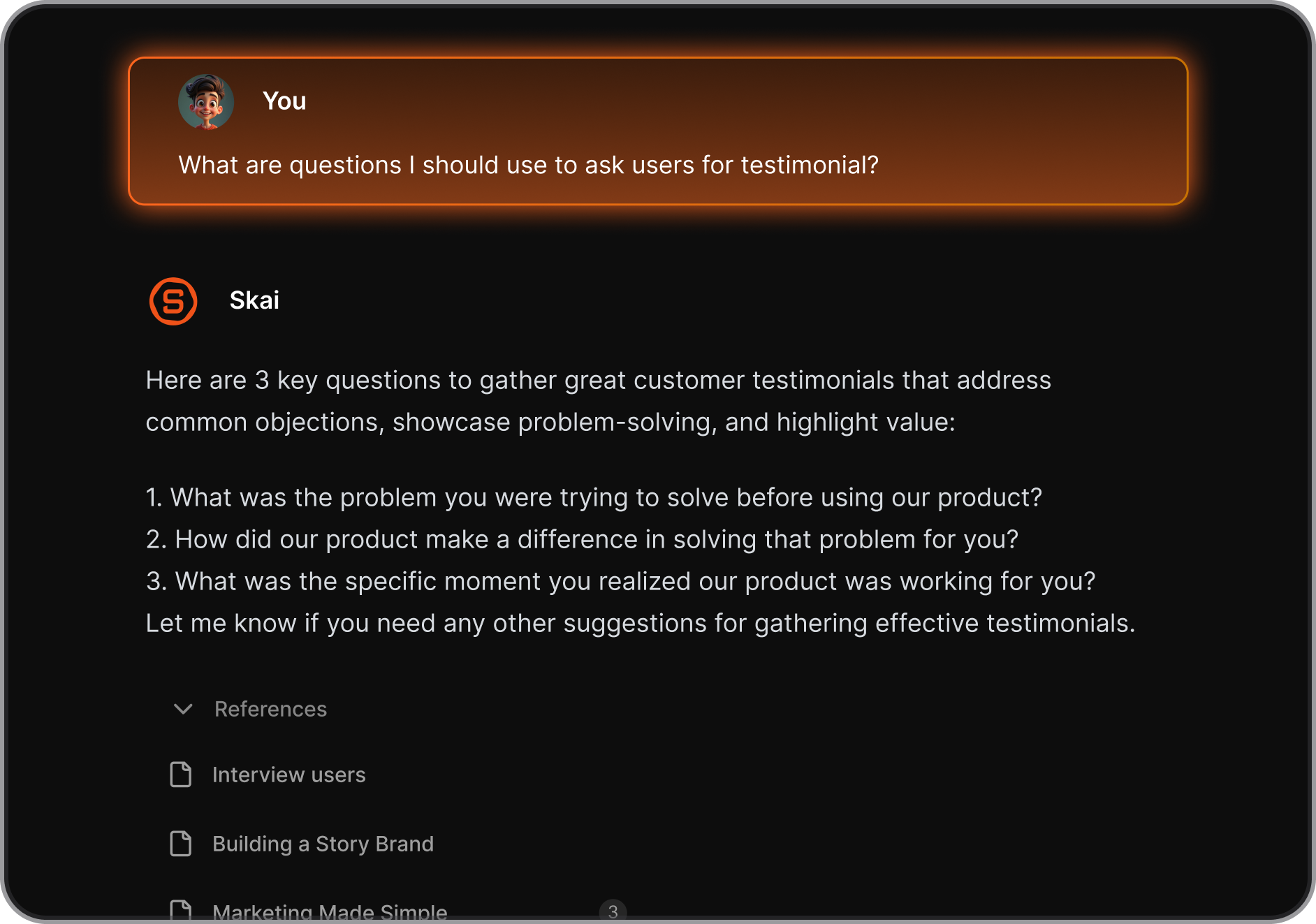
Don’t remember the title of a note? No problem. Just search what you do remember - like “what did we decide about the Q3 roadmap?”- and get the answer with sources. How it works → - 💬 Chat with your notes using AI
Summarize long meetings. Ask follow-ups. Explore your ideas through a conversation with your notes. See AI chat in action → - 🌐 Blend notes with real-time knowledge
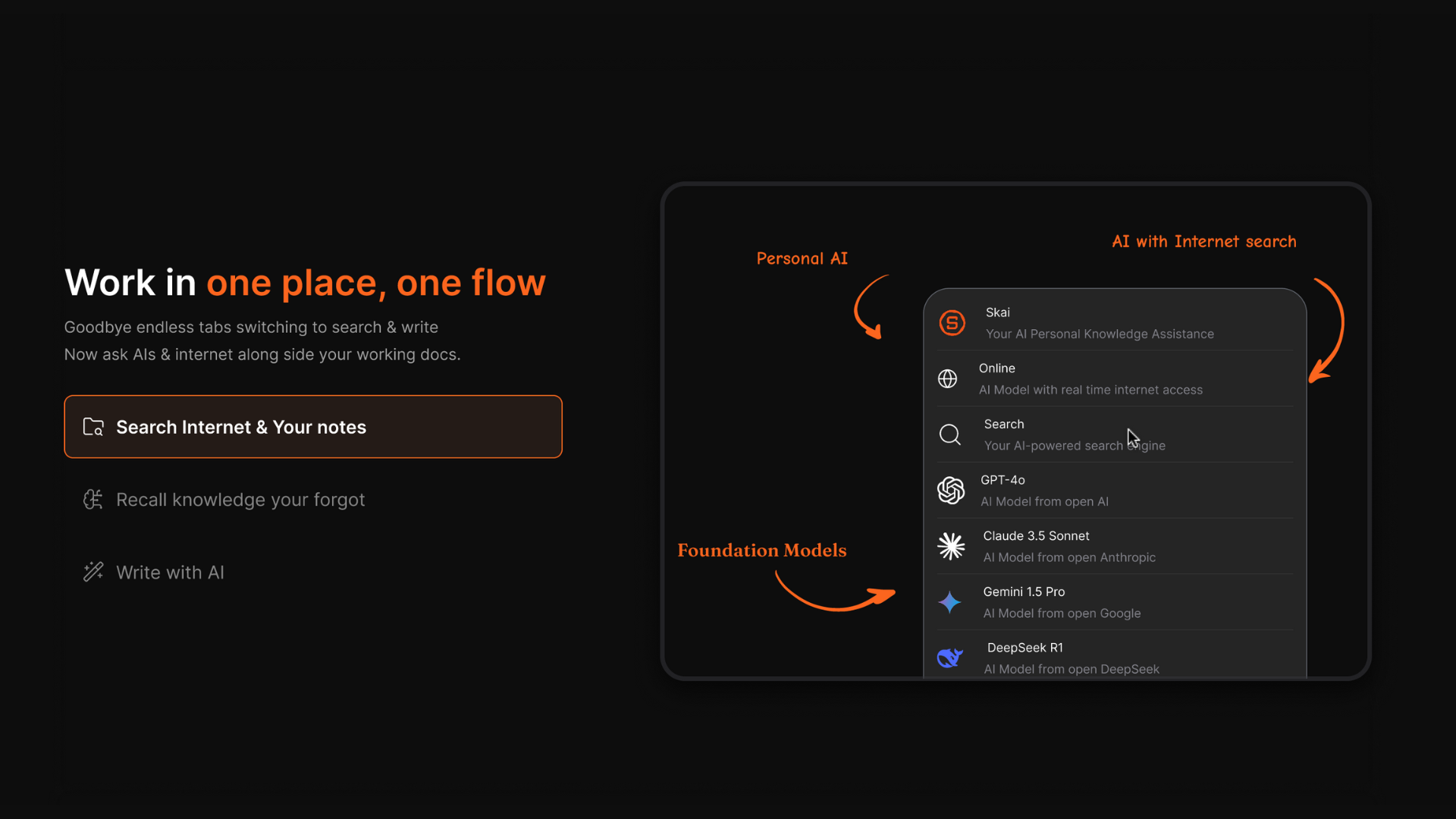
Need extra context? Search the internet or ask GPT-4, Claude, or Gemini directly - without switching apps. - 🧩 Side-by-side AI chat + notes
Think out loud with AI, while keeping your notes open next to the conversation. Perfect for brainstorming and refining ideas without losing context. Try side-by-side chat →
So… Where Is That Ideal ADHD Note-Taking App?
Truth is, most note apps fall short. They’re cluttered, scattered, or require too much mental overhead.
That’s why we’re building Saner.AI, a new kind of ADHD-friendly note-taking app.
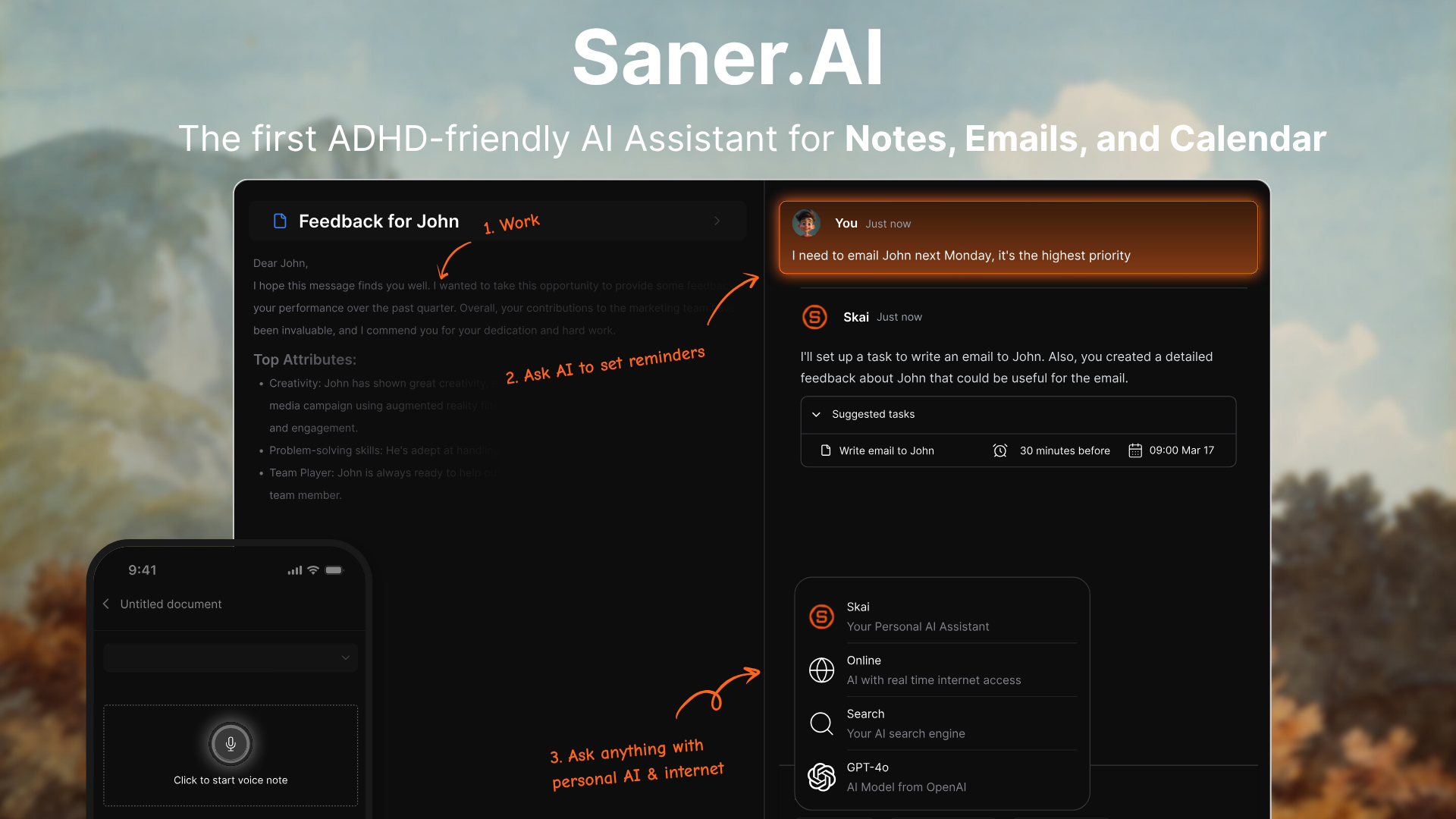
Saner.AI is built by ADHDers; it helps you manage notes, tasks, emails, and calendars in one place - without context switching or clutter. Just chat with the built-in assistant to capture thoughts, search info, or plan your day.
Key features
- Chat-Driven Search: Ask it to find notes, summarize info, or plan your day based on what’s in your workspace.
- Unified Notes + Tasks: Create, update, and organize notes and to-dos in the same flow.
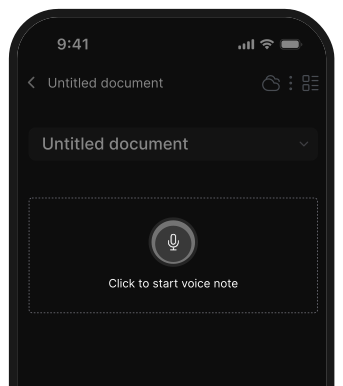
- Voice Capture: Record voice memos when typing feels like too much.
- Import from Anywhere: Bring in notes from Notion, Apple Notes, Google Drive, and more.
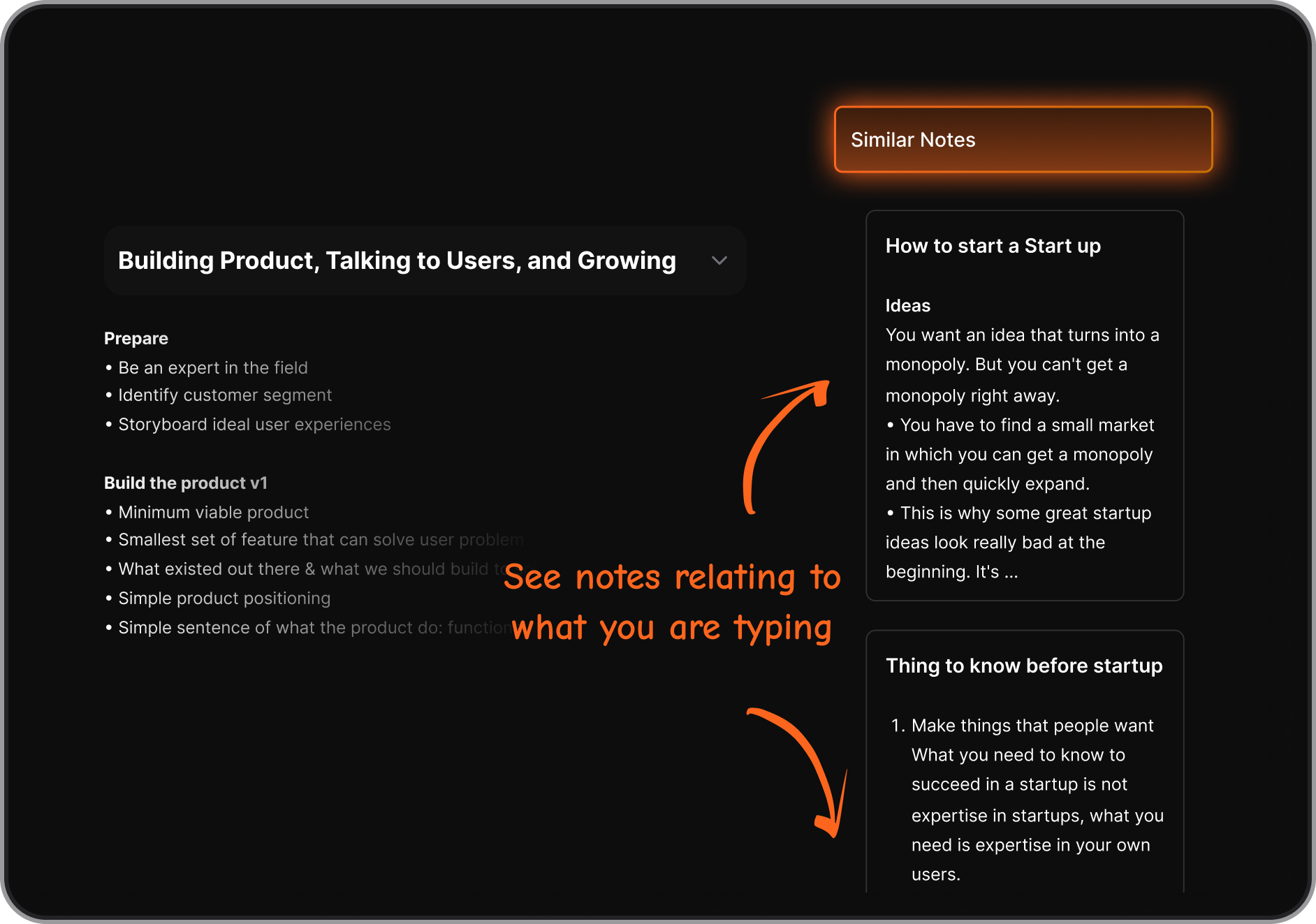
- Similar notes: Saw the notes relating to what you are typing in real time
- Side-by-Side Research: Open the browser inside Saner, ask AI questions, and take notes - all in one view.
- Focus Mode & Smart Tags: Stay in flow with distraction-free layouts and AI-powered tag suggestions.
What I liked
- Everything lives in one place - notes, emails, calendar, and to-dos - so it reduces mental switching.
- You can just talk to it. Say things like “What are my unfinished tasks from yesterday?” and it replies instantly.
- The UI feels intentionally minimal - great for folks who get distracted easily.
- The team is super responsive to feedback and quick with updates.
Cons
- Not ideal for large teams or project timelines - no Gantt charts or complex task dependencies.
Pricing
- Free
- Starter: Monthly at $8/month, Annually at $6/month (with early user discount)
- Standard: Monthly at $16/month, Annually at $12/month (with early user discount)
Who is it suitable for?
- ADHD professionals, students, and anyone who wants an AI workspace that reduces context switching, remembers everything for you, and turns messy thoughts into structured actions.
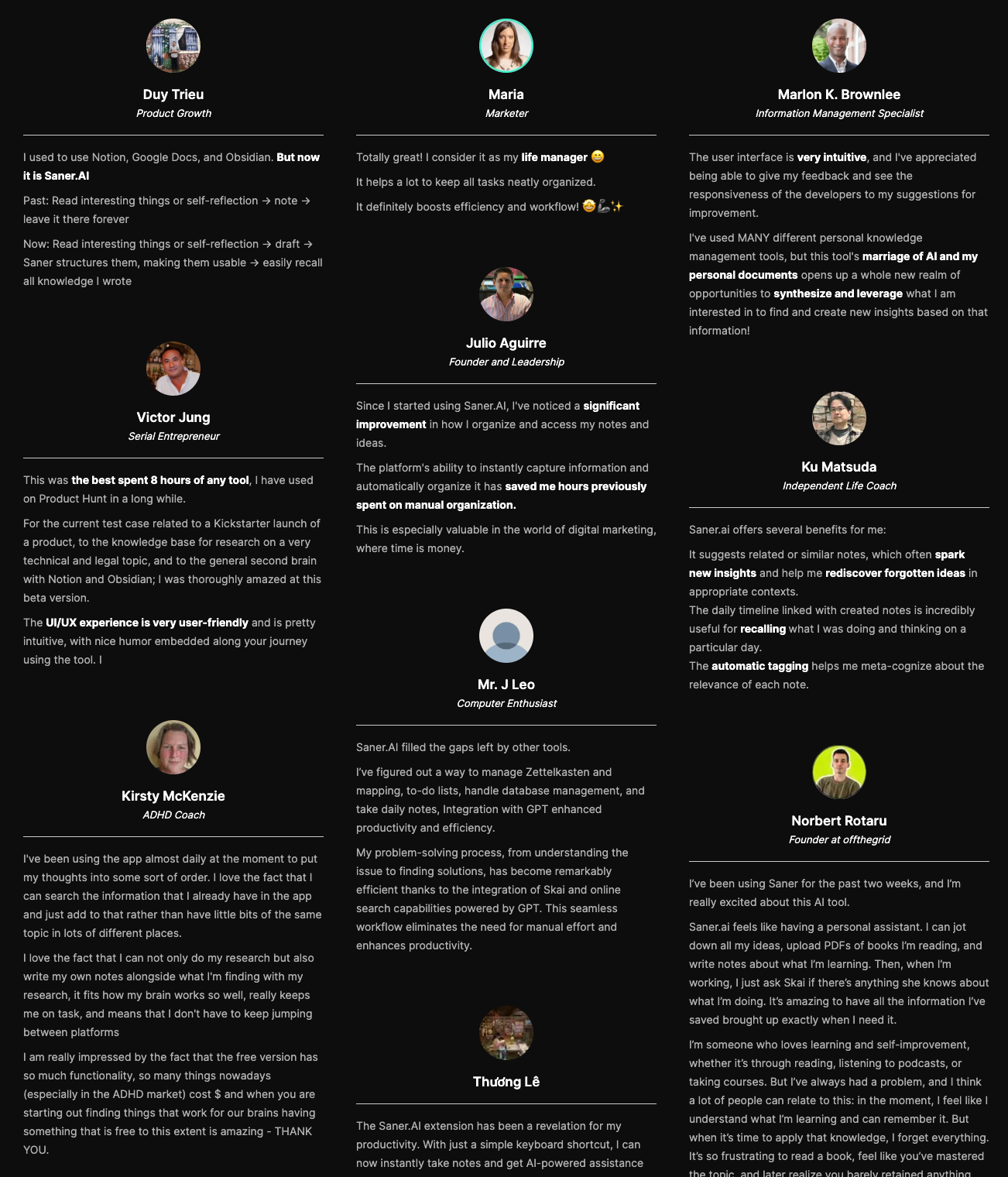
Saner.AI review
How to start using it?
- Go to saner.ai, sign up for free, and start chatting with your notes. Import your stuff, test the assistant, and see how it fits your brain.

The Ideal Note App for your ADHD