Reduce Context Switching: 10 Steps and 4 Effective Tools


How to Reduce Context Switching (And Get More Done With Less Mental Fatigue)
If you’ve ever ended your workday exhausted, but with little to show for it, context switching may be the silent thief of your focus.
In this guide, you’ll learn what context switching is, how it hijacks your productivity (especially if you have ADHD), and exactly how to reduce it using science-backed strategies, proven tools, and real-world habits
What Is Context Switching?
Context switching occurs when your brain shifts attention from one task or mental focus to another, like bouncing between emails, Slack messages, writing, and meetings.
Each time you switch, your brain must “load” a new context. This creates mental fatigue, slows down performance, and makes it harder to focus deeply.
Why Does Context Switching Make Us So Tired?

Your brain burns energy when it shifts gears. It’s called cognitive switching cost, and the more you do it, the more mental resources you burn.
Here's what happens:
- Your working memory resets each time you change focus.
- Decision fatigue increases as your brain navigates priorities.
- Stress hormones spike when you juggle too many inputs.
This leads to what many describe as:
"mental fatigue from multitasking"
"a foggy brain at work"
"burnout even when I’m not ‘doing that much’"
How Context Switching Affects Productivity and Mental Health
1. Severe Productivity Decline
- Mental strain: After just 20 minutes of interrupted performance, individuals report significantly higher stress, frustration, and cognitive workload
- Multiple sources agree on ~40% productivity loss from frequent task-switching
2. Fatigue, Stress & Cognitive Drain
- Context switches drain mental energy, elevating stress and cognitive load
- Constant shifting worsens working memory capacity and can erode executive function and creativity
- Multitasking may lower your performance and make you more prone to making mistakes
3. IQ & Mental State Declines
- Another study from 2024 highlighted that heavy multitasking can also lead to a drop of up to 10 IQ points
The ADHD Angle: Why Context Switching Hits Harder
People with ADHD have more sensitive dopamine regulation, meaning:
- Distractions feel more tempting
- It’s harder to inhibit task-switching
- Mental fatigue hits faster and harder
Why it matters: Even brief interruptions — like a notification or “quick” email check - can derail progress for 15–30 minutes.
Common ADHD Experiences:
- “I can’t stay on one thing for more than 10 minutes.”
- “Even when I’m in the zone, my brain wants to chase something else.”
- “I finish nothing because I start everything.”
4 Tools That Actually Help You Reduce Context Switching
| Tool | Best For | How It Helps |
|---|---|---|
| 🧠 Saner.ai | ADHD-prone knowledge workers | Centralizes notes, thinking, and AI search in one place — no more tool juggling |
| 📅 Google Calendar | Visual planners and time blockers | Turns your day into focused blocks, making context clear and reducing uncertainty |
| 🌳 Forest | Gamified focus and phone distraction | Grows a tree while you stay focused — leave the app and your tree dies 🪦 |
| ⏳ One Sec | Breaking phone-checking habits | Adds a pause before opening distracting apps — helps interrupt impulse switching |
1. Saner.AI - AI assistant for Notes, Emails, Todos and Calendar
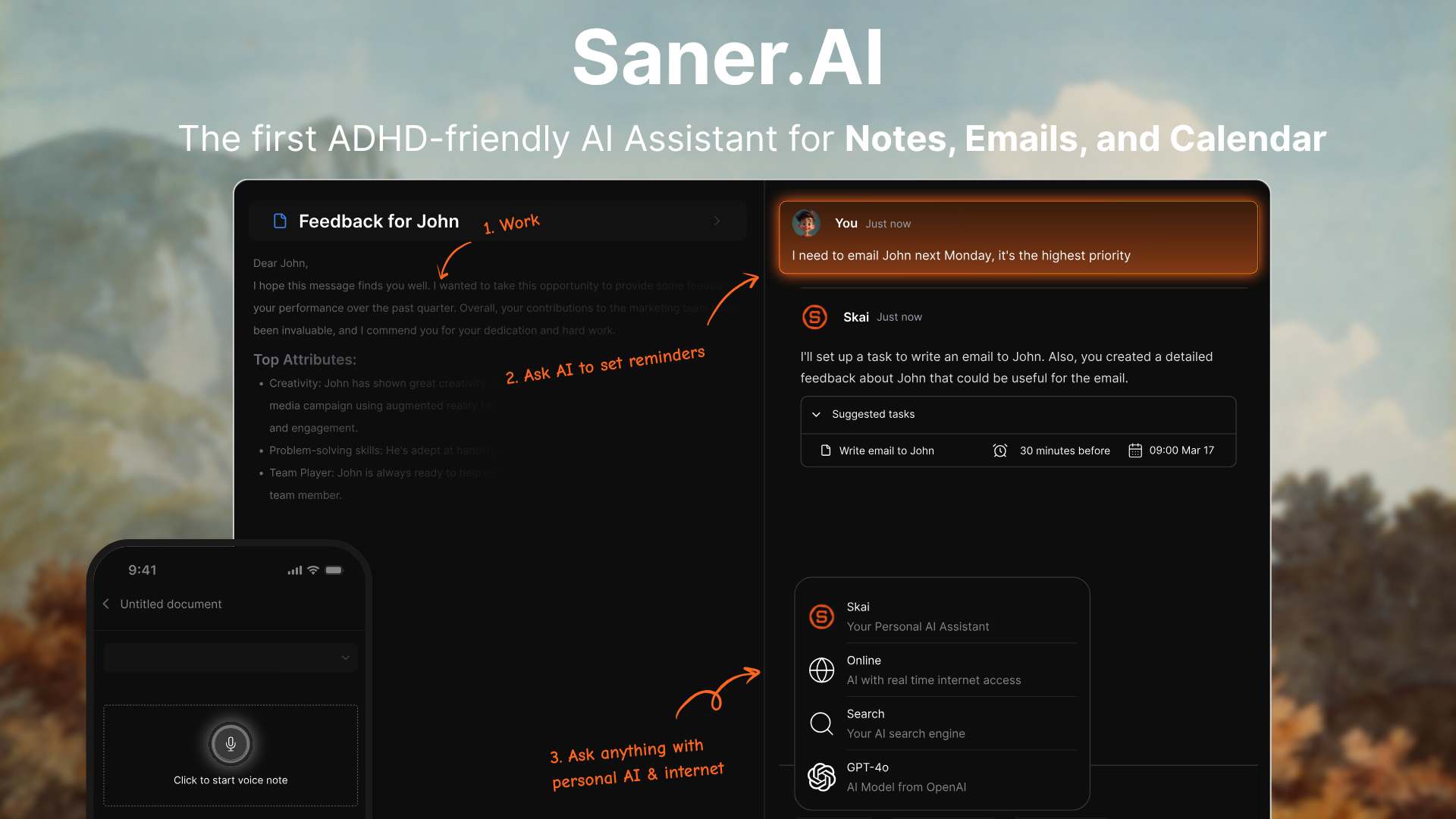
Saner.AI brings it all together:
- Write down any idea, and it stays searchable forever
- AI helps you connect thoughts, find patterns, and resurface forgotten ideas
- Great for ADHD minds: no more “Where did I put that?”
Use it for:
- Writing and thinking without switching tabs
- Searching across all your notes with context
- Offloading mental load into a trusted external brain
2. Google Calendar — Time Blocking
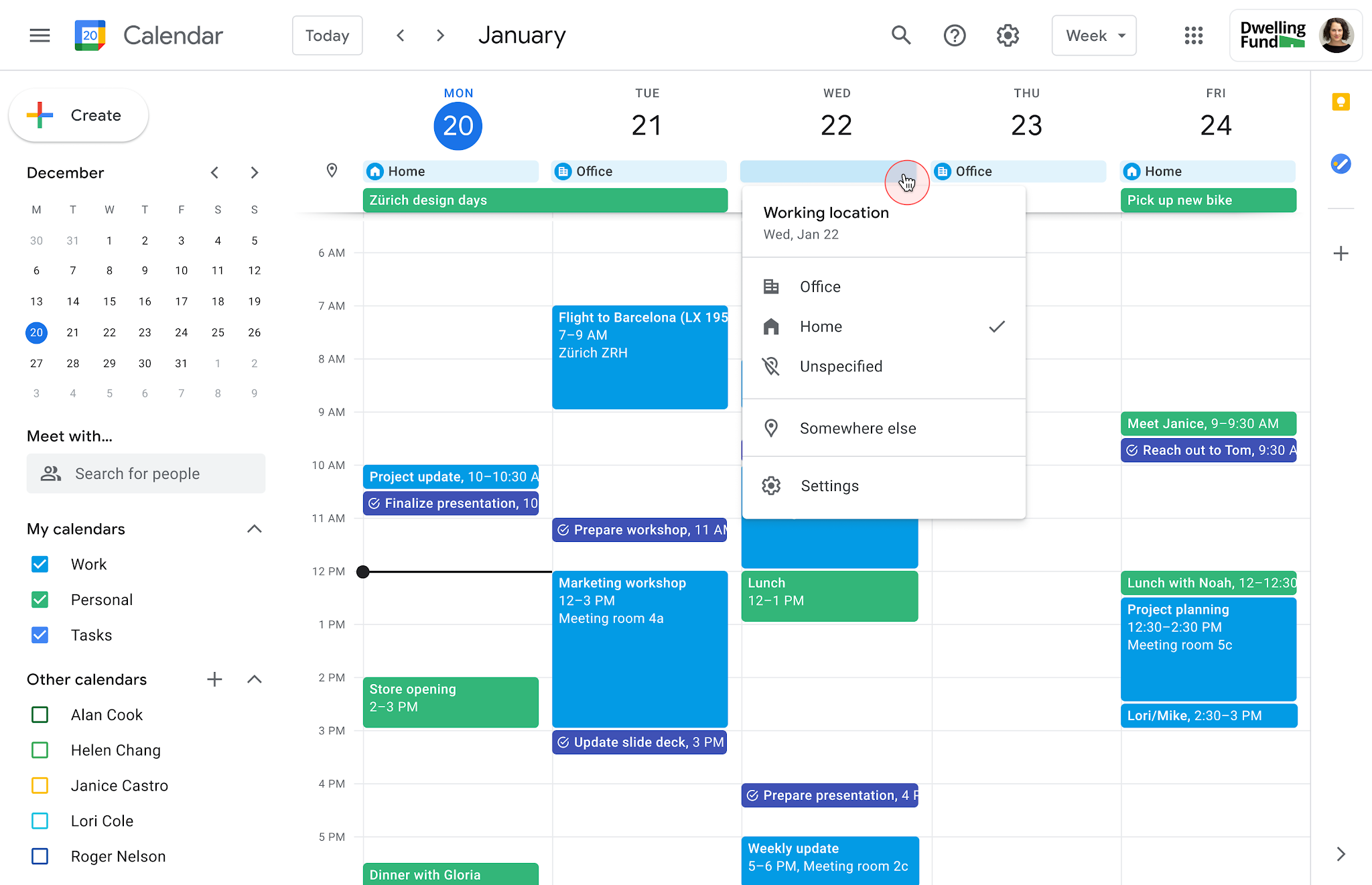
Why it helps:
Time blocking helps you stay in one mode at a time. But most people don’t actually use it.
With Google Calendar:
- Color-code focus blocks vs meetings
- Add short 10-minute transition zones between work modes
- Set repeating themes: “Deep Work Mornings,” “Admin Fridays”
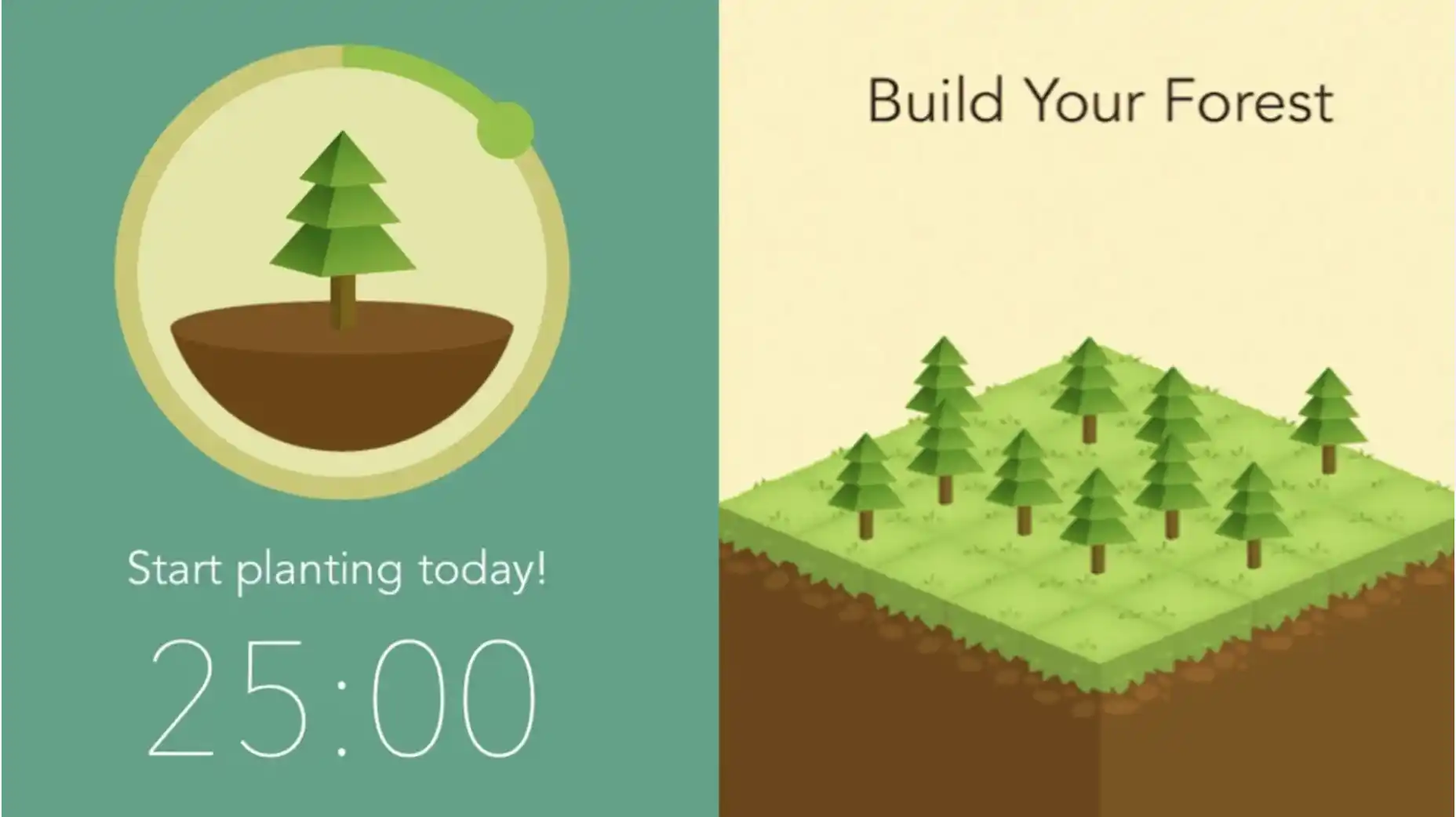
3. Forest — Turn Focus into a Game
Why it helps:
When you’re prone to zoning out or phone doomscrolling, Forest turns staying focused into a small win.
How it works:
- Start a timer → A tree starts growing
- Leave the app → the tree dies
- Keep building your forest each day = track your streak
Perfect for:
- Pomodoro focus sessions (25–50 minutes)
- Gamifying deep work for ADHD users
- Creating guilt-free phone breaks
4. One Sec — Interrupt the Social Media addiction
Why it helps:
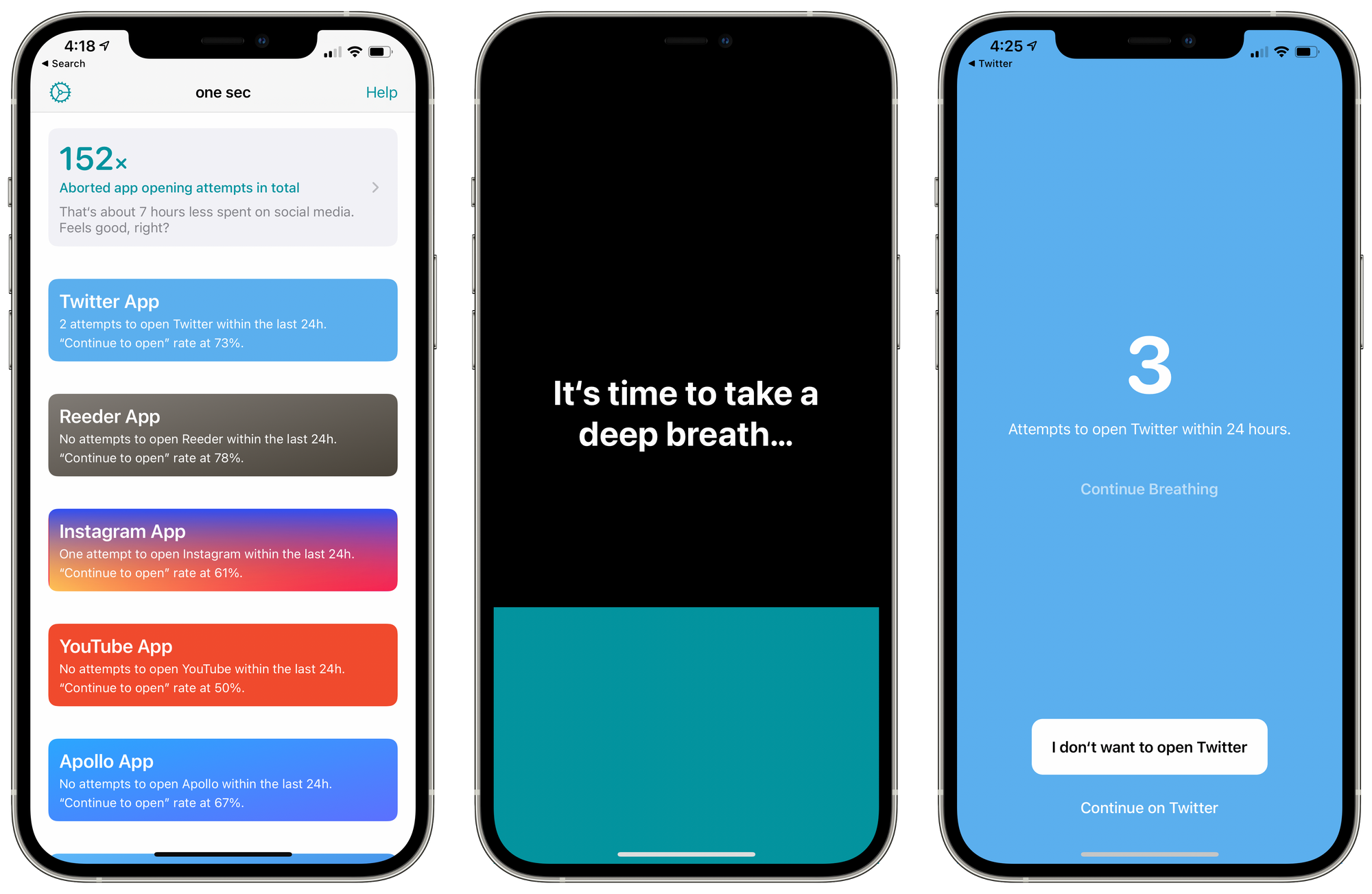
Impulse switching is one of the biggest killers of focus. One Sec catches you just before you jump into a distraction.
How it works:
- Try to open Instagram, TikTok, or YouTube?
- One Sec makes you wait (just 1-5 seconds)
- Your brain resets, and you decide if it’s worth it
Bonus:
You can even redirect those urges — e.g., “Open Instagram? → Write down what I was avoiding instead.”
FAQ: Your Context Switching Questions Answered
1. What does “reduce context switching” mean?
To reduce context switching means minimizing how often your brain has to shift between different tasks, apps, or types of thinking. Each switch, like jumping from writing an email to answering a Slack message, costs mental energy and can hurt productivity. Reducing context switching helps you stay focused longer, work faster, and feel less mentally drained.
2. Why is reducing context switching important?
Frequent context switching fragments your attention. Research shows it can take over 20 minutes to fully refocus after a switch. That means even small interruptions, like checking a notification, can derail deep work. Reducing context switching helps:
- Improve focus and flow
- Increase output with less effort
- Lower feelings of overwhelm and burnout
- Support people with ADHD or busy, multitasking roles
3. What causes context switching at work?
Common triggers include:
- Too many open apps or tabs
- Constant notifications from email, chat, or calendar alerts
- Juggling multiple projects with different priorities
- Switching from meetings to focused work with no buffer
- Searching for notes, files, or reminders in different places
Even productive tools can cause overload if they don’t work together.
4. How can I reduce context switching in daily work?
Start with small shifts:
- Batch similar tasks (e.g. emails in one block, meetings in another)
- Use one central workspace for notes, tasks, and calendar
- Mute notifications during focus time
- Set up routines (e.g. morning planning, afternoon deep work)
- Declutter your digital environment—close unused tabs and apps
Over time, these habits help your brain stay in the same “mode” longer.
5. Which tools help reduce context switching?
Look for tools that combine your core workflows. Examples:
- Saner.AI – Combines notes, tasks, and calendar in one place
- Google Calendar – Block time
- Forest – Protect focus time
- OneSec – Reduce screen time
The best tools reduce the need to jump between systems. Bonus if they remind you what’s next without making you look for it.
6. Can reducing context switching help with ADHD?
Yes - significantly. People with ADHD often struggle with task transitions, working memory, and overwhelm. Reducing context switching can:
- Make it easier to stay in “flow”
- Lessen the mental load of switching between tasks
- Improve follow-through by reducing scattered attention
Tools like Saner.AI are designed to support this by keeping everything visible and actionable in one space.
7. How does AI help reduce context switching?
AI tools like Saner.AI can act like a personal assistant that remembers everything, so you don’t have to. It helps reduce context switching by:
- Pulling up the right note or task instantly (no digging)
- Summarizing meetings or emails so you stay informed fast
- Reminding you what’s important when your focus drifts
- Auto-organizing your day based on priorities and energy
This removes the friction of decision fatigue and app hopping.
8. What’s an example of context switching in real life?
Imagine this:
You’re writing a report, get a Slack ping, answer it, then check your calendar to reschedule a meeting, notice a to-do you forgot, open your task manager, and... now the report is a distant memory.
That’s context switching. Multiply it by 10+ times a day, and it’s no wonder productivity crashes. Reducing it means fewer drops like that.
9. Is reducing context switching the same as time blocking?
They’re related but not the same.
- Time blocking is a planning method - scheduling specific time slots for focused work.
- Reducing context switching is the goal - to stay in one cognitive mode without jumping around.
Time blocking is one strategy that helps reduce switching, especially when paired with the right tools and habits.
10. Final tip: What’s one easy win to reduce context switching today?
Pick one:
✅ Close extra tabs
✅ Silence notifications for 1 hour
✅ Write down the next 3 things to do—then focus only on #1
✅ Move your notes, tasks, and schedule into one space
One change can reduce friction, and that’s how real momentum starts.
👣 Start Here: One Strategy Is Enough
You don’t need a perfect system.
Just try one of the following:
- Block your mornings for one task
- Try Saner.AI to stop jumping between tools
- Turn off Slack for 2 hours
Give your brain the gift of staying with one thing.
📚 Suggested Reading
- Deep Work – Cal Newport
- Indistractable – Nir Eyal
- How to Focus
- Best ADHD Apps in 2025
- Saner.AI – An Ideal Tool for ADHD Adults

Stay on top of your work and life effortlessly