Second Brain Apps: We tested the Best 10 Apps in 2026

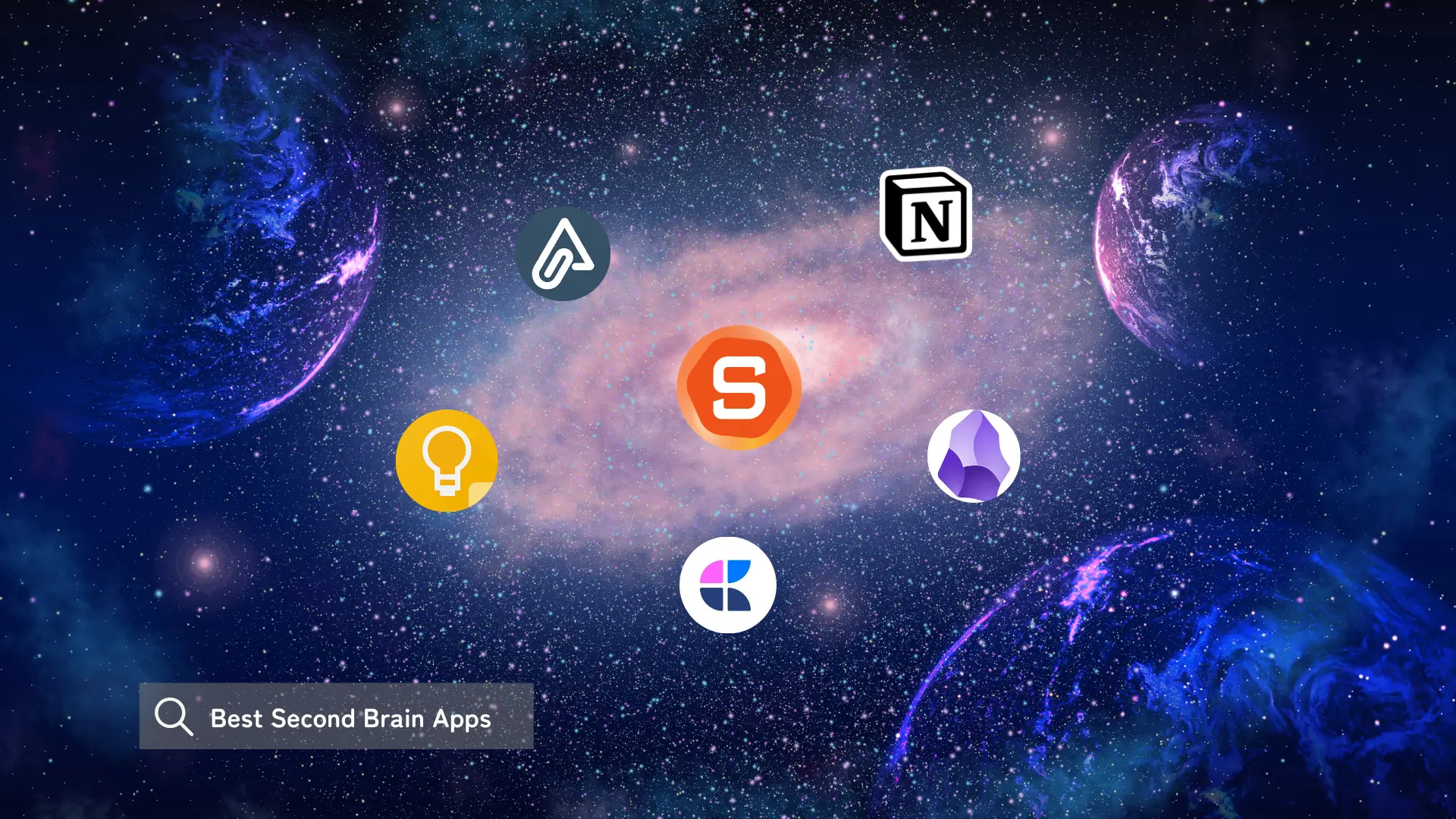
Note-taking apps are good at collecting. They're bad at helping you do anything with what you've collected. A real second brain isn't a storage unit; it's a system that gives your ideas somewhere to land, grow, and actually show up when you need them.
We tested the most-discussed second brain apps to find out which ones get close to that promise.
We'll look at how each app approaches knowledge organization, what kind of users and workflows they're actually built for, and the trade-offs you'll run into before committing to one.
Quick guide: What are the best second brain apps?
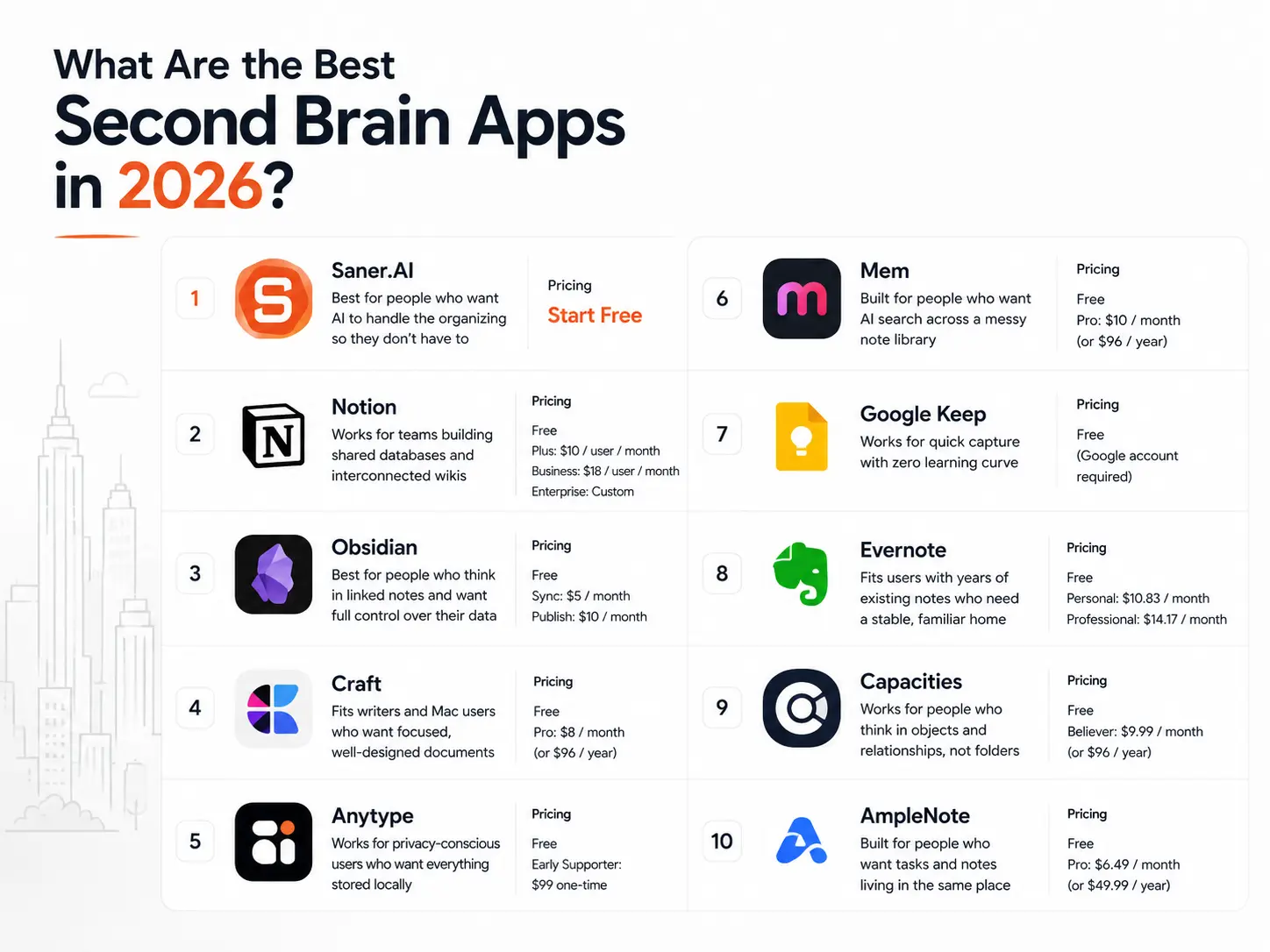
- Notion: Works for teams building shared databases and interconnected wikis
- Obsidian: Best for people who think in linked notes and want full control over their data
- Craft: Fits writers and Mac users who want focused, well-designed documents
- Anytype: Works for privacy-conscious users who want everything stored locally
- Mem: Built for people who want AI search across a messy note library
- Google Keep: Works for quick capture with zero learning curve
- Evernote: Fits users with years of existing notes who need a stable, familiar home
- Capacities: Works for people who think in objects and relationships, not folders
- AmpleNote: Built for people who want tasks and notes living in the same place
1. What is a Second Brain?

A Second Brain is like your personal digital assistant that helps you manage all the knowledge you gather every day. It captures your thoughts and makes them easier to find later.
Most second brain tools let you:
- Capture anything: notes, links, tasks, voice memos
- Organize with folders, tags, or backlinking
- Connect related ideas automatically
- Recall what you forgot using AI or smart search
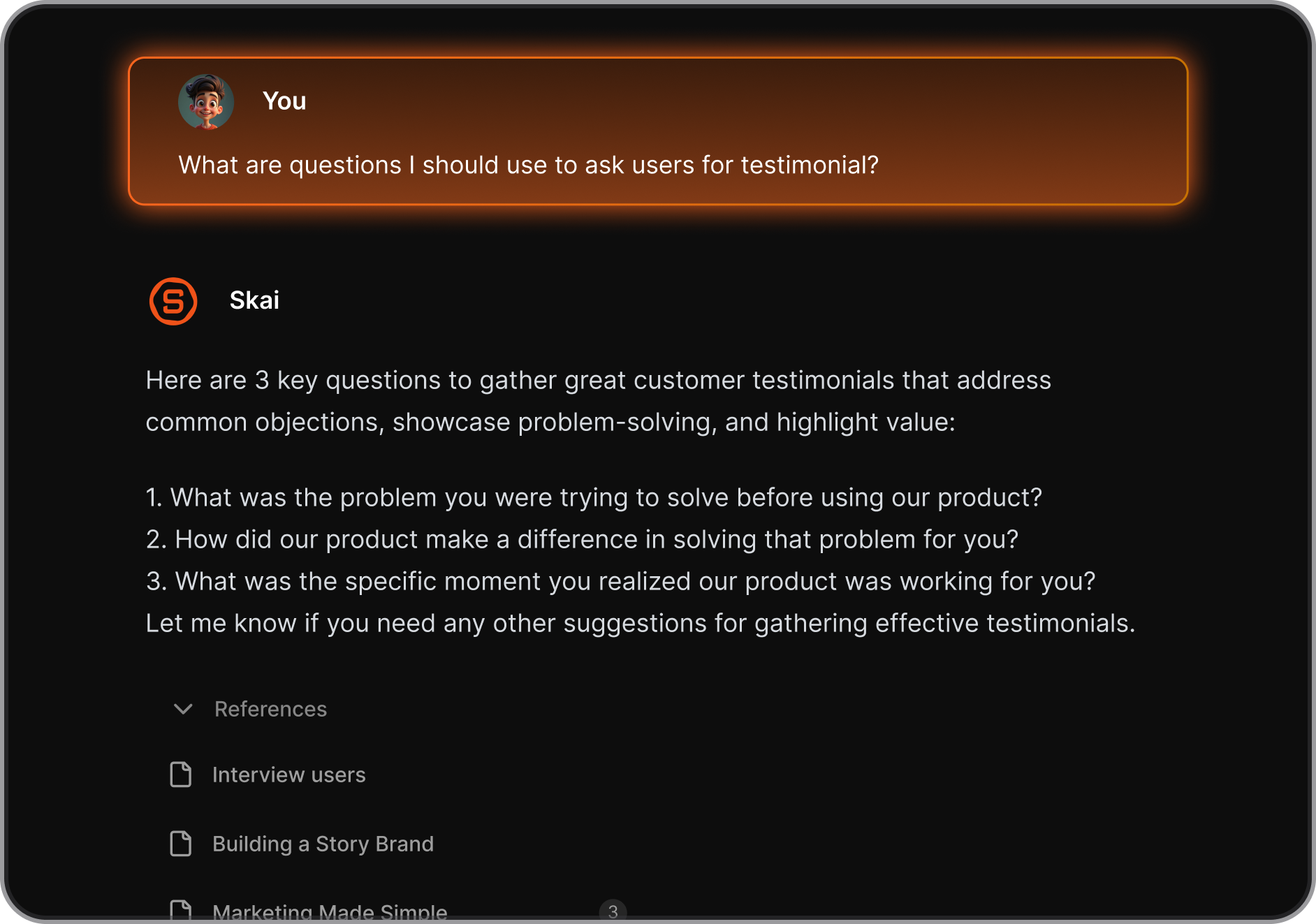
2. How we chose the best second brain apps
The right second brain app solves a specific problem: making it easier to think with what you already know. We evaluated each app on the challenges that actually matter once the initial setup excitement wears off:
- Capture speed: How fast can you get an idea, article, or meeting note in without breaking focus?
- Organization model: Does the app help you structure knowledge, or leave that work entirely to you?
- Retrieval: Can you find what you saved three months later without remembering exactly where you put it?
- AI usefulness: Are the AI features genuinely useful in daily use, or just a feature checkbox?
- Cross-device reliability: Does it sync consistently across desktop and mobile without friction?
- Data ownership and privacy: Where does your data live, and what happens to it if you leave?
- Learning curve: How long before the app is actually useful, not just interesting to set up?
What are the best Second Brain Apps in 2026?
The best Second Brain Apps in 2026 are Saner.AI, Notion, Obsidian, Google Keep, Craft, Mem, Anytype, Evernote, AmpleNote, and Capacities
1. Saner.AI
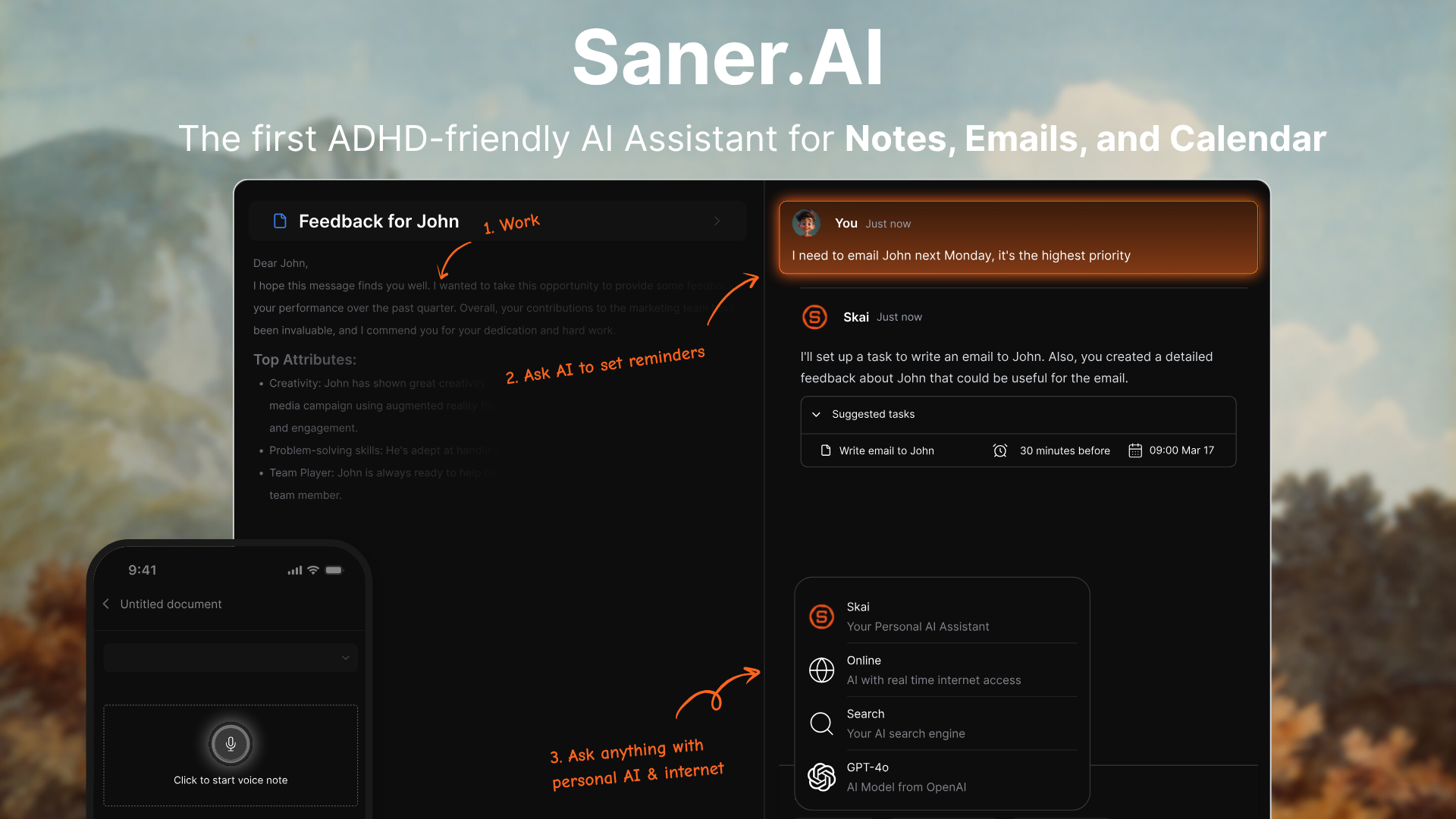
Saner.AI is one of the top Second Brain apps to organize everything that matters. It helps you stay focused by capturing thoughts, notes, emails, and tasks, and turning them into something I can actually use. It’s ideal for anyone who juggles a lot of info, especially if your brain tends to jump around like mine.
Key features
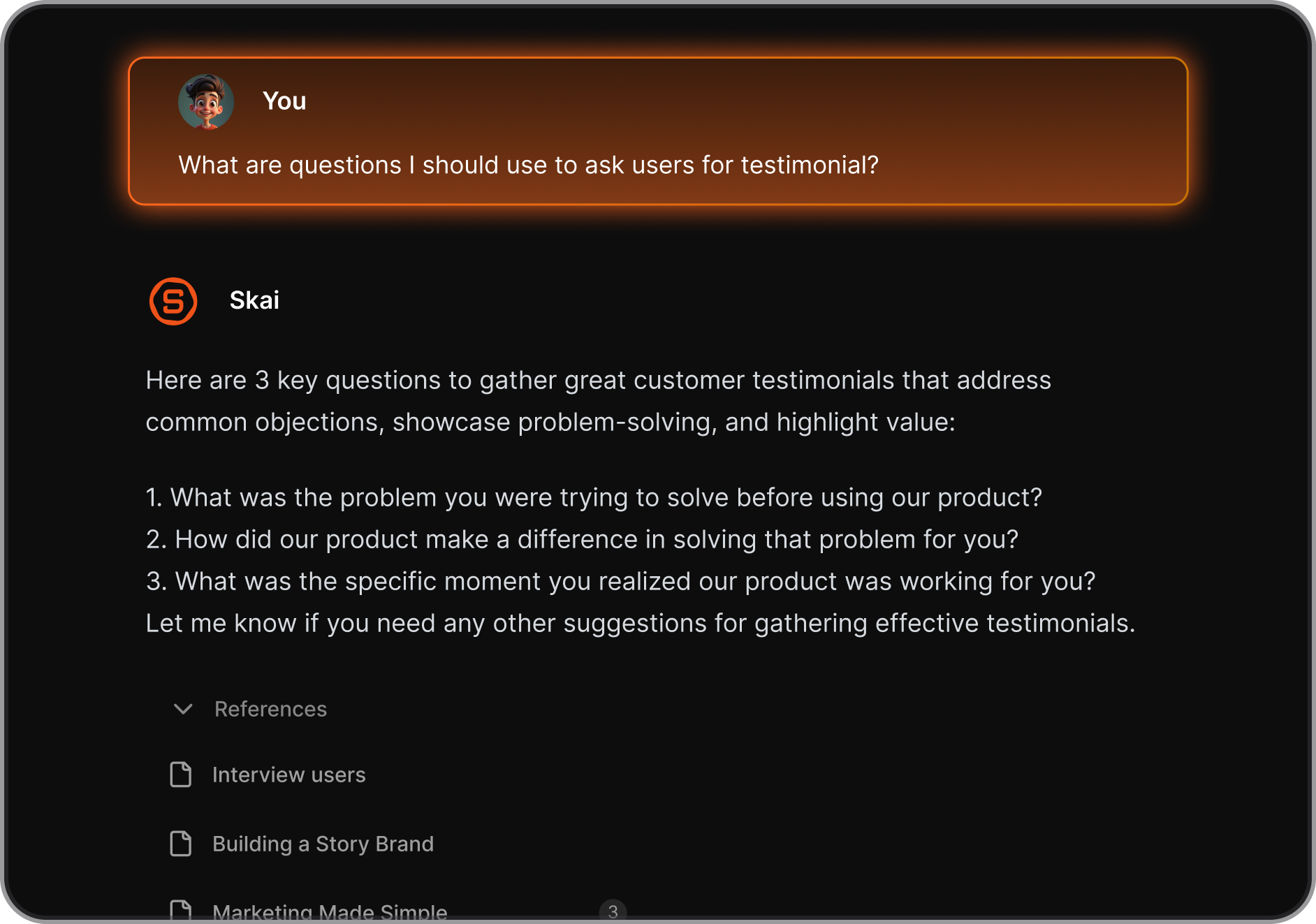
- Instead of searching through folders, I can simply ask questions, and the Skai AI assistant retrieves relevant information instantly.
"I was impressed that saner.ai answers questions based on my own knowledge through Skai. At the same time, I think it would be great if I could save all the information I come across in saner.ai and use Skai as my personal secretary." - verified review
- I can quickly capture thoughts, links, documents, or reminders without worrying about structure. The AI later organizes and connects information automatically.
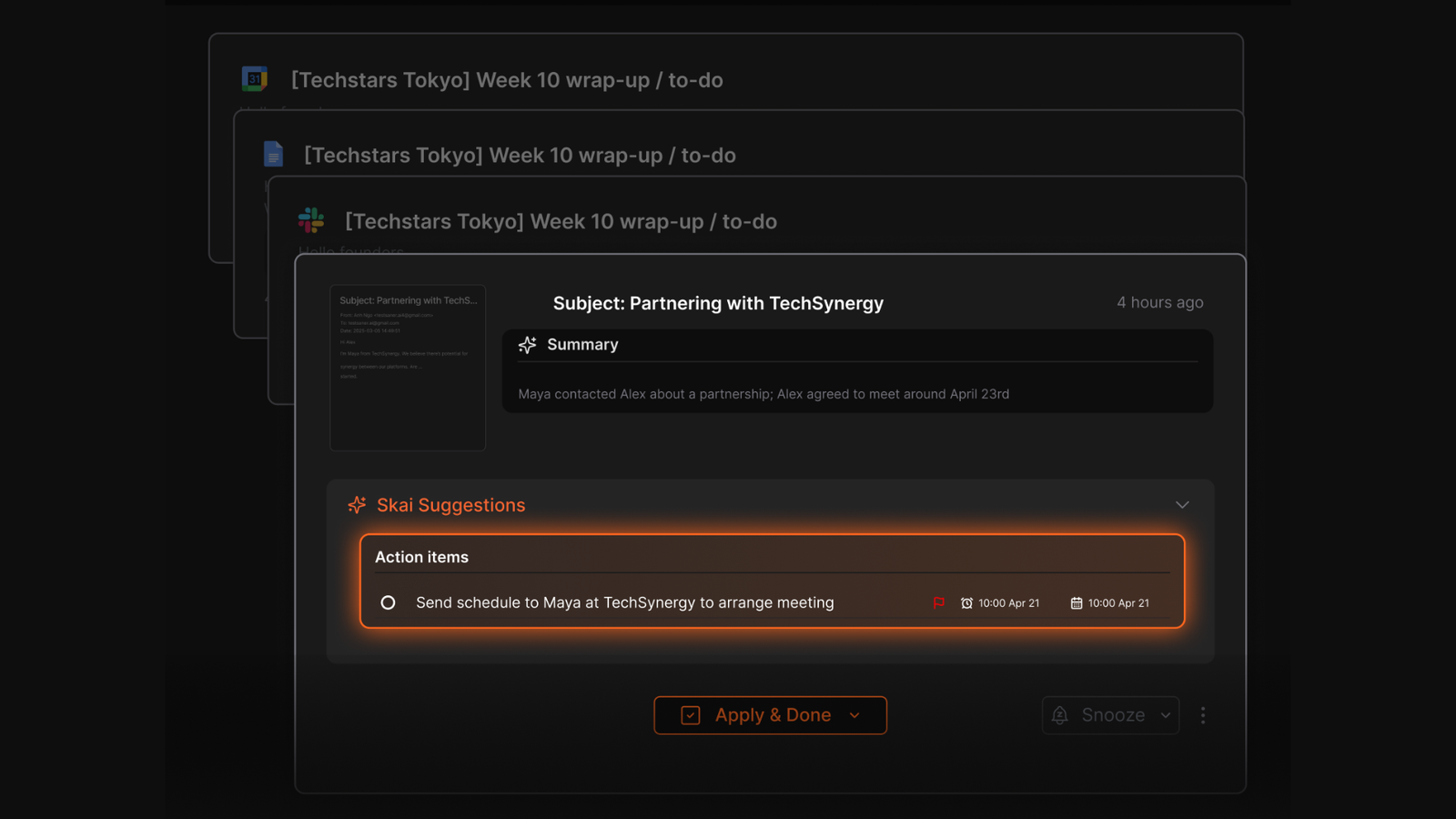
- Saner.AI can sync context from tools like Google Drive, email, Slack, and calendar, allowing me to search across multiple sources in one place.
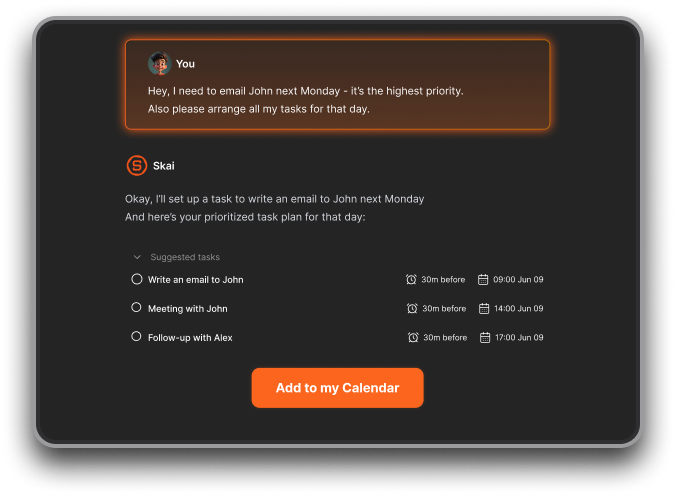
- When I brain-dump tasks like “follow up with Sarah next week,” the AI can turn them into reminders or schedule them on my calendar.
- One thing that stood out to me is the ability to access multiple AI models such as GPT, Claude, and Gemini inside the same workspace, without switching tools.
What I liked
- I can write a messy note, and Saner figures out what it means and how to organize it.
- I can just brain dump: “Follow up with Sarah next week” - and it schedules it for me.
- I can describe something vaguely - a half-remembered article, a person I linked to a project three months ago- and Skai finds it because it understands the structure of my knowledge graph.
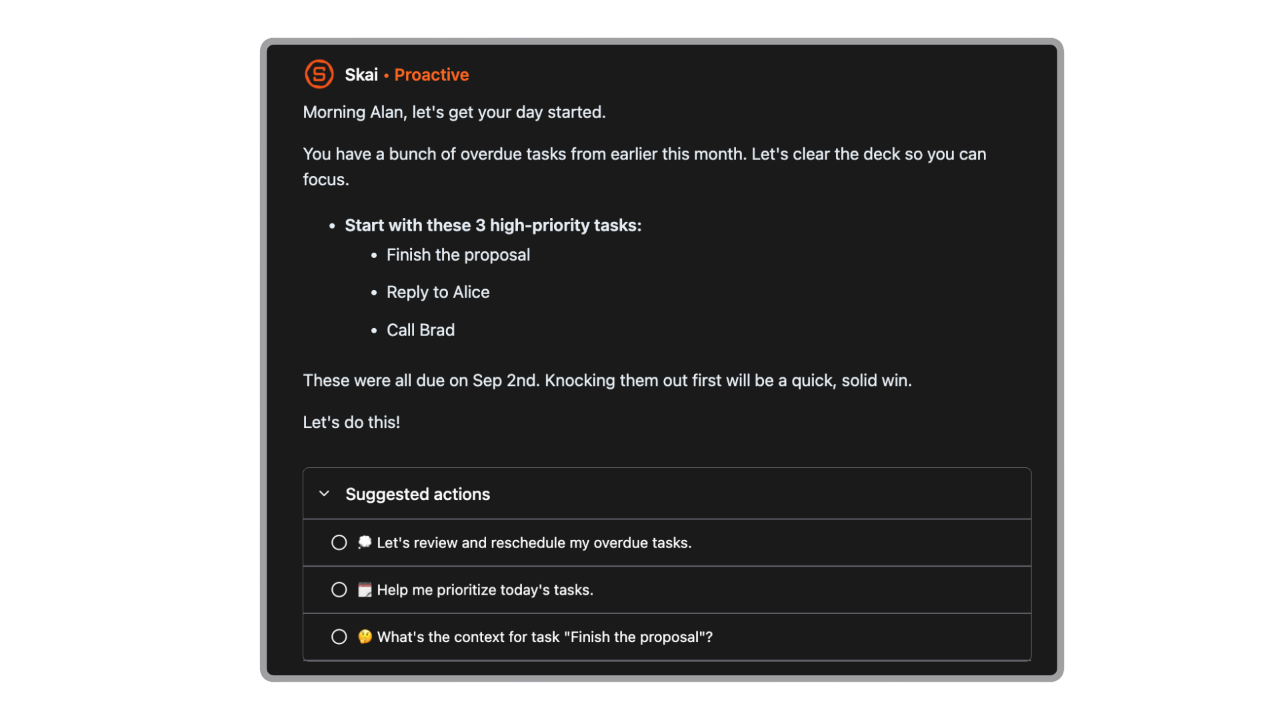
- The interface is built for focus. No clutter, no distractions.
Cons
- Requires internet access for full functionality.
Pricing
- Free
- Starter: Monthly at $8/month (yearly)
- Standard: Monthly at $16/month (yearly)
Suitable for
- Anyone who’s drowning in information and wants an AI to-do list that actually helps think through the chaos.
- Especially good for entrepreneurs, researchers, and people with ADHD who don’t want to manually organize everything.
Saner.AI Reviews
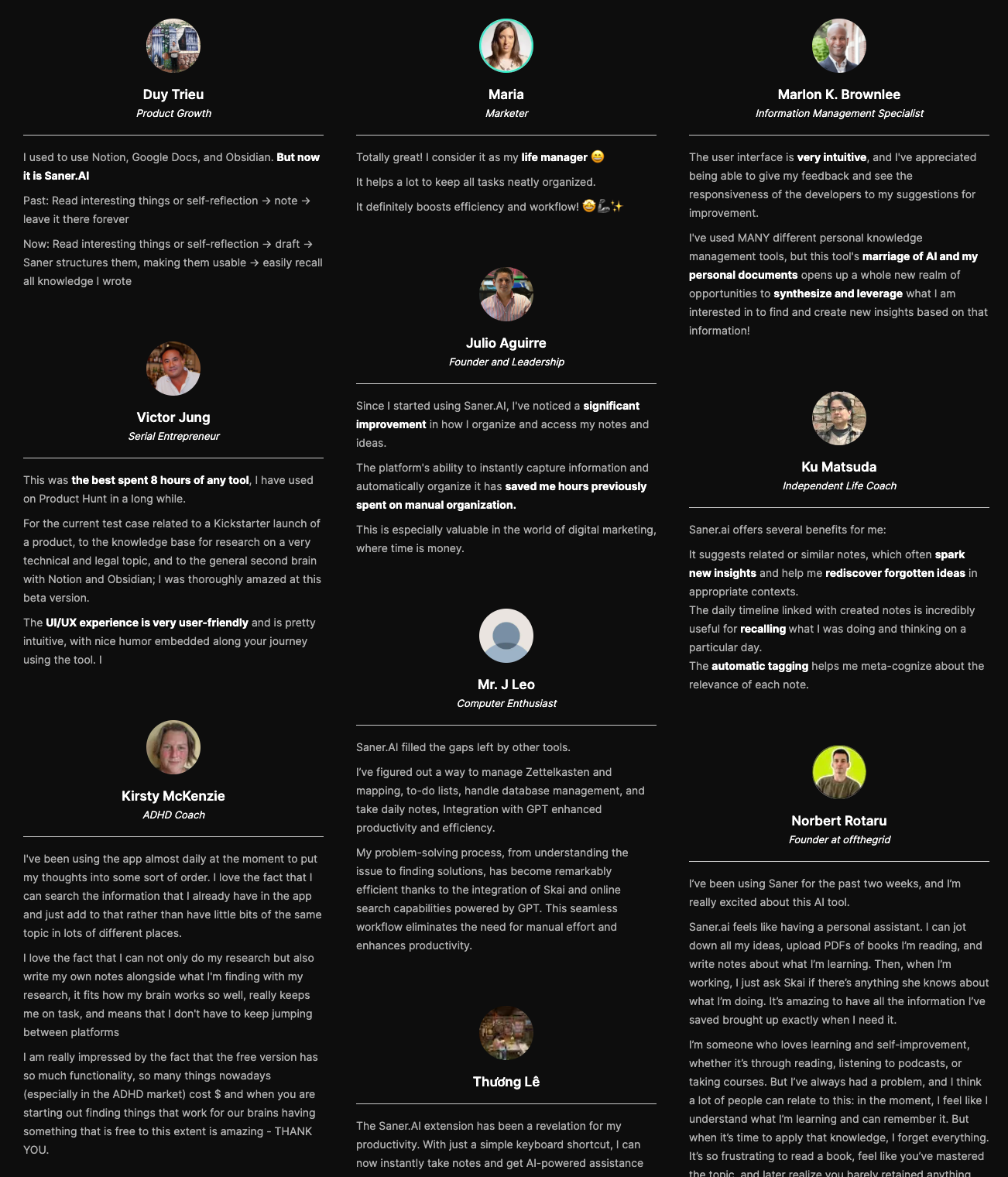
"The biggest benefit for me in using Saner is the Proactive AI. Staying on top of the constant flow of email and multiple calendars is challenging, and so far, Saner is the only AI-based tool that truly feels like a personal assistant." - Jerry
How to start
- Just go to Saner.AI, make a free account, connect your tools, and start chatting with Skai. The AI will help you organize without the usual friction.

The top Second Brain for you notes, tasks and emails
2. Notion
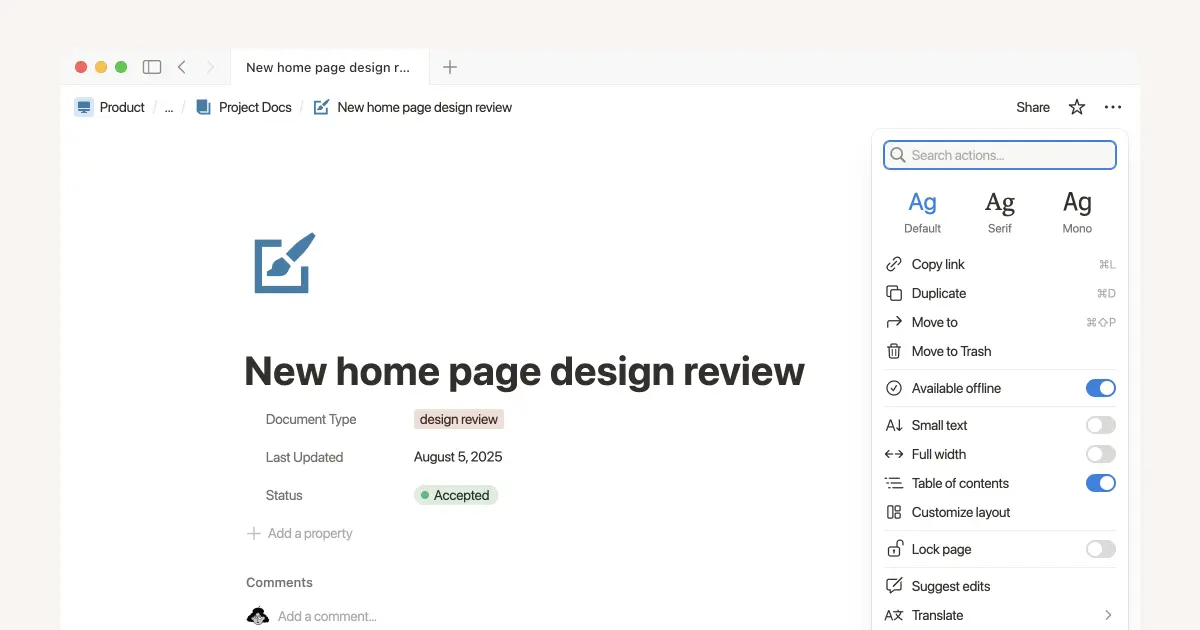
Notion is one of the most flexible Second Brain apps out there. It’s basically a blank canvas you can turn into anything - notes, tasks, dashboards, databases, even wikis.
Key features
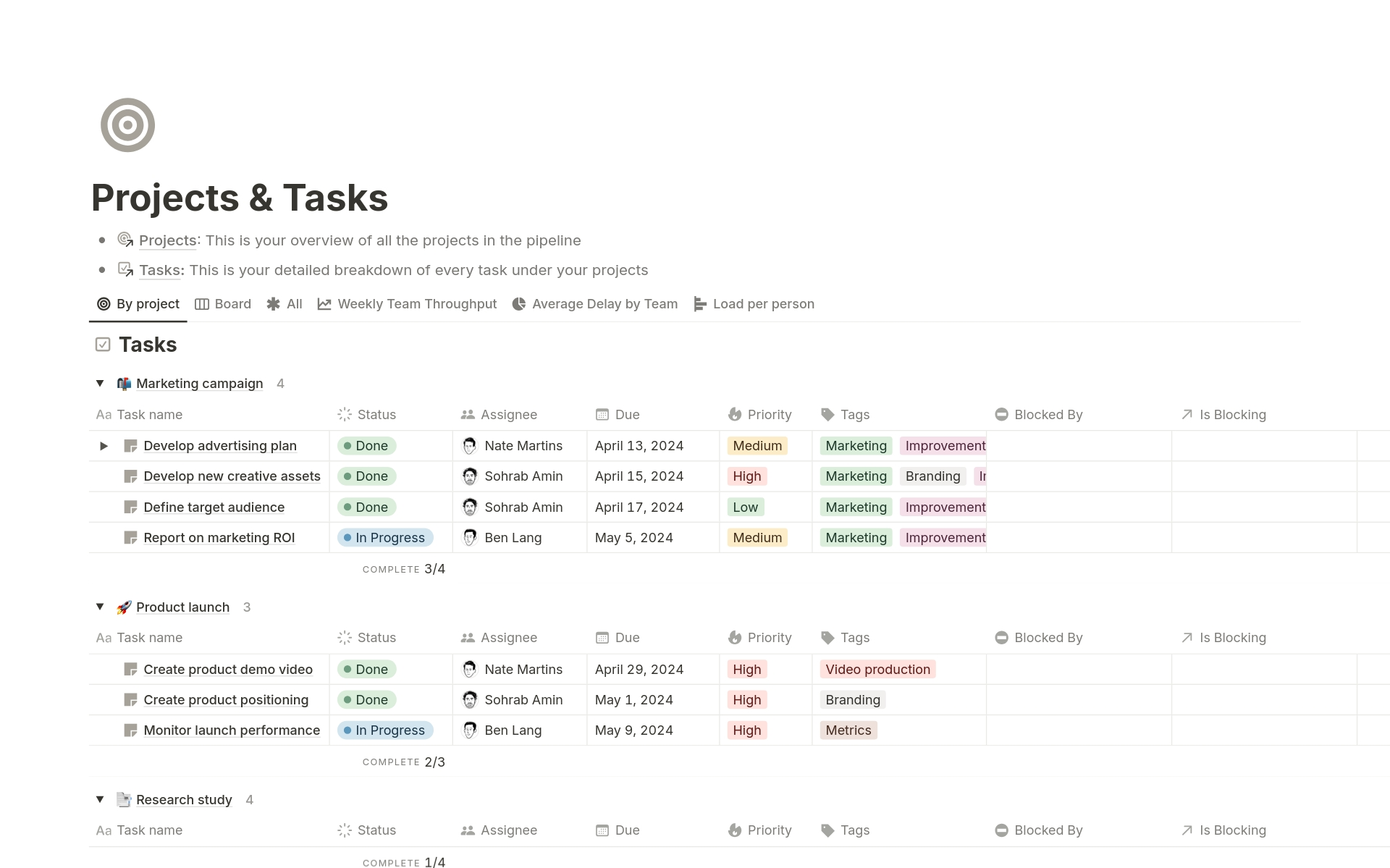
- Every item in a database can link to items in other databases - so a task connects to a client, a project connects to its meeting notes, and a resource library connects to the research that informed your writing.
"I love that I can have a 'Tasks' database where one item is a simple checkbox, but clicking into it reveals a full project brief, a linked 'Client' database entry, and an embedded Figma file." — verified review
- Custom views: Switch between tables, calendars, kanban boards, timelines
- Collaboration: Share pages, comment, and tag teammates easily
Pros
- I like how customizable it is.
- The community templates are a huge help.
- It works great across devices. Whether I’m on my laptop or phone, everything’s synced and easy to update.
Cons
- I feel the learning curve is steeper than Notion's marketing suggests;
- I've experienced the slowdown that happens when databases get large; once you're past a few thousand rows, page load time is noticeable
Pricing
| Plan | Price | AI Access | Best For |
|---|---|---|---|
| Free | $0 | ~20 trial responses only | Solo users, personal note-taking |
| Plus | $10/user/mo (annual) | AI add-on available | Small teams, basic collaboration |
| Business | $20/user/mo (annual) | Full AI included (Agents, Ask Notion) | Teams that want AI built in |
| Enterprise | Custom | Full AI + zero data retention | Organizations needing compliance and SCIM |
Suitable for
- Notion works best for knowledge workers, freelancers, and small teams who want to build a custom Second Brain rather than adopt someone else's rigid structure.
- It also fits solo professionals who want their notes, projects, and now email in one workspace without stitching together five separate tools.
How to start
- Just sign up for a Notion account, grab a Second Brain template, and start personalizing it to fit your brain.
Notion reviews (source)
"I use Notion for everything. Literally. From work (task management, documentations) to personal shopping lists, to-dos, research, meal planner, recipes, etc. Their customer support is one of the best I've met so far, very responsive." - Iuliana Murariu
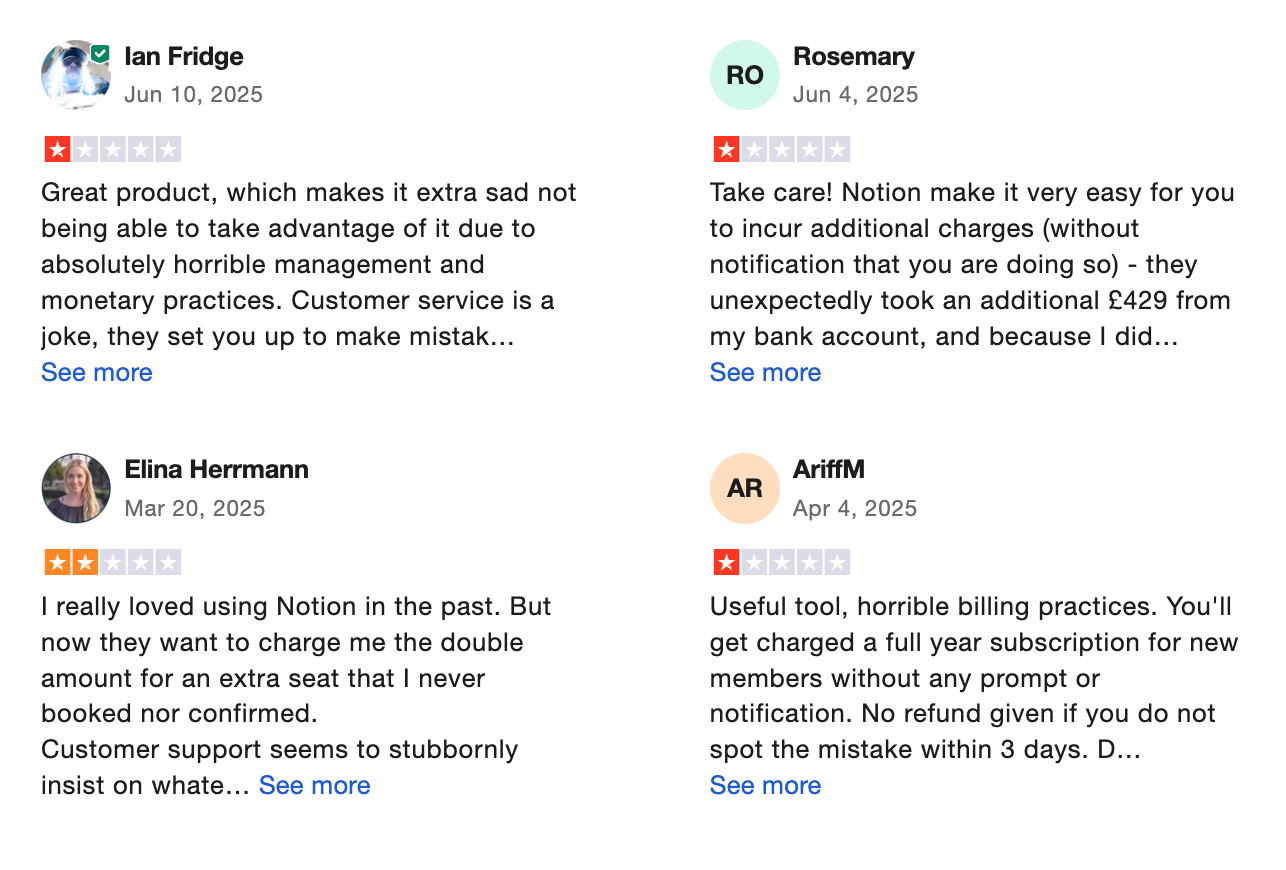
'It has amazing potential but the free version is just too limited, which sucks and I can't really test it's full functionality." - Jana Hayes
3. Google Keep

Google Keep is Google's free note-taking app, launched in 2013, and still one of the most widely used capture tools in the world.
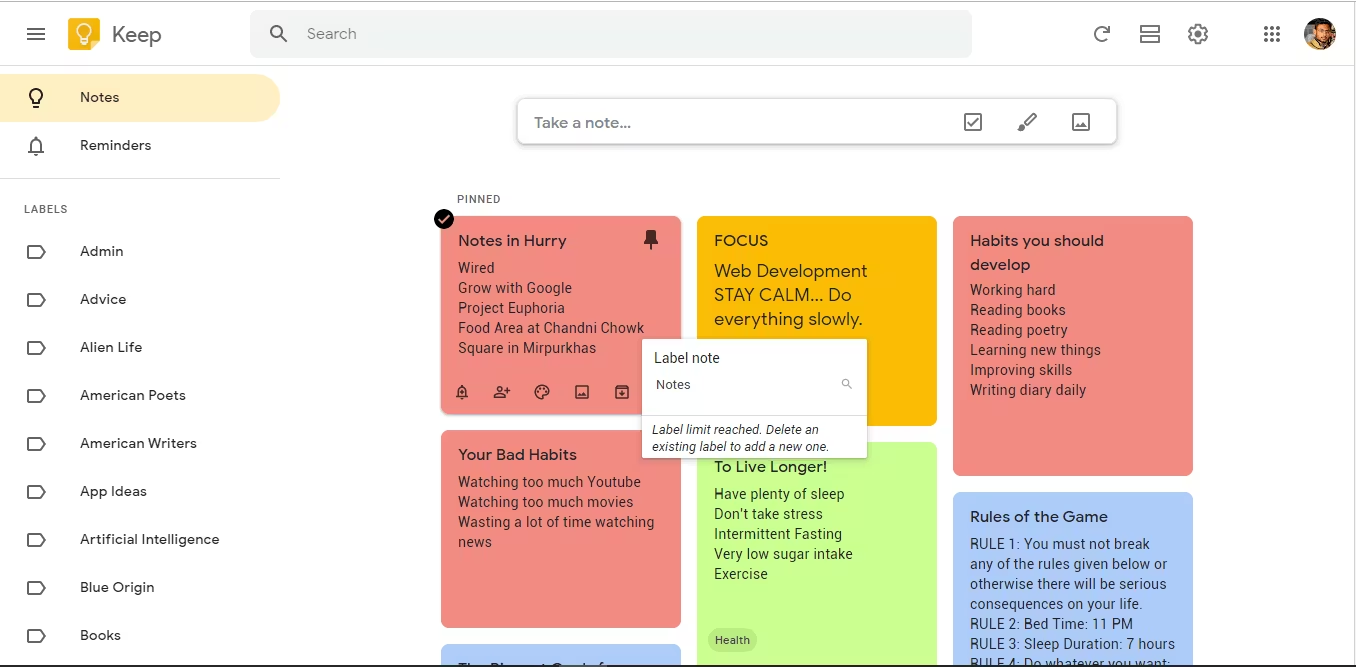
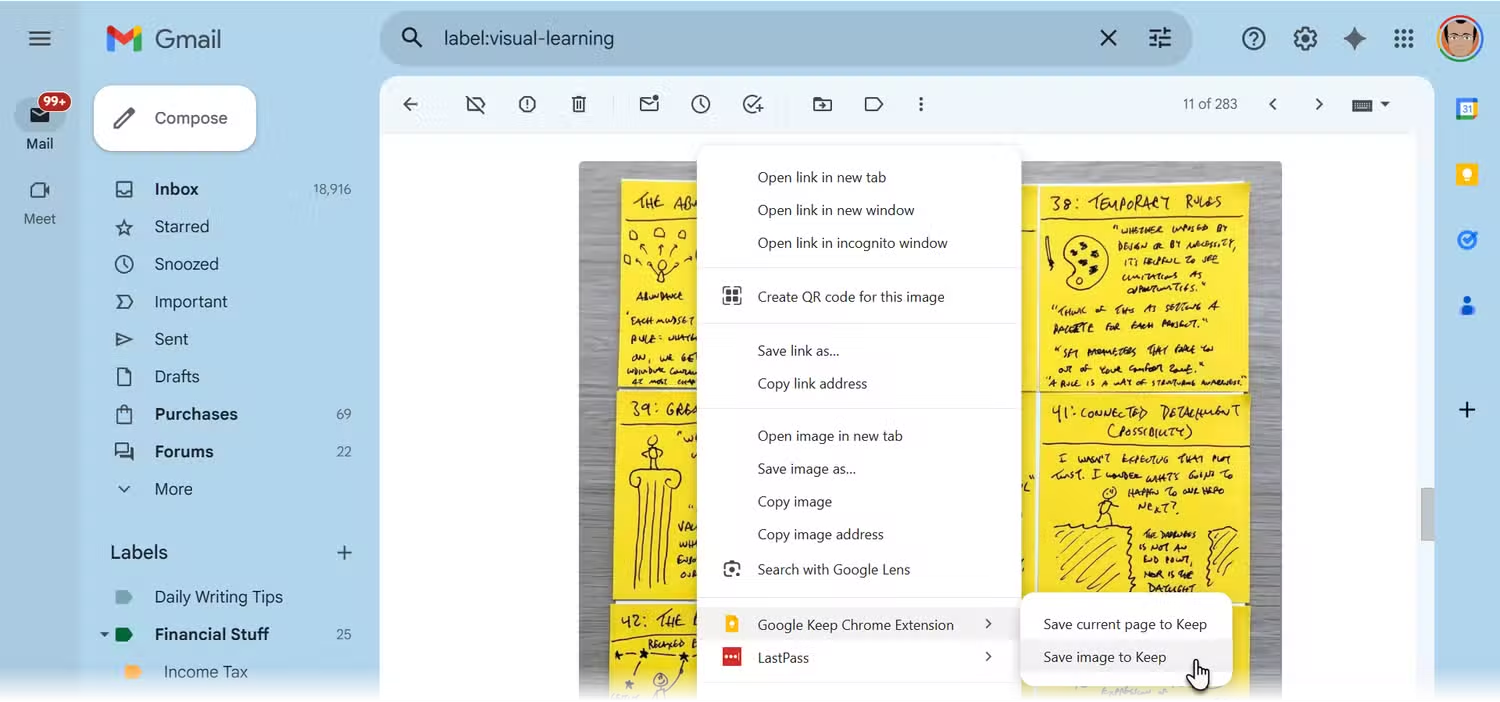
The interface is built around color-coded sticky notes, which you can stack into a searchable grid, organize with labels, or set to remind you at a specific time or location. It also supports checklists, voice memos, images, and basic hand-drawn sketches.
Key features
- Google Keep lets you log ideas in whatever form is fastest in the moment
- Notes can be tagged with up to 50 custom labels and assigned a background color
- You can pin a reminder to a specific time, or to a place
- Notes can be shared with anyone via their Google account. Collaborators can view, edit, and check off items on shared lists at the same time.
Pros
- I like how fast it opens, from phone lock screen widget to a new note in about two taps; nothing else is quicker for raw capture
- I appreciate that it's free
- I appreciate the Google Docs integration
Cons
- It’s not made for deep project management - no timelines, dependencies, or fancy views
- The formatting doesn’t sync perfectly between web and mobile yet
- You won’t find an AI assistant or smart scheduling features here like with Saner.AI
- If you’re not in the Google ecosystem, it’s pretty limited
Pricing
- 100% free with a Google account
Suitable for
- People who already use Gmail, Google Calendar, or Google Docs every day and want a capture tool that lives inside that same world without extra setup.
- It works especially well for students logging class notes and reminders, freelancers who need a quick scratchpad for client ideas
- If you have ADHD or tend to lose thoughts the moment they appear, Keep's speed and low friction make it one of the better first-line capture tools available.
How to start
- Just sign in at keep.google.com or download the app, and you’re good to go. Start by jotting down a quick note, add a label or color, and build from there.
Google Keep Review (source)
"The beauty of the app lies in its absolute simplicity and the speed of capturing fleeting thoughts, along with the seamless, completely free synchronization across all devices without any complexity." - Ahmed A
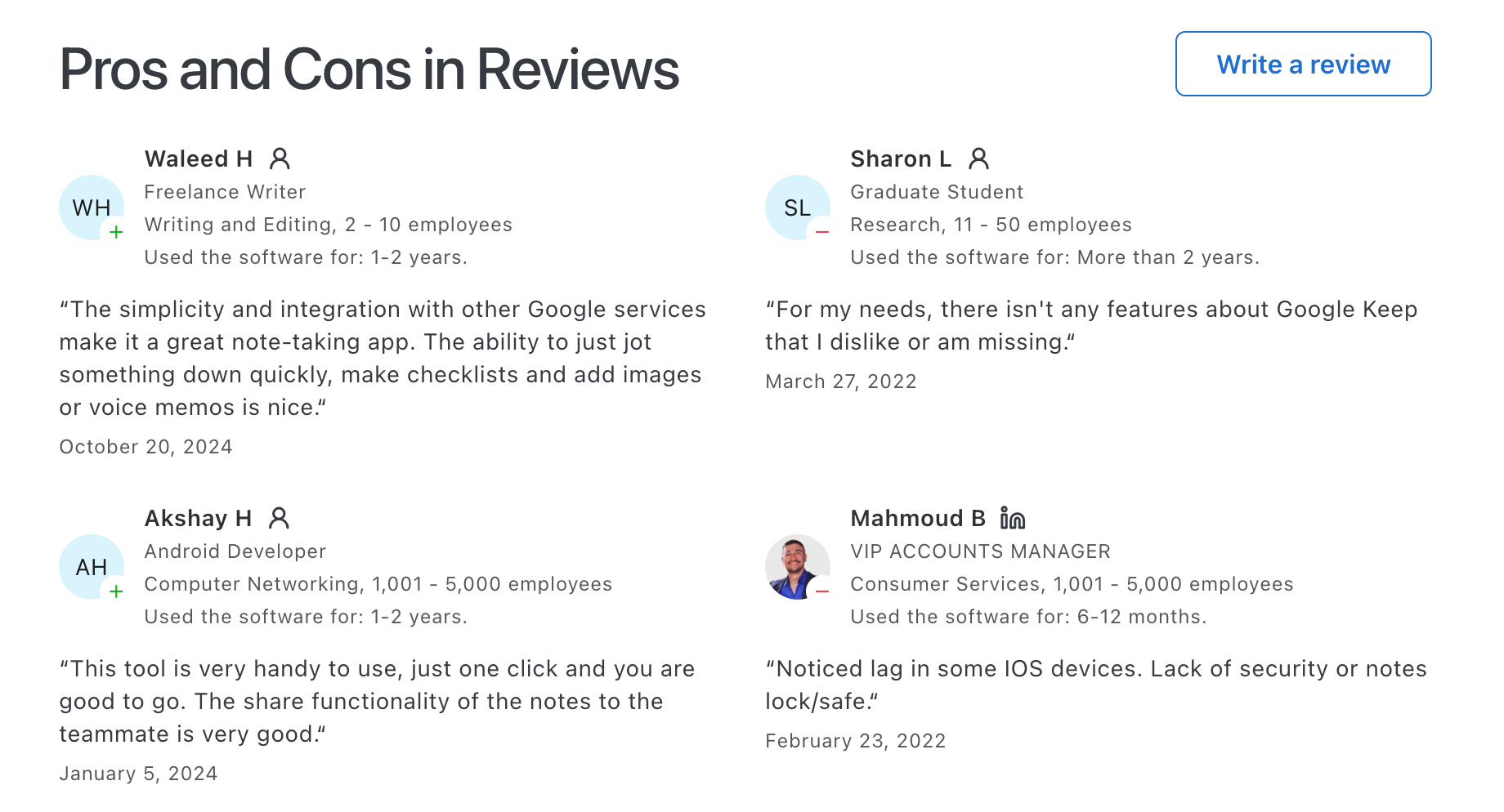
“The search does a poor job finding much older notes if they’re not properly tagged, which slows me down when I’m looking for old solutions." - Rian B
4. Evernote
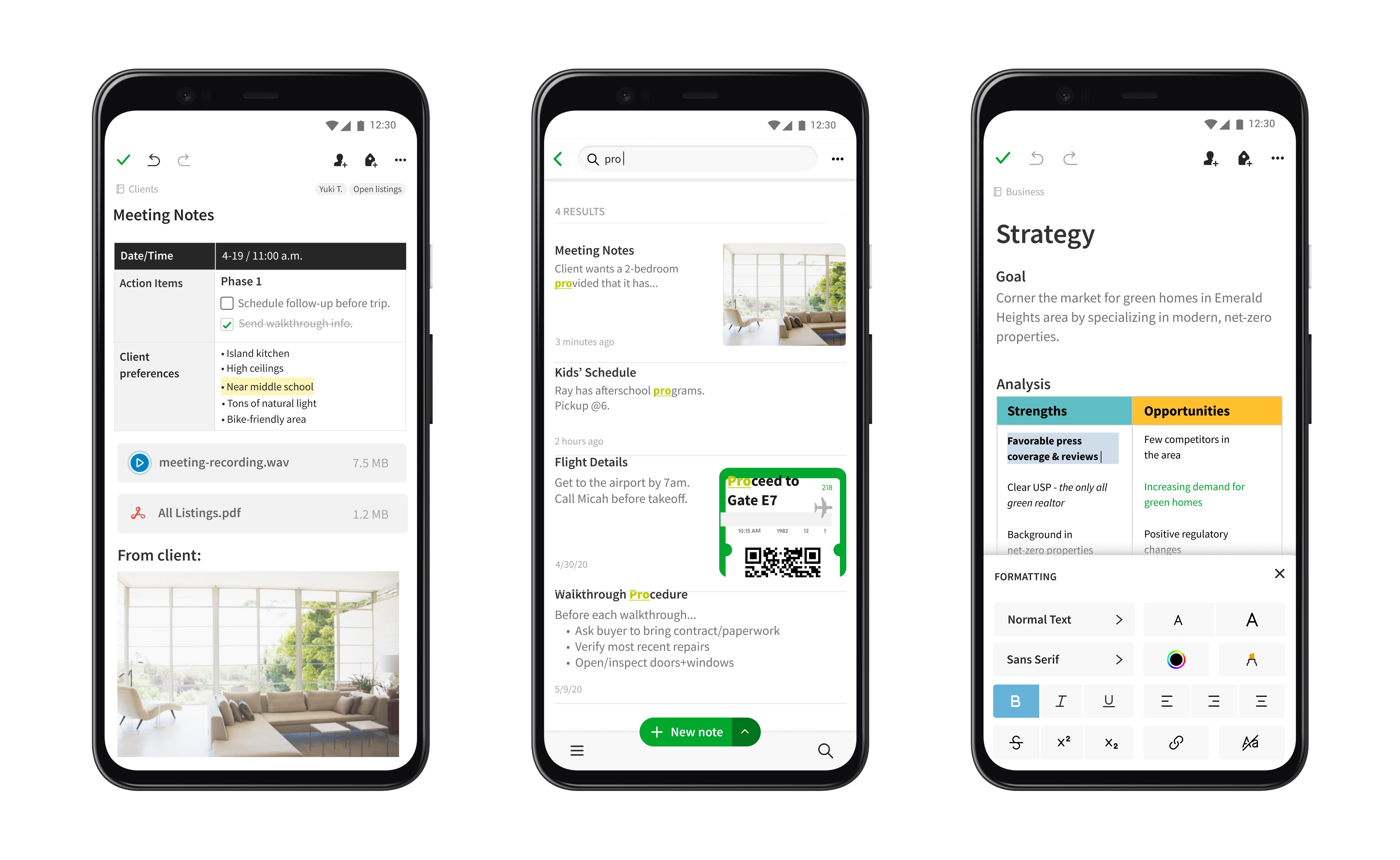
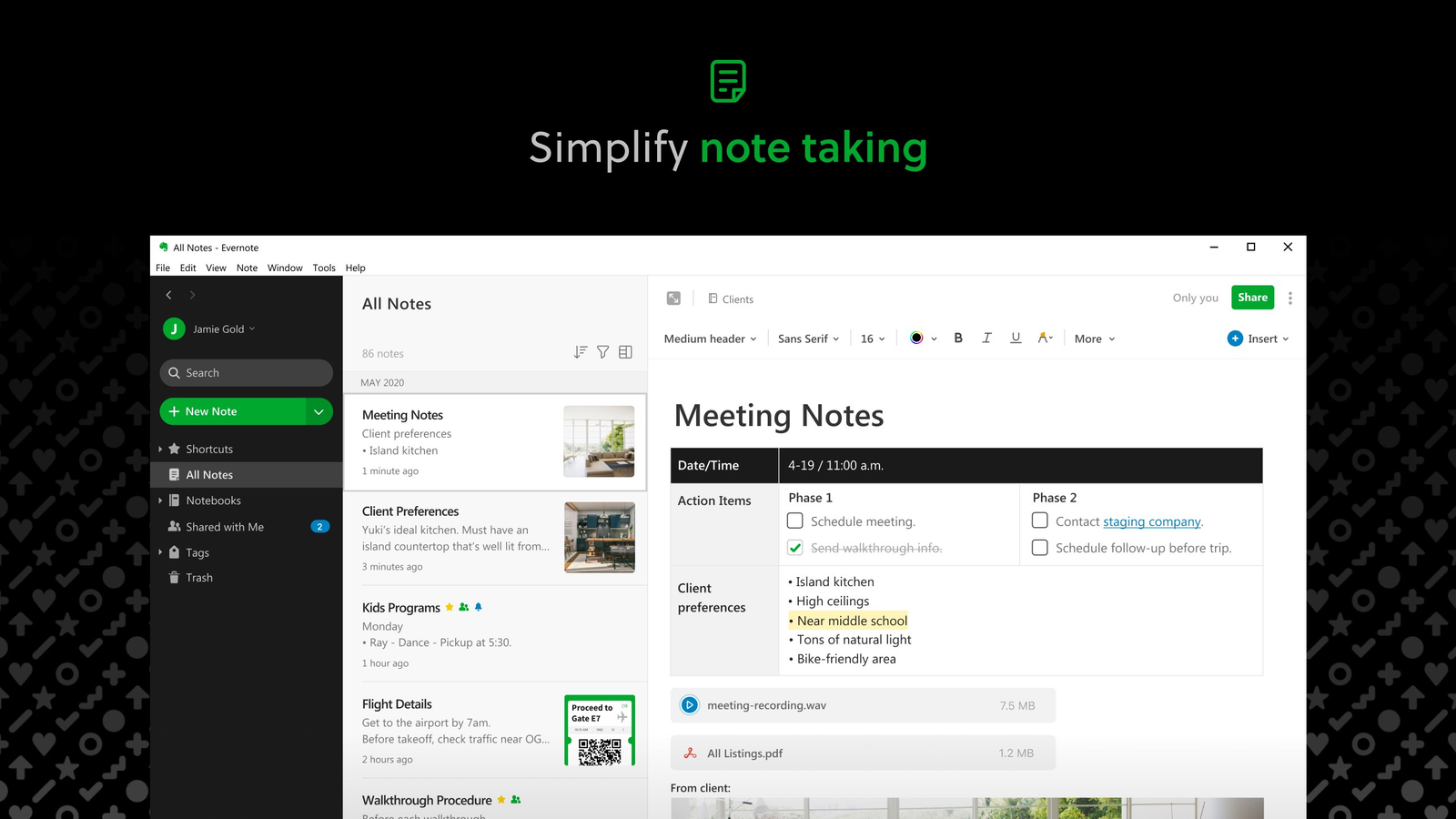
Evernote is one of the oldest names in digital note-taking, around since 2008, and still one of the most recognized second brain tools out there.
Key feature
- The Web Clipper lets you save a full web page, article, or screenshot into your notes in one click, formatting preserved, with real-time annotation before it even hits your notebook.
- Evernote's OCR search finds text inside notes, images, and attachments — including handwritten notes.
- Tags and notebooks: Keeps everything organized and easy to browse
Pros
- I like that it’s built for long-term memory
- The clipper is super handy
- I also like that I can search inside PDFs and handwritten scans.
Cons
- I feel the free plan is essentially unusable for a second brain - 50 notes and one device is a demo, not a system.
- I notice the lack of bidirectional linking or a graph view is a real gap compared to tools like Obsidian or Logseq
- Export formats don't capture full functionality, which makes leaving harder than it should be.
- I find the AI features still trailing behind what newer tools offer
Pricing
- Free: Limited to 50 notes, one notebook, one device
- Personal: $7.99/month
- Professional: $14.99/month
Suitable for:
- Users who've been in the ecosystem for years and have too much invested to migrate, web research-heavy users who clip dozens of articles weekly, and anyone who regularly scans physical documents like receipts, business cards, or handwritten notes.
- It's a solid choice for journalists, researchers, consultants, and solo professionals who need a fast, reliable capture-and-search system.
How to start:
- Head to evernote.com, create a free account, and start capturing notes. Upgrade if you need more space or devices.
Evernote review (source)
"I’ve been using Evernote for several years now, and it continues to be one of my favorite productivity tools. It’s incredibly reliable, user-friendly, and versatile." - Mohamed Kabesh
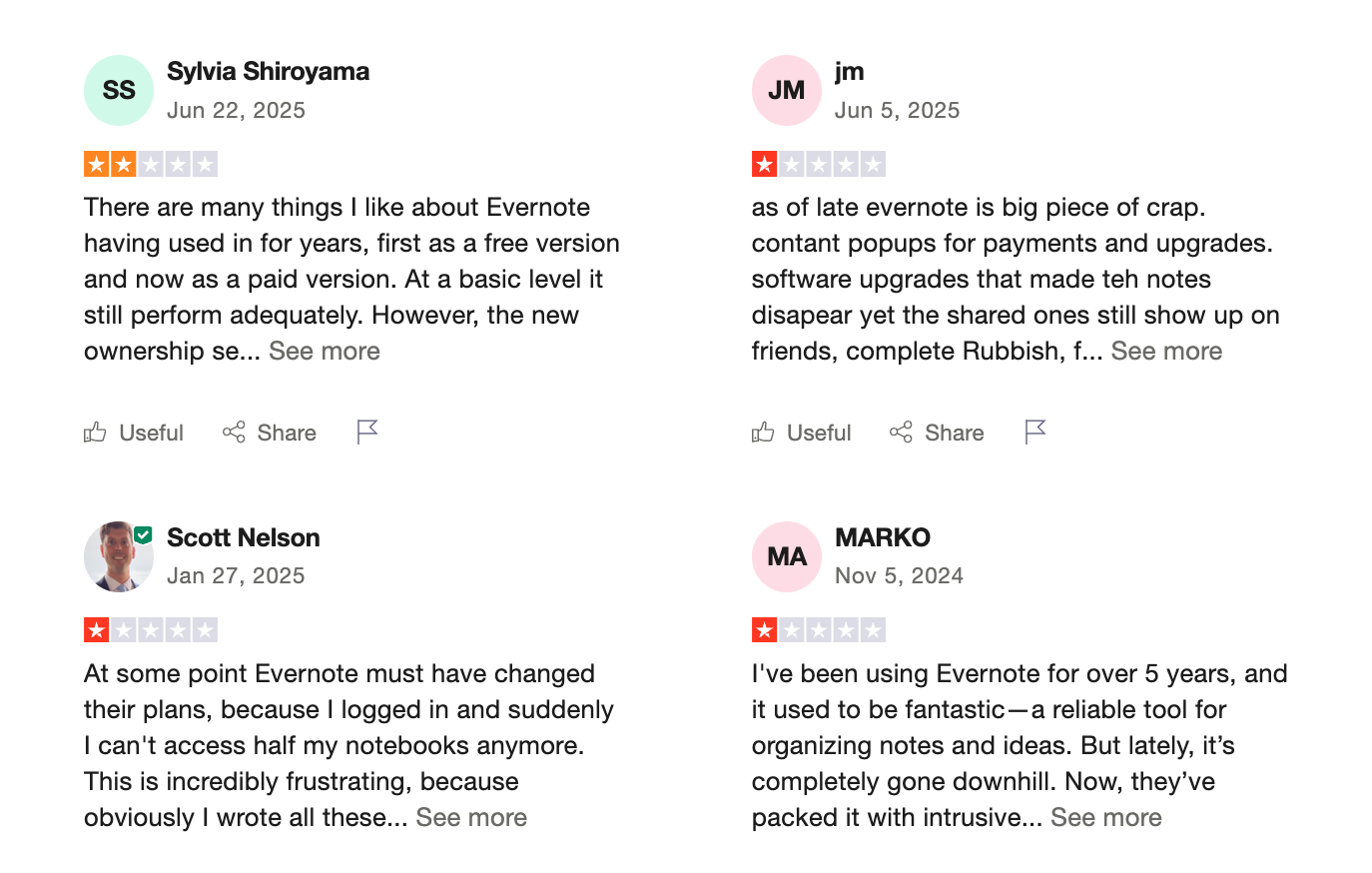
"This used to be the go-to software, but now, it's overcomplicated and too busy. The price has gone up, and the quality and service have gone down." - Ian Collins
5. Craft
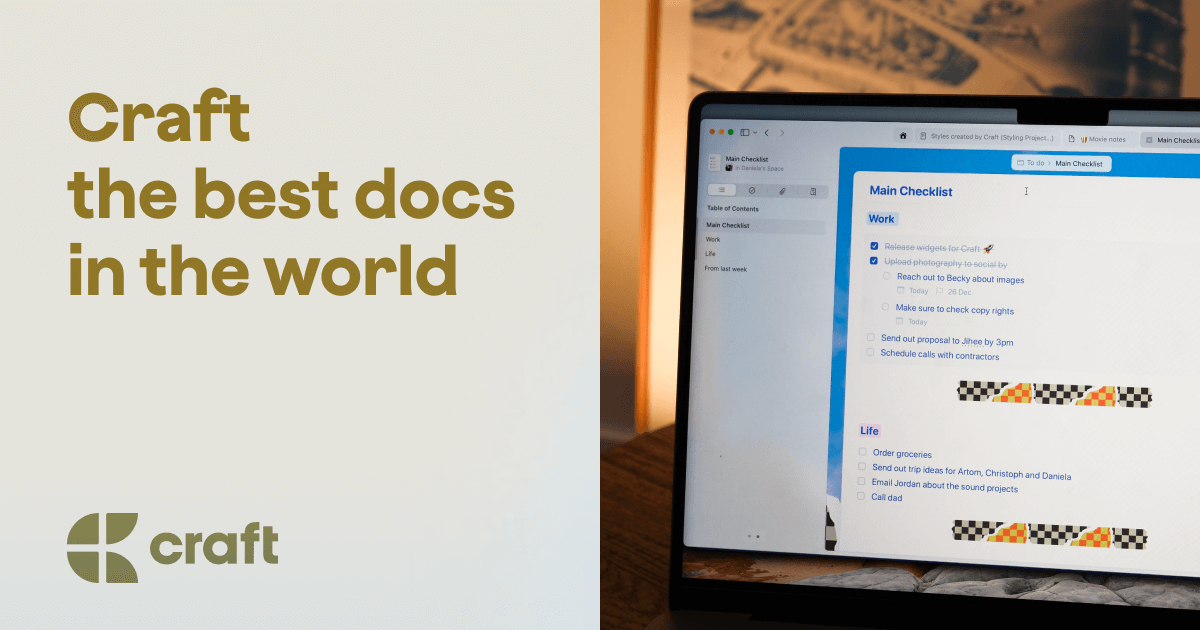
Craft is a block-based document and note-taking app built with an unmistakably Apple-first philosophy. Your notes will be living inside a layered system of Spaces, Folders, Tags, and Collections
Key features
- Every piece of content in Craft is a block, which means you can drag, nest, reorder, and restructure your ideas freely
- Craft has a dedicated daily note system built right into the app, making it easy to build a consistent capture habit.
- Collections for organizing bigger projects or knowledge bases
- Craft lets you share documents with collaborators in real time, with comments and reactions built in. You can also publish any page as a live web URL.
Pros
- I like how simple and calm the writing environment feels
- Everything connects: my daily notes, tasks, and project spaces all live in one flow
Cons
- It’s not a full task manager with no dependencies or recurring tasks
- If you rely heavily on tagging and backlinking (like in Obsidian), Craft feels a bit limited
- I wish search worked better for images or PDFs unless you add text
- You don't have an AI assistant to manage work like with Saner.AI
Pricing
- Free plan with core features
- Pro plan at $10/month or $96/year with AI and advanced tools
Suitable for:
- Solo professionals, writers, and content creators who live inside the Apple ecosystem and want a note-taking app that looks as good as it works.
- Freelancers building client wikis, students organizing research projects, and knowledge workers who follow PARA or a similar personal organization system will find Craft genuinely easy to adopt.
How to start:
- Just head to Craft, create a free account, and start with a daily note or project template. You can always upgrade later if you need more power.
Craft review (source)
"A friend showed me how he built his second brain on Craft.do. I was so in love with the visual options and easy-to-use platform." - verified review
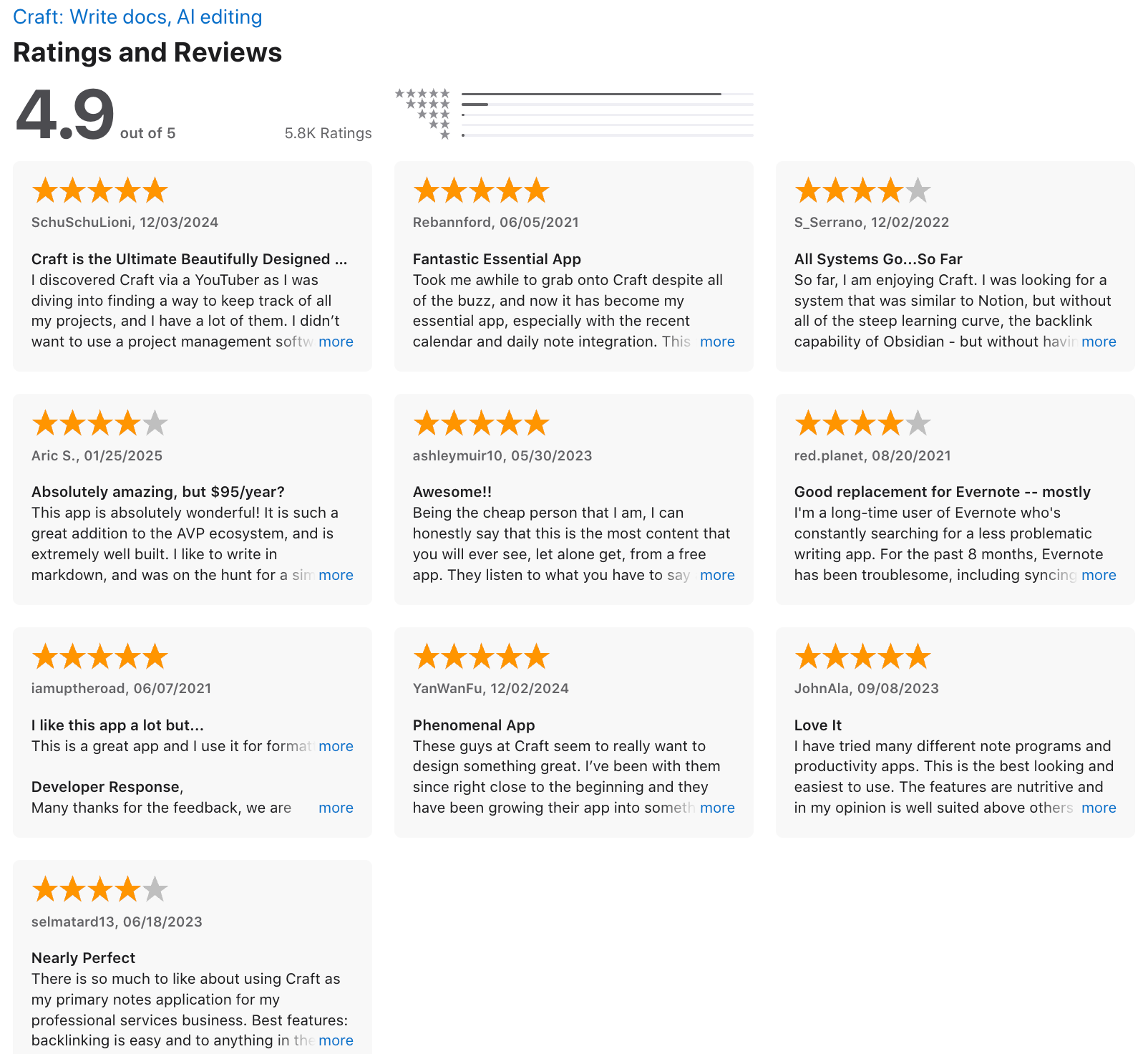
"This app has a lot of limitation for free users" - Ldc.inc
6. Obsidian
Obsidian is a local-first note-taking and knowledge management app that stores everything as plain Markdown files on your own device.
Instead of organizing notes in isolated folders, Obsidian encourages you to link ideas together, turning a collection of notes into a connected knowledge base. On top of that, a 1,500+ community plugin library lets you reshape Obsidian into virtually anything.
Key features
- Every connection you make between two notes is visible from both sides, so ideas surface each other naturally over time.
"Obsidian introduced me to linking my notes. Now I have a network of ideas that I can keep coming back to." — Verified review
- The Graph View, a signature feature, visualizes notes and their connections in an interactive diagram, revealing knowledge clusters and sparking insights.
"The graph view gives me a visual of how all my notes are linked together — such a creative feature — it stimulates idea generation and creativity." — Verified review
- Obsidian is incredibly quick and adaptable, all notes are kept locally in plain text, giving users complete control over their data.
- Daily notes and templates: great for journaling, tracking, or content planning
Pros
- I like that I own all my notes
- The graph view is cool
- It’s lightning fast. Even with thousands of notes, it never slows down.
Cons
- The learning curve is real. It took me a while to get comfortable with Markdown and all the setup.
- Syncing across devices isn’t included in the free version.
- Not great for collaboration - this is very much a solo tool.
- It can be easy to over-customize and get distracted by tweaking your setup.
- Don't have an AI assistant built-in
Pricing
- Free plan with all core features
- Sync plan: $5/month
- Sync + Publish plan: $10/month
Suitable for
- Researchers and academics building a long-term body of work using methods like Zettelkasten
- Writers and solo creators who want a private brainstorming space that actually links ideas instead of dumping them into folders
- Developers and technical professionals who are comfortable with Markdown and want full control over their workflow
- Privacy-conscious knowledge workers who don't want their thinking on someone else's server
How to start
- Just download Obsidian, create your first vault, and start writing. Try the daily notes, play with linking ideas, and explore plugins once you get comfortable.
Obsidian review (source)
"It's good in note taking, formatting, sharing notes, navigating your notes every single thing." - Tasnimul Haque
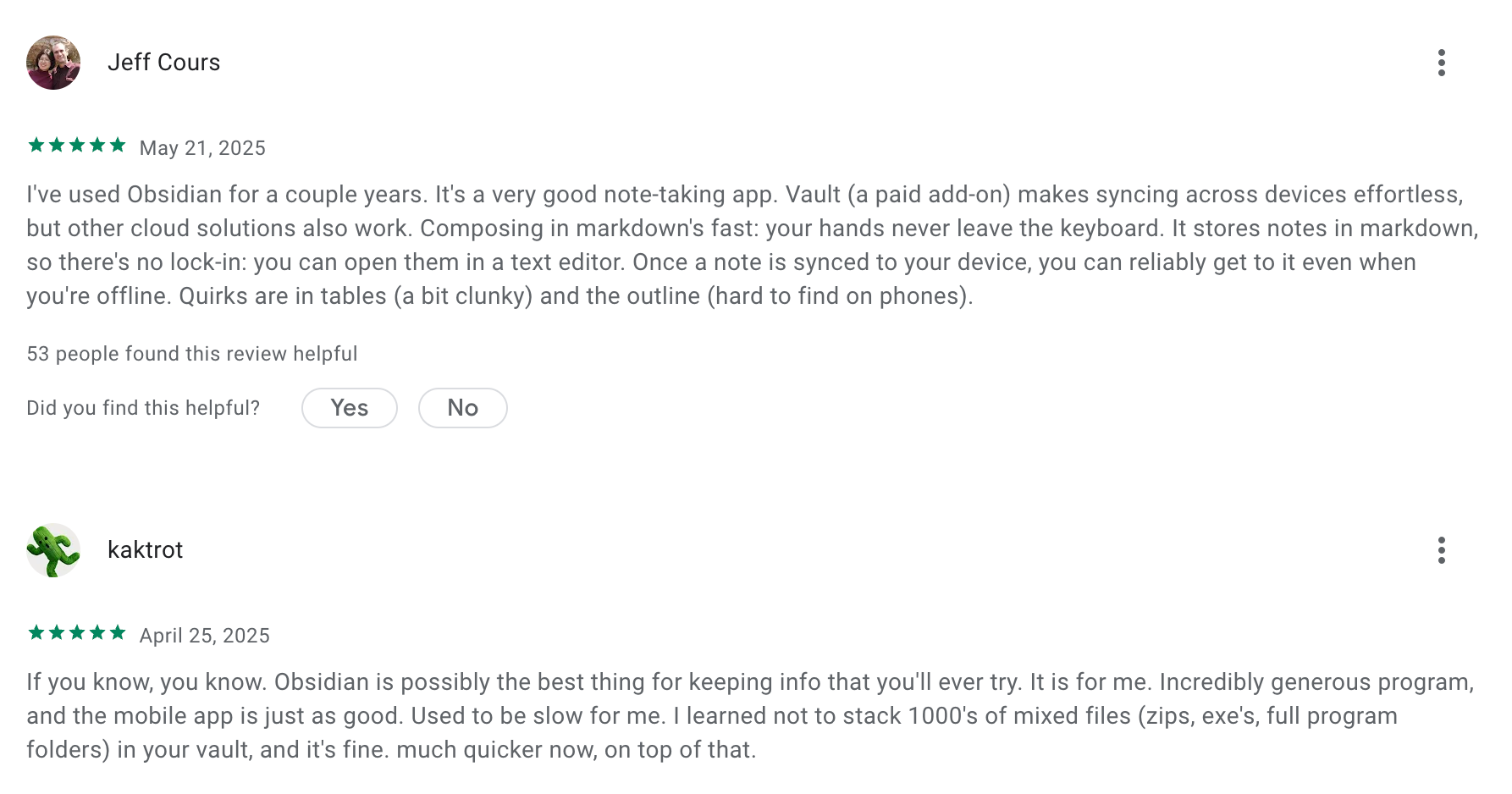
"The navigation got very clunky and not user friendly at all. And over half of all the notes I imported are gone! And I can't even access the notes I created on this app!" - Jim T
7. AmpleNote
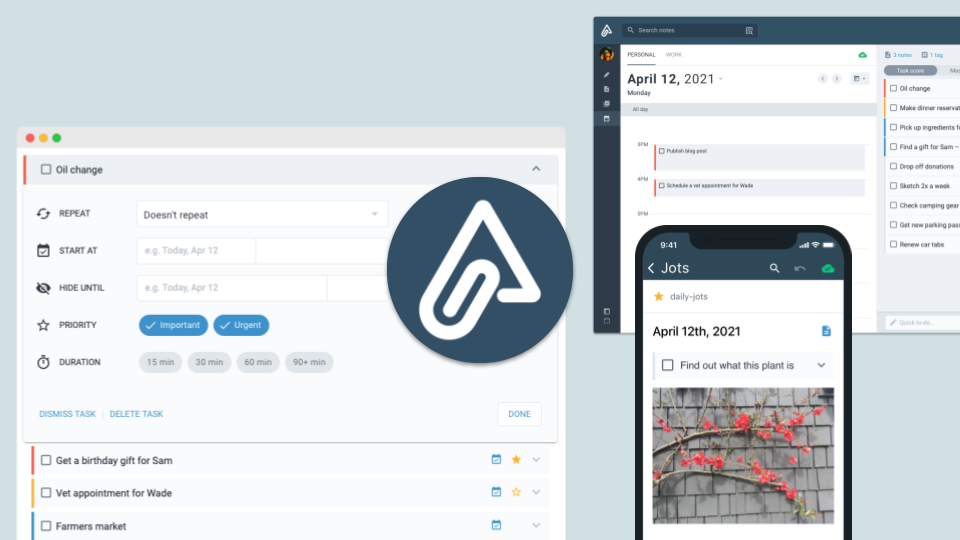
I've spent a fair amount of time testing apps that claim to be a "second brain," and Amplenote is the one that actually takes the GTD philosophy seriously. Launched in 2020 and built specifically for productivity enthusiasts, it merges four things into one interface: Jots (quick capture), Notes (long-form writing), Tasks, and Calendar.
Key features
- Jots works like a daily scratchpad that feeds into your broader knowledge system.
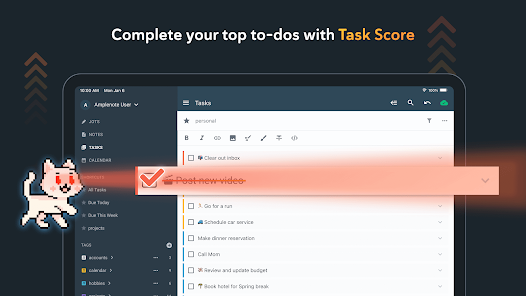
- Task Score is a proprietary scoring system that factors in urgency, duration, project context, and whether a task has been sitting idle too long.
- Notes in Amplenote can be linked to one another in both directions, building a connected map of your knowledge over time.
"The combination of backlinks, tags, and powerful search allows me to build a personal knowledge base that remains coherent and easy to navigate over time." — verified review
- End-to-End Encryption: Keep sensitive notes fully private
Pros
- I like how everything’s in one place—notes, tasks, calendar—so I don’t lose context.
- The task scoring system is surprisingly helpful when I’m overwhelmed. It tells me what to focus on.
- Linking between notes feels natural and helps me build long-term knowledge over time.
Cons
- It takes time to get used to all the features - it can feel like a lot at first.
- The design is more functional than pretty.
- Graph view is only available on the paid plan.
- Mobile sync isn’t perfect
Pricing
- Free plan
- Paid plans: around $6/month
Suitable for
- People building a Second Brain with Zettelkasten, PARA, or GTD
- Writers, researchers, and entrepreneurs who need idea tracking + scheduling
How to start
- Just sign up at Amplenote, start with a Daily Jot, and try dragging a task onto your calendar. You’ll get a feel for how it can replace your scattered system of notes, to-dos, and planners.
Amplenote review (source)
"Great app. Combines tasks, notes, calendar and journaling all into one. Even though it does a lot, the app surprisingly does all of it very well. Most essential features are free unlike other good apps so it's a great option for almost everyone." - Ayan Sarkar
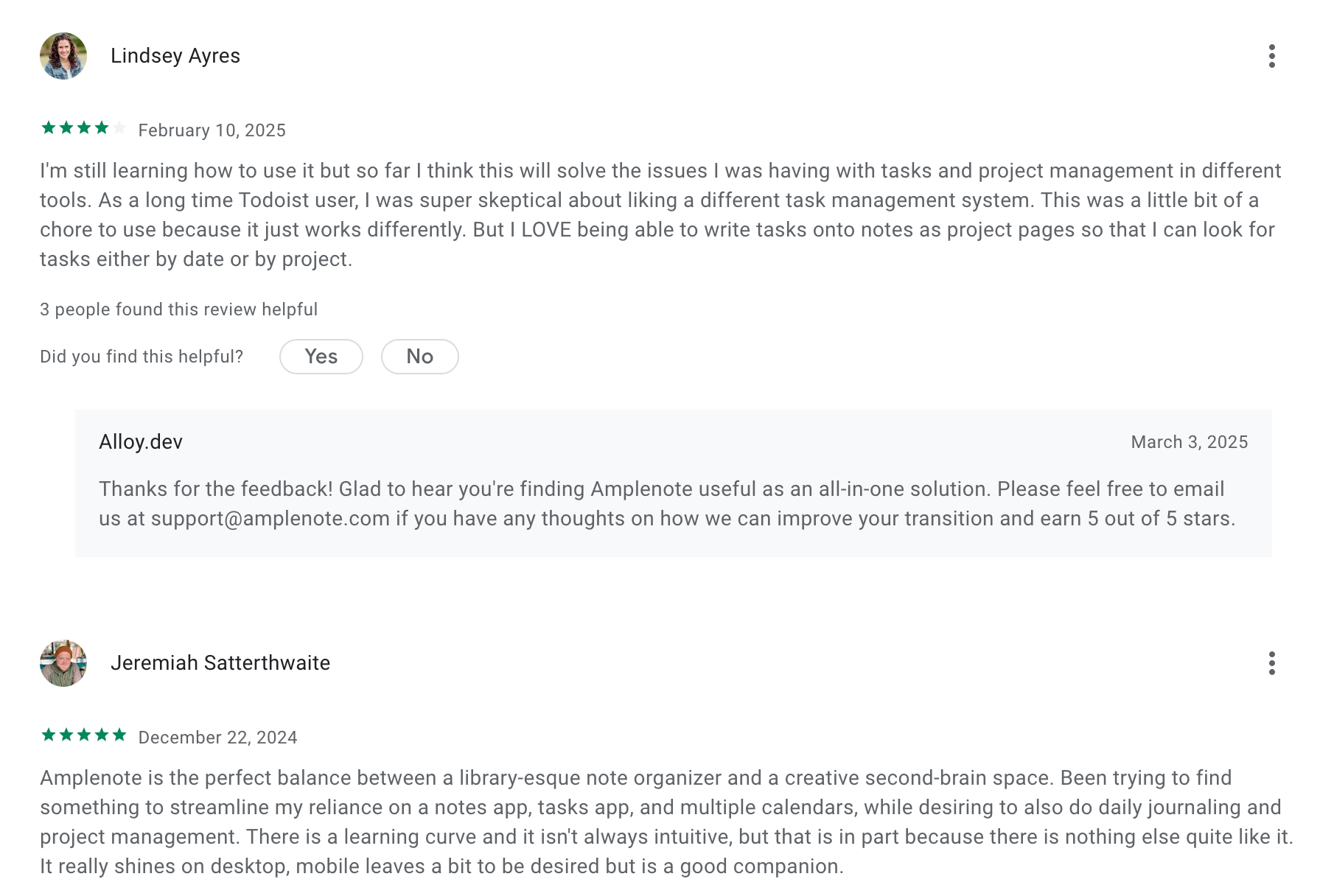
"Might be a great app if you want to get really into the weeds but for a new user you get completely slapped in the face with way too much info and pre-made notes. " - Cornor C
8. Capacities
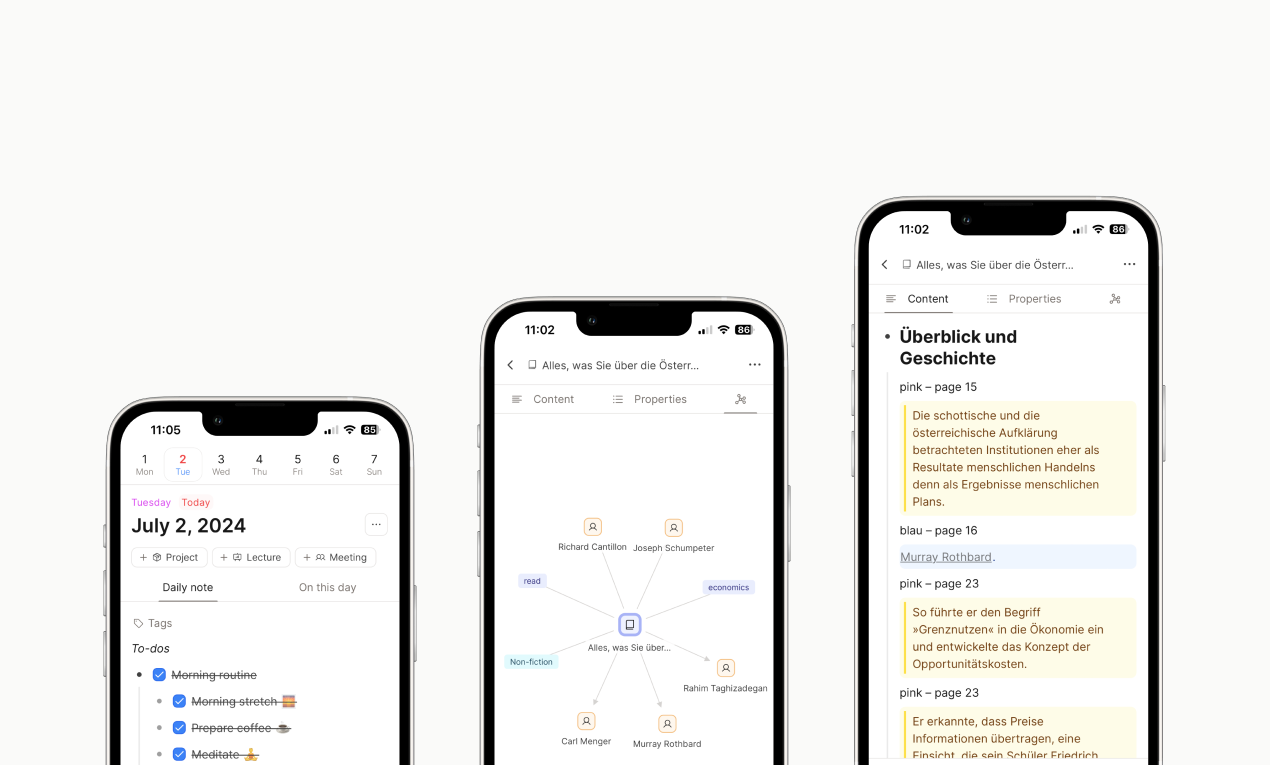
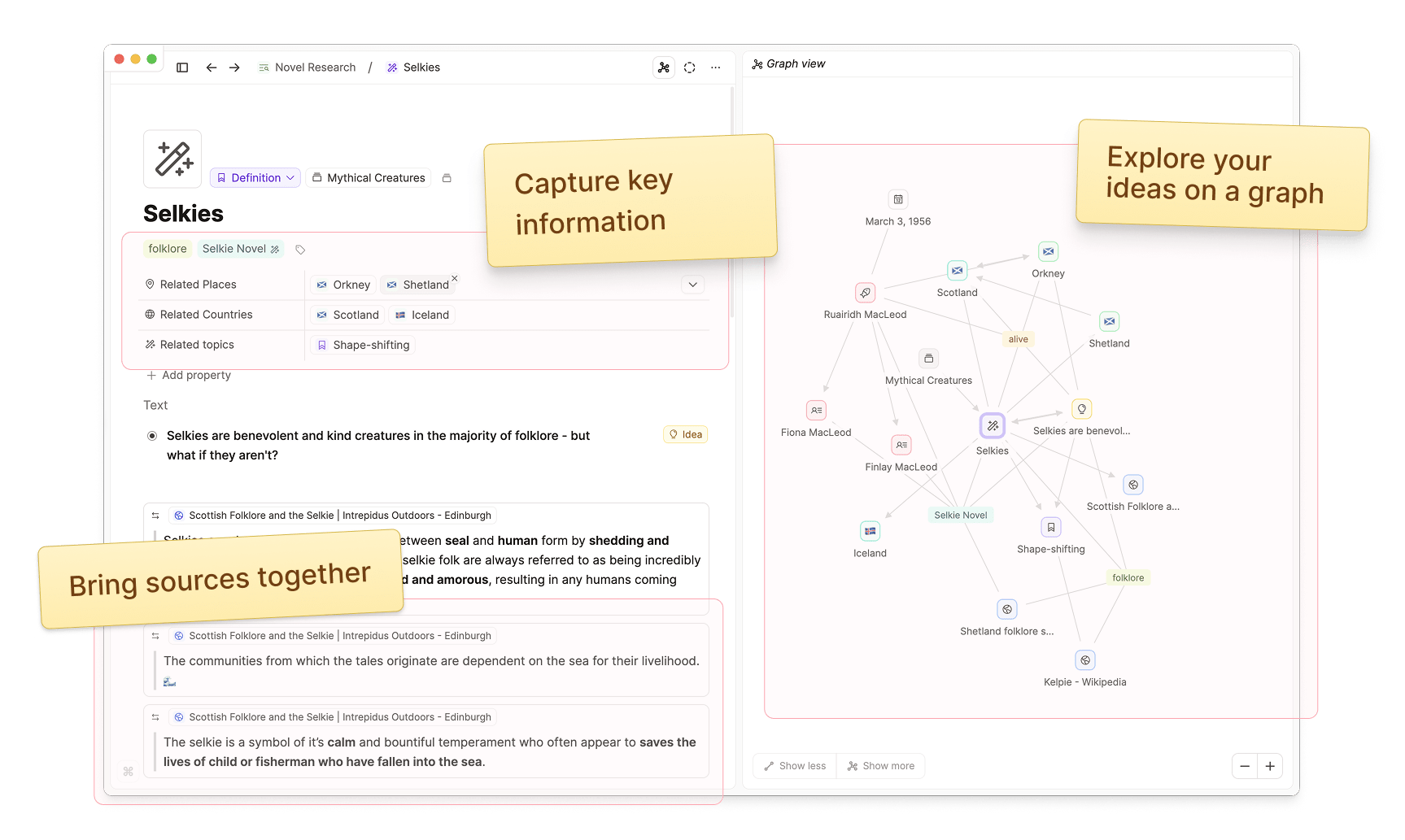
Capacities is a personal knowledge management app built on one idea: your brain doesn't think in folders, so your notes shouldn't live in them either. Launched in 2023 and now used by 50,000+ knowledge workers, it organizes everything as "objects" - a person, a book, a project, a meeting, an idea- each with its own structure and properties that connect automatically over time.
It's GDPR-compliant, stored on EU-certified servers, fully founder-owned with no outside investors, and it runs on desktop, web, iOS, and Android.
Key features
- Capacities shows every object you created that day in chronological order. Scroll back through your week and you can see exactly what you were thinking about, what you linked, and when.
- The core idea behind Capacities is that a "Book" note should look and behave differently from a "Meeting" note,and you shouldn't have to set that up yourself.
"Note types are a real game changer but also the nice formatting options." - verified review
- Page Layouts & Templates: Choose from profiles, index cards, or custom layouts to organize your content
- The graph view visualizes all of this as a living network
Pros
- I like how object types give my notes structure from day one without forcing me to design a system.
- I appreciate the bidirectional linking because it works without plugins, setup, or any technical configuration
- The daily notes timeline is useful for reviewing what I was working on throughout the week, rather than just a place to capture and forget
- The UI is clean and intuitive
- There’s also a mobile app and an offline mode
Cons
- The mobile experience is still catching up, especially on Android
- It works best if you use it regularly - it’s not a "quick dump" type of app
- This is not a team tool; collaboration features are minimal, and the product is designed for personal use.
Pricing
- Free plan with custom objects and sync across devices
- Pro plan is around $9.99/month
Best for
- Capacities is built for solo knowledge workers: writers, researchers, freelancers, consultants, and students who want real structure without spending hours designing it.
- It also works particularly well for people with ADHD - the bottom-up approach means organization happens around how you actually think, not around an ideal system you'll abandon in two weeks.
How to start
- Just create an account, explore daily notes or custom objects, and build your second brain as you go.
Capacities Review (source)
"It's still early days for my knowledge base but this is the best app I've tried so far for the notes I want to keep permanent, as a database/wiki of my brain. " - Alec
"The UI is great. The app is intuitive and fast. It still lacks customization capabilities and agenda integration for more hardcore users." - Esteban Ogazón
9. Mem
Mem pitches itself as the "anti-folder" note app - the one you use when you're tired of spending more time organizing knowledge than actually using it. Built around the idea that manual filing is the enemy of a useful second brain, Mem lets you drop in thoughts, meeting notes, and research, then trusts the AI to connect and surface them for you.
Key features
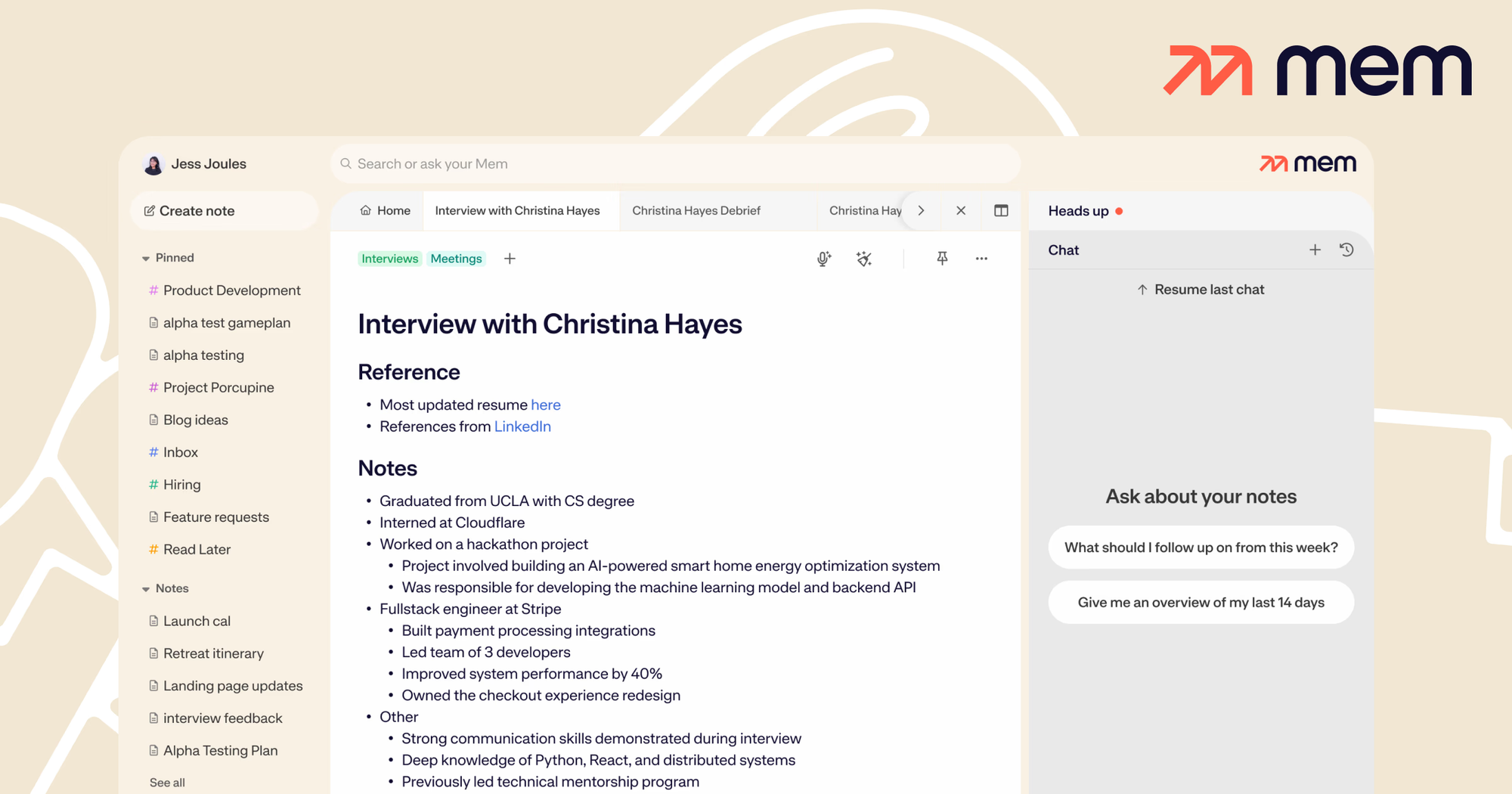
- Mem's AI links your notes to related content from your past, and while you're writing new notes, a panel called Heads Up quietly surfaces connections you'd probably miss on your own.
- Mem Chat uses AI layer for talking to your own notes conversationally. You can ask it to summarize a week of meetings, pull out a specific figure from a client call, or reorganize notes by candidate, project, or topic.
- You can record a brain dump while walking, driving, or wrapping up a meeting, and Mem restructures it into an organized note with both audio and transcript attached.
- Cross-platform with offline support
- Collections replace folders, but with one key difference: a note can belong to multiple collections at once. You can add notes manually or just ask Mem Chat to organize them for you.
Pros
- Mem Chat is useful. I’ve asked it to summarize meetings or outline ideas, and it works
- The AI suggestions resurface notes I completely forgot about
- I appreciate that the 2.0 rebuild added offline support; earlier versions made you dependent on a connection
Cons
- The mobile app and offline mode still feel a bit clunky
- You can't manage your tasks, calendar, and emails like with Saner.AI
- It's not suitable for complex project management
- Integrations are still limited, and support can be slow at times
Pricing
- Free plan available
- Mem X starts around $8/month
- Team plans from $15/user/month
Suitable for
- Anyone who wants an AI second brain to capture thoughts, connect ideas, and reduce the friction of staying organized.
How to start
- Just go to mem.ai, sign up for a free account, and start dropping your thoughts in.
Mem Reviews (Source)
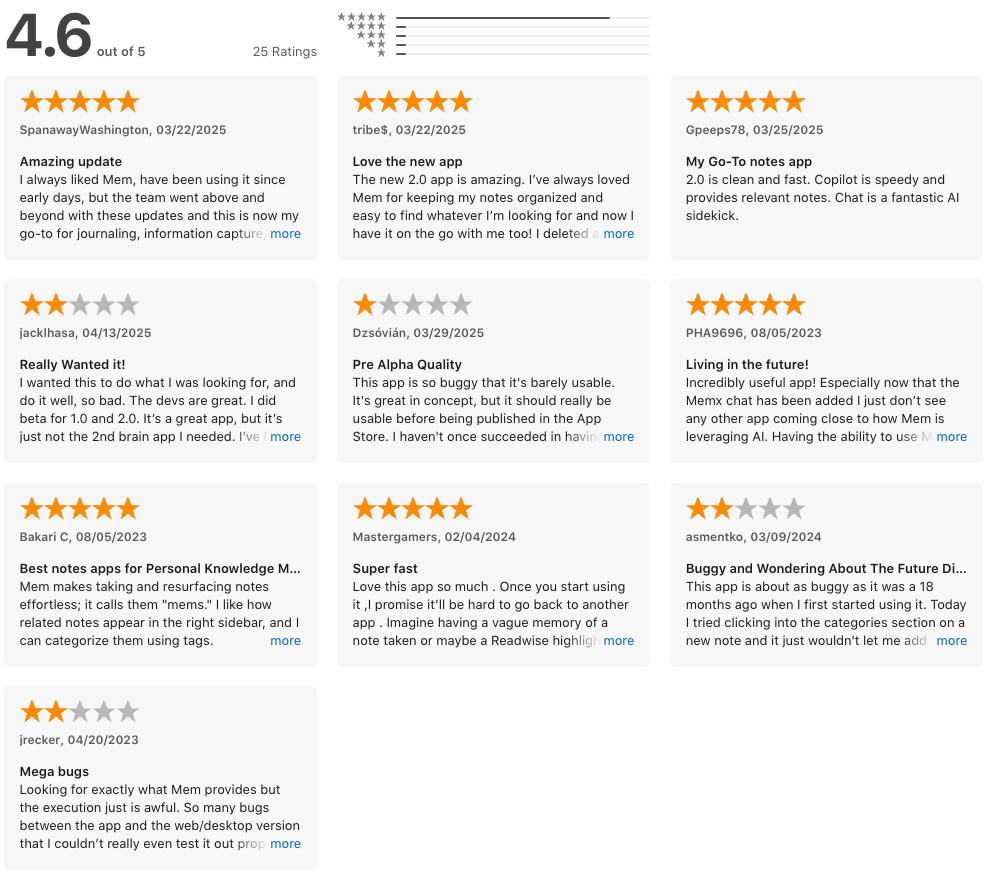
"Search was amazing, and the MemX capabilities were extremely impressive. MemX suggest notes in the sidebar which are similar, or relevant to the note that you're working on." - SSP
"I was hoping this would be good but it lacks basic necessities and has bugs everywhere. It definitely isn't finished and ready to use. You can't even color or highlight the text for example." - Michael Pilgrim
10. Anytype
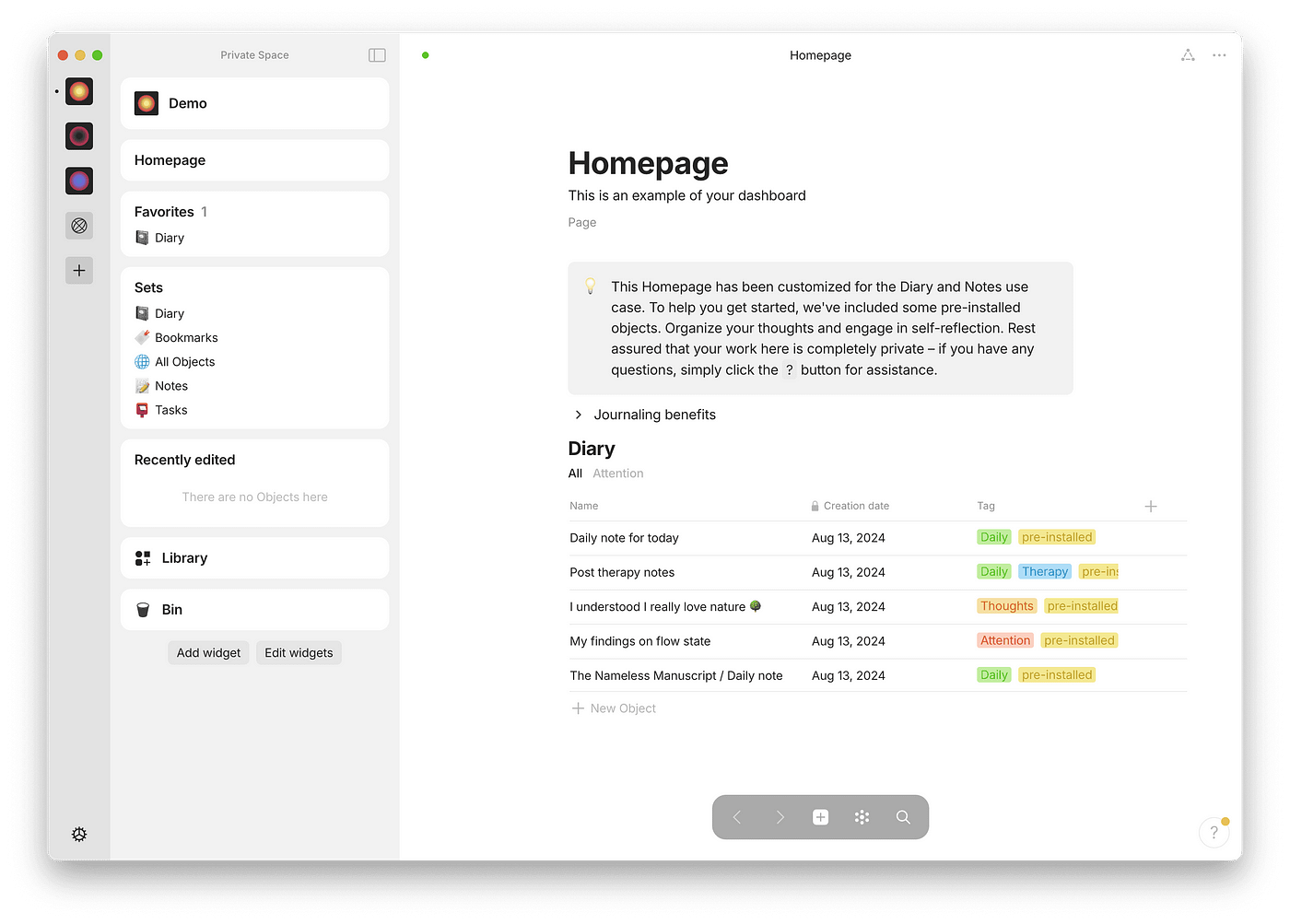
Anytype sits at an odd crossroads that most productivity tools avoid. Everything runs locally on your device with end-to-end encryption and peer-to-peer sync, which means Anytype's own servers never touch your data.
The core idea is "objects": instead of pages inside folders, you build a system where every note, task, person, or idea is an object with its own type, properties, and connections.
Key features
- Anytype asks you to define what something is before you write it. Everything you interact with - tasks, people, books, projects, meeting notes, is an "object" with custom properties, and these objects connect through relations that make your knowledge searchable and visually traversable.
- Your data is encrypted on-device before syncing, protected by a 12-word recovery phrase similar to a Bitcoin wallet, and Anytype itself cannot decrypt it. Sync happens directly between your verified devices over peer-to-peer, not through a central server.
"Solid encryption implementation. It's rare to see a tool this polished" — verified review
- Sets work like filtered database views across your objects. Want to see all your "Book" objects rated 4 stars or higher? Create a Set. Want a Kanban board of all your active projects? Also a Set. Graph visualization, widget-customized home screens, and sets are all built in.
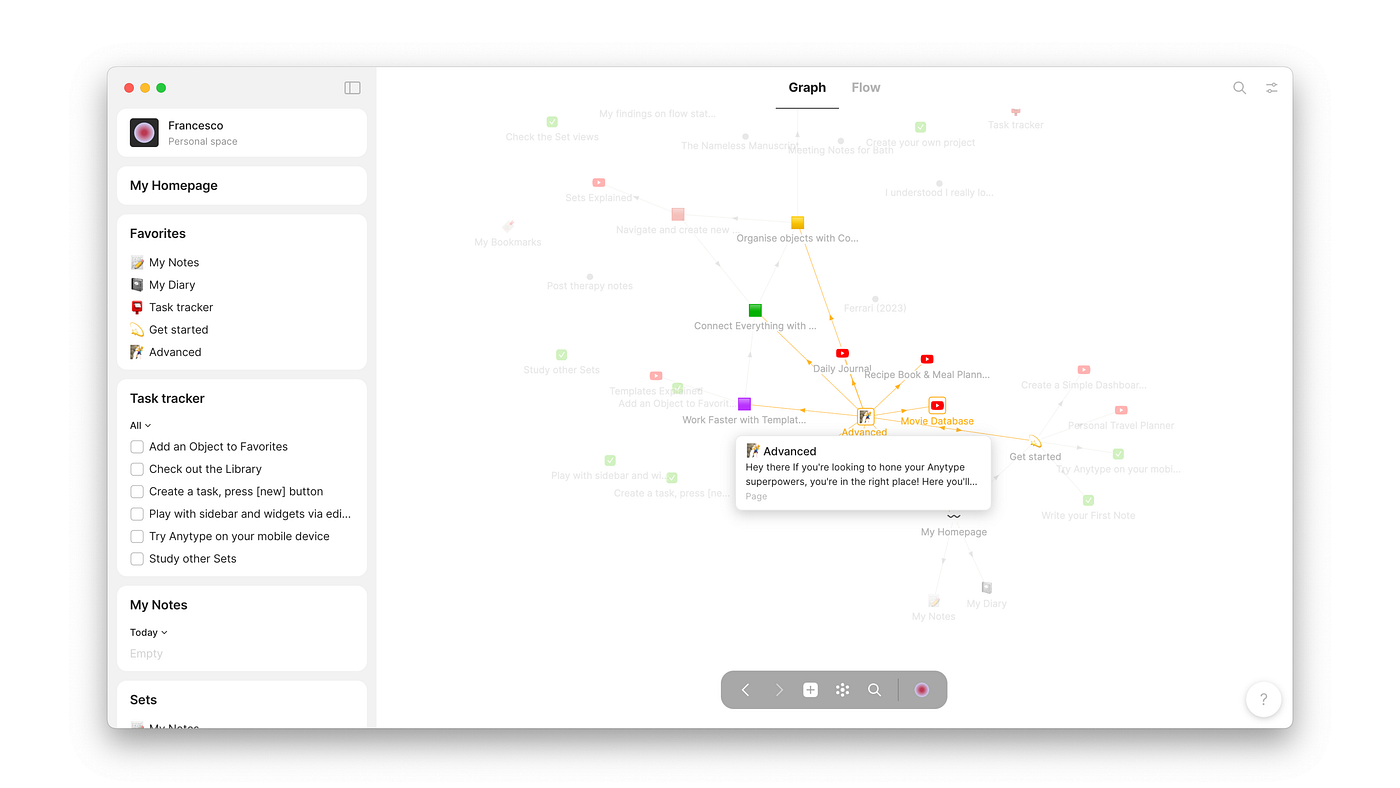
- Anytype visualizes connections between your objects as an interactive graph — you can literally see how your ideas cluster and relate.
- Templates & types: organize your second brain your way
Pros
- The 12-word recovery phrase and zero-knowledge model means no one can access my notes, including Anytype.
- I like how the graph view makes my knowledge feel like something alive. Watching a research project's connections grow over weeks is oddly motivating.
- I feel it's helpful that Anytype works offline without any setup. I've opened notes mid-flight and had zero issues.
- I like the open-source transparency, I can read the code, and so can anyone else. That matters for a privacy-first tool.
Cons
- I feel the learning curve is genuinely steep. The object and type system takes real time to internalize, and the first few hours can feel confusing.
"Powerful tool but the learning curve is a vertical cliff." — verified review
- I've noticed mobile sync can lag occasionally between desktop and phone, which breaks the offline-first promise a little in practice.
- I wish the web clipper was more developed. If you're coming from Notion, Obsidian, capturing from the browser still feels like a gap.
Pricing
- Free plan with 1GB sync and core features
- Paid plans (Builder/Co-Creator) add more sync storage and workspace options
Suitable for
- If you're a researcher, writer, or knowledge worker handling sensitive information - journalism, legal work, healthcare, academic research - the encryption model alone may be the deciding factor.
- It's also a strong fit for solo professionals who've been burned by cloud-first tools shutting down or changing their pricing overnight.
How to start
- Just download the app from anytype.io, create your first space, and start writing. The templates help, but exploring is part of the fun.
Anytype review (source)
"I've been experimenting with Anytype as a replacement for Obsidian. It really shines when it comes to versioning and the ability to self host your own any-sync for usage across multiple devices." - Spencer Grissom
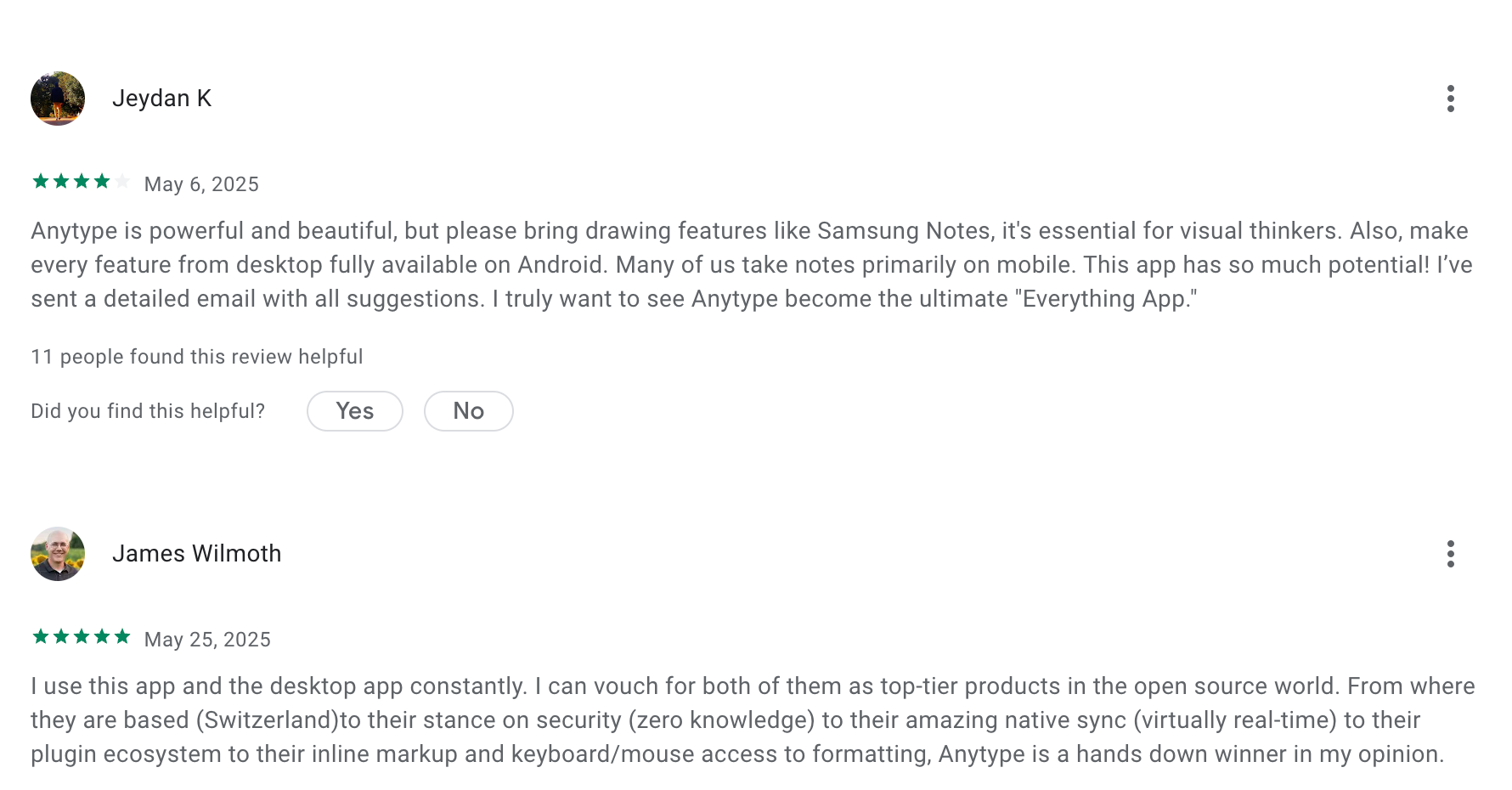
"Good app but it's extremely disturbing to not have a regular folder option. With collections unlike on the desktop app it seems like it's not possible to just "move" an existing object to it directly we need to create a new one." - Epiker
Conclusion
The world of knowledge management or "second-brain" apps offers some pretty nifty features to help you organize and visualize your notes in new ways. You might have heard about cool functions like graph views, mind maps, and tree views. While these features can really enhance your note-taking experience, they do come with a bit of a learning curve.
If you're exploring one of these apps for the first time, my advice is to give it a fair shot. Spend some time getting to know the ins and outs before you decide to switch to another.
Stay on top of your work and life with the Second Brain App
Second Brain Apps: FAQ for Busy Minds
1. What is a Second Brain app?
A Second Brain app is a digital tool that helps you organize, remember, and act on information, so your actual brain doesn’t have to. These apps work like an external memory system where you can store notes, tasks, ideas, and references, then retrieve or act on them instantly.
Think of it as a searchable, organized extension of your thoughts.
Second Brain apps often combine:
- Note-taking
- Task management
- Calendar integration
- AI-powered search or summarization
2. What can Second Brain apps do?
Second Brain apps are built to reduce mental clutter and support long-term thinking. They help with:
- Capturing ideas before you forget them
- Turning notes into tasks automatically
- Instant search - find anything without knowing the exact words
- Summarizing meetings or documents
- Tracking goals and projects over time
The best Second Brain apps act less like notebooks and more like assistants.
3. Are there free Second Brain apps?
Yes! Many Second Brain apps offer generous free plans. Here are some to explore:
- Saner.AI – Includes natural language note search, AI-powered task creation, and calendar sync
- Notion – Free for personal use with templates and database features
- Obsidian – Free local-first note-taking with plugins
You can get started without paying a cent.
4. How do I start using a Second Brain app?
Start small. The key is to capture consistently and retrieve easily.
Try this:
- Write a daily journal or task list
- Save interesting links or insights
- Ask questions like “What were my takeaways from today’s meeting?”
- Let the app handle organization, tags, and reminders
Apps like Saner.AI even let you ask, “What should I focus on today?”—and get a real answer based on your notes and calendar.
5. What’s the best Second Brain app for ADHD?
People with ADHD often need tools that reduce overwhelm, not add complexity.
Saner.AI stands out for ADHD brains:
- No rigid systems or tagging rules
- Understands messy notes and turns them into tasks
- Automatically reminds you at the right moment
- Designed by neurodivergent folks for neurodivergent minds
You don’t have to “be organized” to benefit. The app does the organizing for you.
6. Which Second Brain app is best for work?
If your work life is chaotic - multiple meetings, notes, and tasks flying around—you’ll want an app that connects everything.
Top picks:
- Saner.AI – Brings tasks, notes, and calendar into one unified workspace
- Notion – Flexible database approach, good for teams
- Obsidian – Great for deep knowledge work and linking thoughts
For actionable work support (not just storage), Saner.AI helps you actually do things with your info.
7. Do Second Brain apps really improve productivity?
Yes - and not just by storing information.
Good Second Brain apps:
- Cut down time spent searching across apps
- Reduce mental fatigue from context switching
- Turn scattered thoughts into clear next steps
- Help prioritize what matters most
Saner.AI, for example, will remind you about an unfinished goal based on what you wrote last week, without you needing to remember it.
8. Do Second Brain apps support voice or AI commands?
Some do! Voice and AI are making Second Brains feel more like human assistants.
- Saner.AI – Accepts voice commands and AI queries like “Summarize yesterday’s meeting”
- Notion AI – Helps rephrase and summarize content
- ChatGPT + notes plugin – Can act like a custom research assistant if configured
These features make your digital brain feel more… alive.
9. Which Second Brain apps auto-schedule tasks?
One smart Second Brain apps now help you do the thing, not just plan it.
- Saner.AI – Suggests the best time to do a task based on context and calendar
Saner.AI takes a more personalized approach, learning from your notes and behavior.
10. What’s the best Second Brain app for entrepreneurs?
Founders need more than a notebook—they need a brain that thinks ahead.
Saner.AI is built for entrepreneurs who:
- Brain-dump ideas and want them turned into tasks
- Need to link past investor notes to current pitch prep
- Hate switching between tools
No setup. Just write, and let the system surface what matters.
11. How can managers use Second Brain apps?
Managers juggle a thousand things. A Second Brain app helps:
- Capture action items from meetings
- Follow up with team members without forgetting
- Summarize long updates or project notes
- Keep track of priorities across people and projects
Instead of toggling between Slack, email, and docs, one place handles it all.
12. How can CEOs use a Second Brain?
CEOs need clarity, not clutter. So they need a smart Second Brain app like Saner.AI. It can:
- Track decisions and revisit them later
- Keep team goals, OKRs, and follow-ups in one place
- Nudge you when something’s slipping
- Free your brain to focus on big-picture thinking
13. Can Second Brain apps help with meeting prep?
Absolutely. Ask a question like:
“What did we decide last time?”
And the right app will pull up:
- Meeting notes
- Assigned tasks
- Related projects
Saner.AI makes this especially easy with an AI-powered recall that understands your wording, even if you don’t remember what you called the meeting.
14. What’s the best Second Brain for executives?
Executives need signal, not noise. You want a tool that:
- Surfaces high-priority info automatically
- Understands context across departments
- Cuts meeting prep time
- Keeps your decisions, notes, and tasks all connected
Saner.AI is like an executive assistant who never forgets- and doesn’t sleep.
15. How are Second Brain apps different from traditional productivity tools?
Old-school productivity tools are manual. You file, tag, and retrieve.
Second Brain apps are smarter. They:
- Auto-organize your info
- Surface what matters at the right time
- Let you search in plain language
- Reduce app fatigue
Apps like Saner.AI make your system work for you, not the other way around.
Stay on top of your work and life