Artificial Intelligence Assistant: We Tested & Ranked The Best 8 in 2026

Best Artificial Intelligence Assistant for Work in 2026 (Tested & Ranked)
If you’ve ever felt overwhelmed by tasks, meetings, and notes, I feel the same way. As a business owner, I also have way too much information and tasks to follow up.
But we are not alone, because
- 42% of executives said administrative tasks and busy work are their biggest productivity blocker
- 40% of a manager’s day is spent on last-minute problems or administrative tasks.
- On average, workers spend 60% of their day on coordination, leaving 13% for strategic planning and 27% for their skill-based work
In this guide, you’ll learn what an AI assistant is, how it works, and which AI assistants are best in 2026, depending on your needs - work, productivity, business, research, or ADHD-friendly focus. I work at Saner.ai, and I aware that can influence my perspective. The notes below explain what each recommendation is based on.
Quick guide: 8 AI assistants to consider in 2026
2. ChatGPT: For writing, brainstorming, research, and general-purpose help
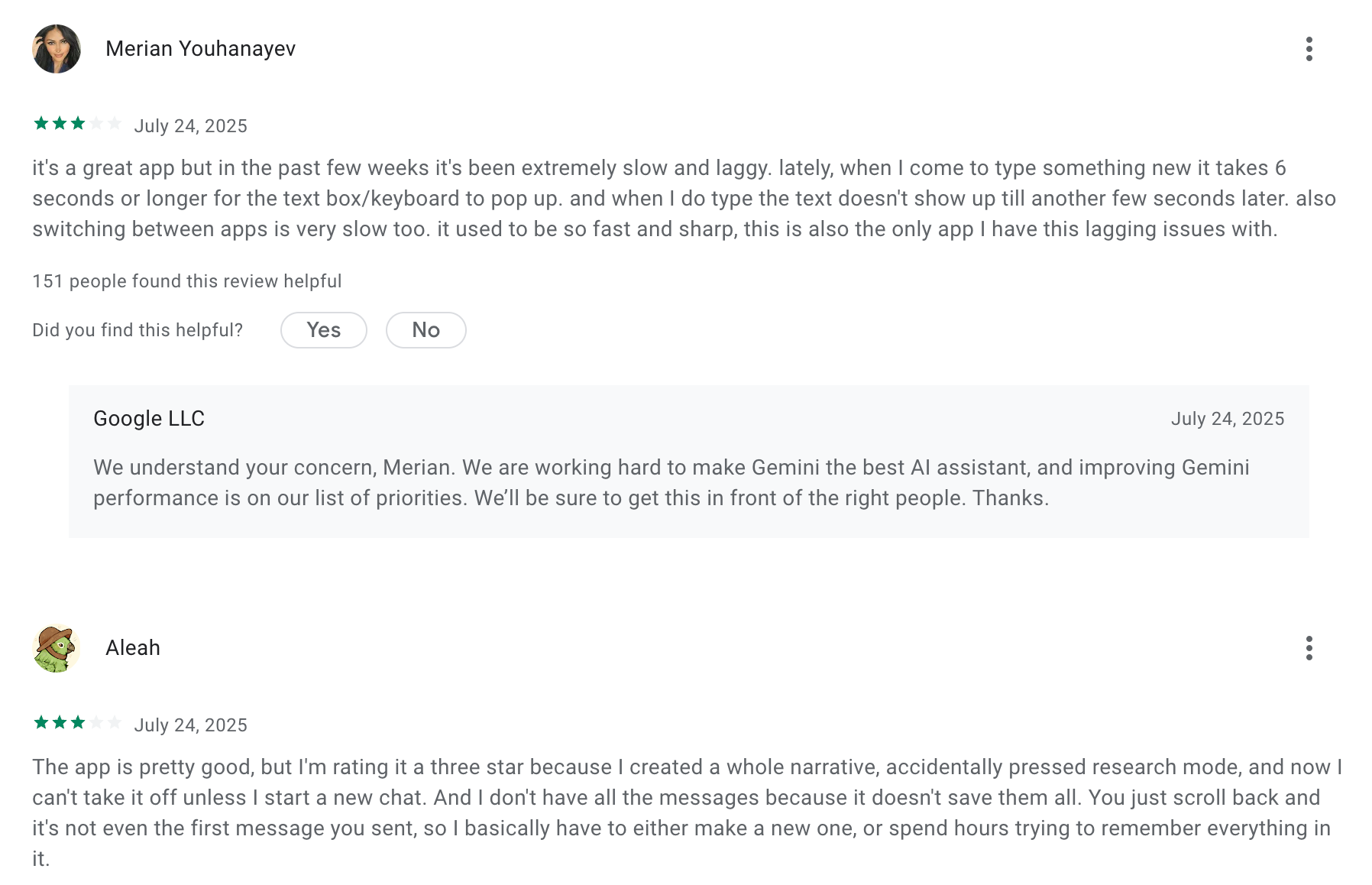
3. Gemini: For people who work primarily in Google’s apps
4. Claude: For working through long documents and detailed writing tasks
5. Pi: For conversational support and thinking things through
6. Microsoft Copilot: For people whose work happens in Microsoft 365
7. Motion: For scheduling tasks around meetings and deadlines
8. Reclaim: For protecting focus time and making room for recurring commitments
How I Tested These AI Assistants
My testing focused on five core dimensions:
- Real workflows – Writing, planning, research, note-taking, and decision support
- Context handling – How well the assistant understood ongoing work, not just single prompts
- Cognitive load – Whether it reduced overwhelm or added friction
- Consistency over time – Performance across multiple sessions, not one-off answers
- Fit by use case – Solo work, deep thinking, ADHD-friendly focus, or team collaboration
I deliberately avoided judging tools on raw “AI power” alone. Instead, I evaluated how helpful each assistant was when used daily, under time pressure, with incomplete thoughts, messy notes, and real constraints.
What Are The Best Artificial Intelligence Assistants?
The best Artificial Intelligence Assistants in 2026 are: Saner.AI, ChatGPT, Gemini, Claude, Pi, Copilot, Motion and Reclaim.
Best Artificial Intelligence Assistants Comparison (2026)
| 🤖 Tool | 🎯 Primary Role | 💪 Key Strengths | ⚠️ Limitations | 👤 Best For |
|---|---|---|---|---|
| Saner.AI | All-in-one productivity AI | Combines notes, tasks, and context in one place; strong at turning messy thoughts into actions | Still evolving; works best with consistent usage | Knowledge workers, founders, ADHD brains, action-oriented thinkers |
| ChatGPT | General AI assistant | Excellent writing, reasoning, brainstorming, and flexibility | Requires manual context; no native task or calendar memory | Broad productivity, writing, ideation, problem solving |
| Gemini | Workspace & research assistant | Deep Google Docs, Sheets, Gmail integration; real-time info | Less consistent for complex workflows | Google ecosystem users, research-heavy roles |
| Claude | Reasoning & long-form thinking | Handles long context well; clear, structured explanations | Fewer integrations; less action-focused | Writers, researchers, deep thinkers |
| Pi | Conversational personal AI | Empathetic, reflective, human-like conversation | Weak for structured work or execution | Personal reflection, emotional support, thinking out loud |
| Copilot | Business & enterprise AI | Tight Microsoft 365 integration; strong for docs, email, meetings | Best only inside Microsoft ecosystem | Corporate teams, Microsoft-first companies |
| Motion | AI scheduling & planner | Automatically schedules tasks and meetings; aggressive time optimization | Can feel rigid; steep learning curve | Founders, managers, calendar-driven teams |
| Reclaim | Smart calendar & focus AI | Protects focus time, habits, and routines; flexible scheduling | Limited beyond calendar/time blocking | Individuals & small teams focused on deep work |
I. 3 Best Workspace Artificial Intelligence Assistants
1. Saner.AI
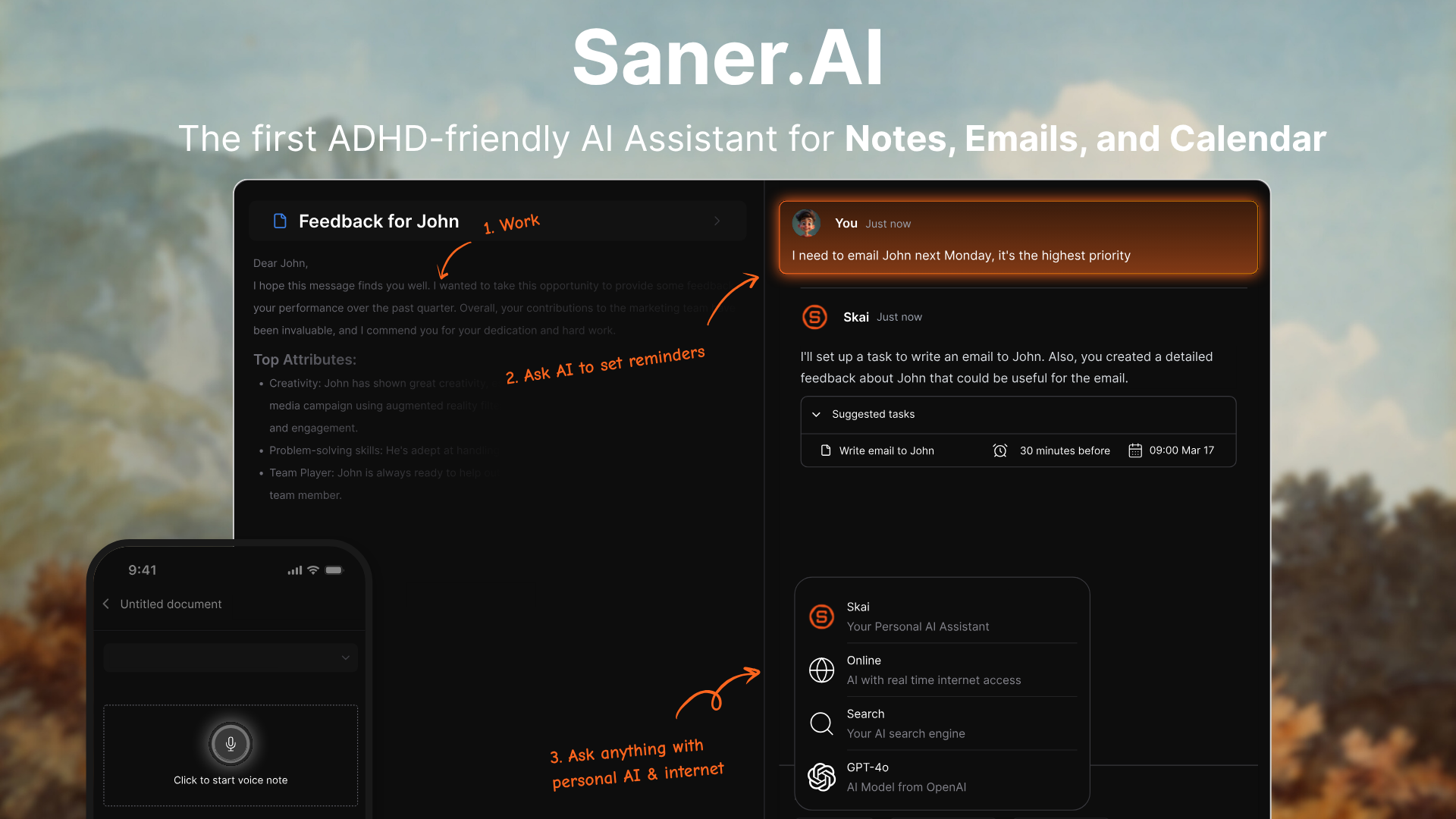
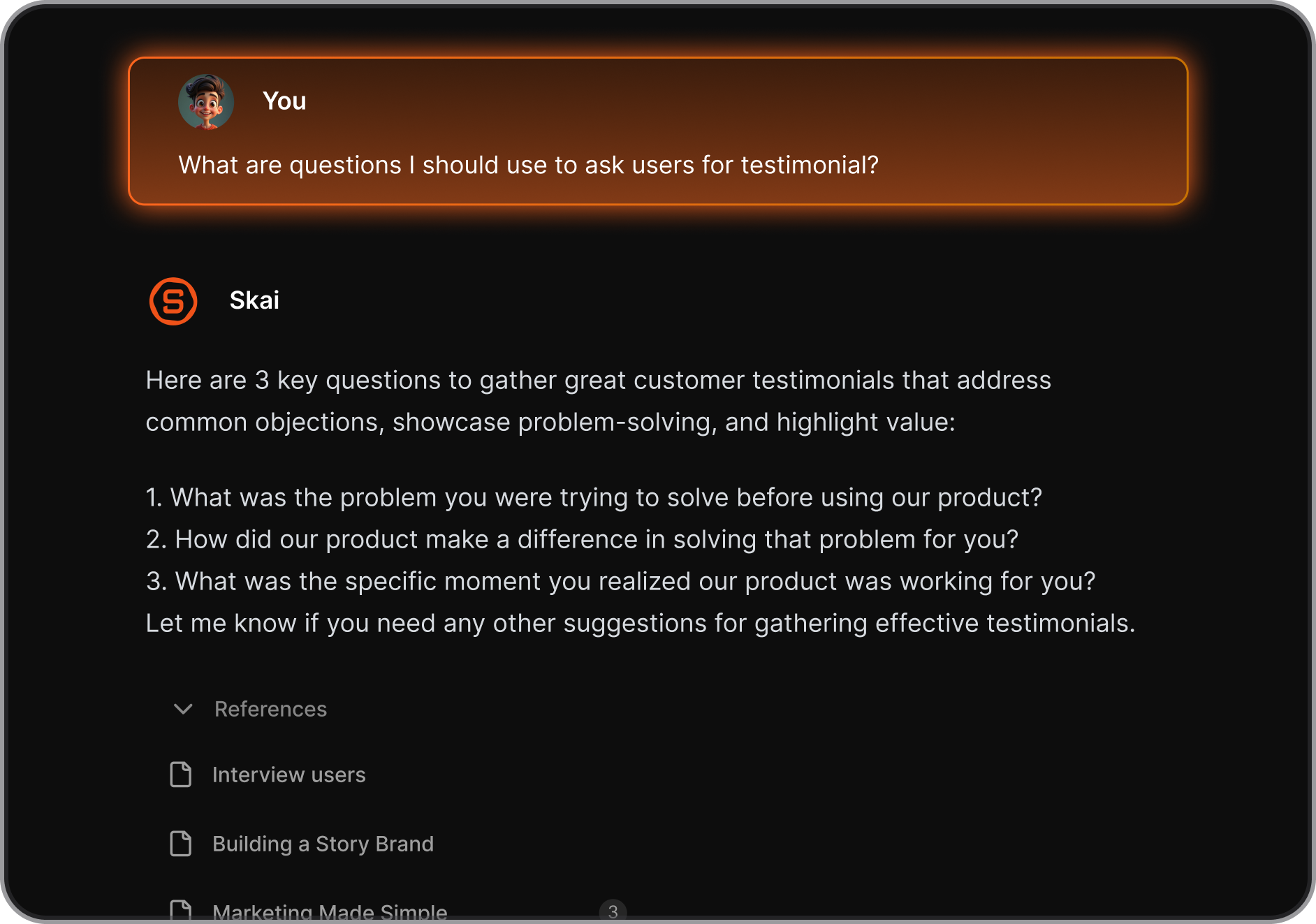
Saner.AI is an AI personal assistant designed to help you manage notes, tasks, email, and calendar in one place. It acts like a “second brain,” turning scattered information into organized, actionable work.
Key Features
- Unified workspace that brings together notes, tasks, emails, and calendar events
- Natural-language commands to create, prioritize, reschedule, or break down tasks
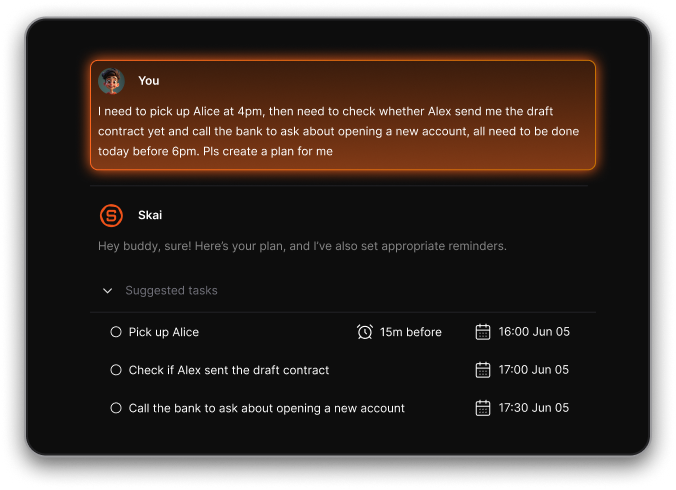
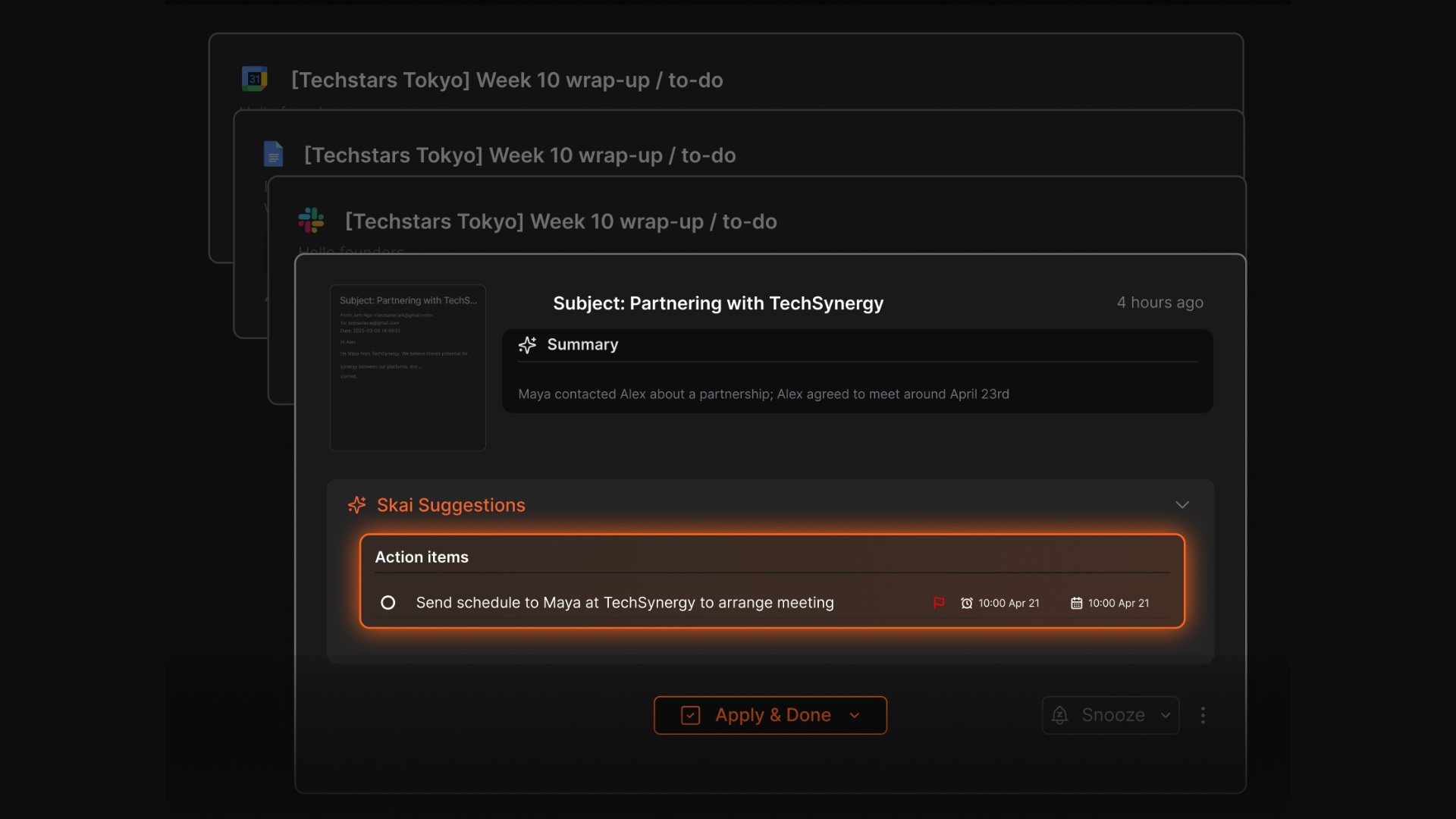
- Automatic extraction of action items from emails, documents, and notes
- AI-powered summaries and semantic search across all your content
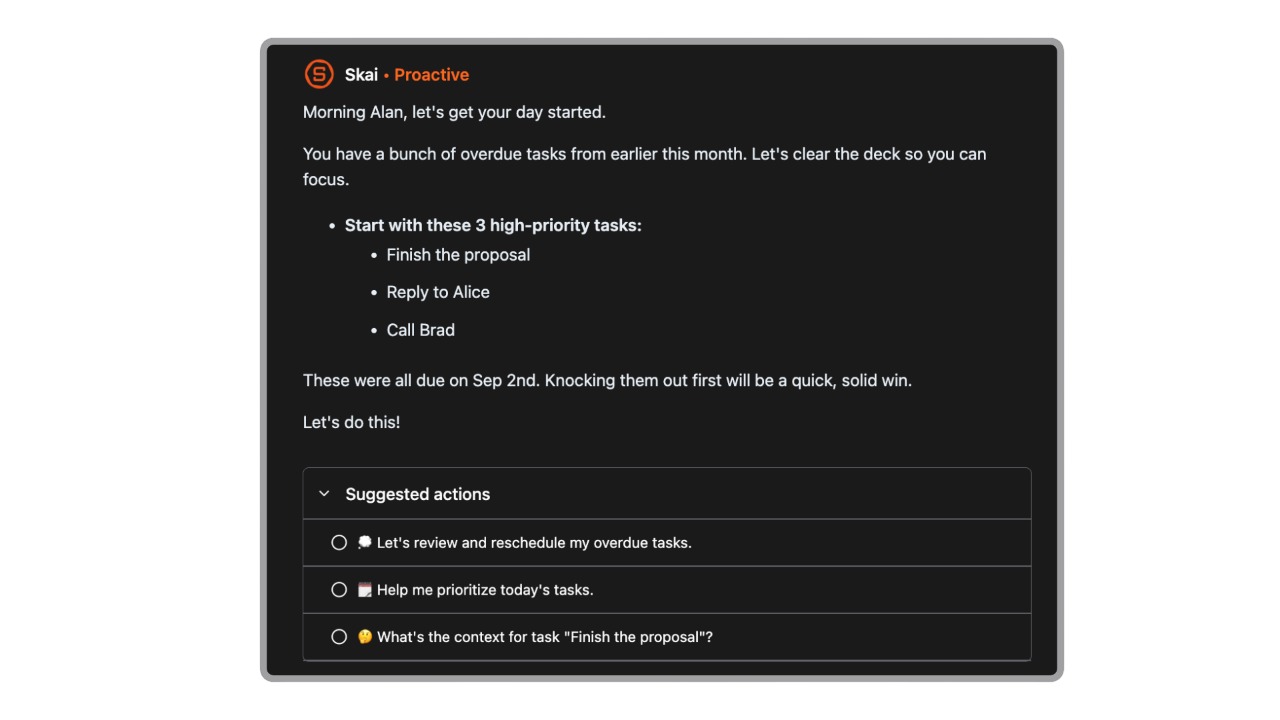
- Proactive suggestions that surface what needs attention without manual checking
- Integrations with email, calendar, browser extensions, and productivity tools
Pros
- Designed to reduce cognitive load, not just add more features.
- Natural language interaction feels practical, not gimmicky.
- Automatic task extraction saves time and prevents things from slipping through the cracks.
Cons
- Heavier reliance on internet connectivity for AI features.
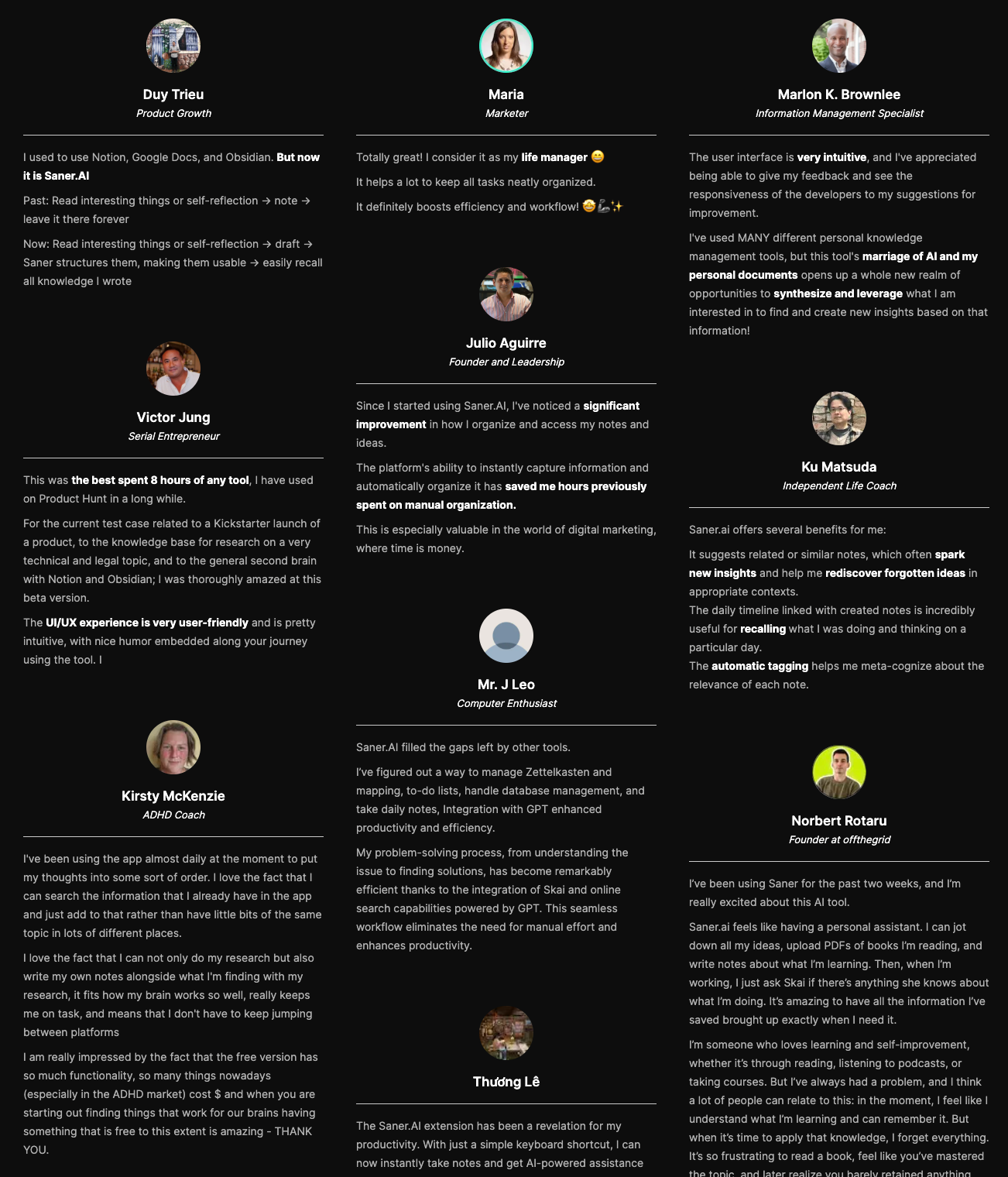
Saner.AI Reviews
Pricing
- Free plan available
- Paid plans start around $8–16/month.
Who is it suitable for?
- Entrepreneurs and knowledge workers juggling notes, tasks, and emails
- People with ADHD or anyone overwhelmed by context switching
- Users looking for a personal AI assistant, not just a chatbot
- Teams or individuals who prefer talking to their system instead of manually organizing it
How to start using it?
- Go to Saner.ai
- Create a free account
- Connect your email, calendar, and tools
- Start asking the AI to organize, summarize, and prioritize your work

Stay on top of your life with the Top Artificial Intelligence Assistants
2. Reclaim
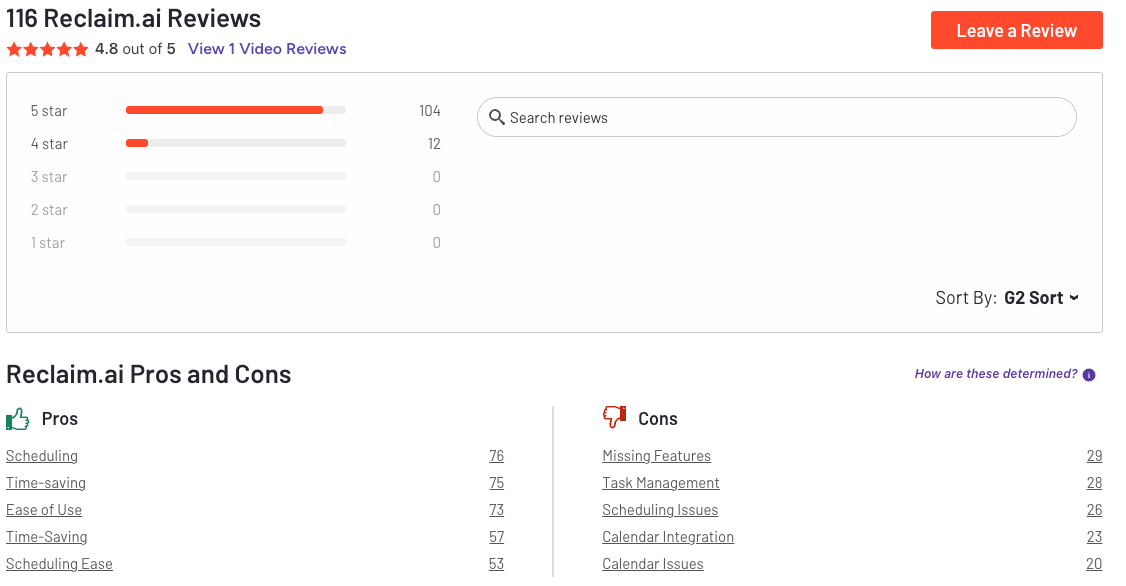
Reclaim.ai is an AI calendar and scheduling assistant. It focuses on continuously optimizing your calendar so you don’t have to manually rearrange your day every time priorities change.
Key feature
- AI auto-scheduling for tasks, meetings, habits, and focus time
- Smart Meetings and scheduling links to reduce back-and-forth
- Focus Time blocks that protect deep work on your calendar
- Habit scheduling for routines like exercise, learning, or breaks
What I liked:
- It removes a lot of manual calendar planning and rescheduling
- Integrations work well with existing tools, so it fits into real workflows
What I disliked:
- Auto-scheduled blocks can sometimes land in awkward time slots
- Task management is basic compared to dedicated task apps
- Advanced analytics and team features are locked behind paid plans
- Does not have a chat assistant to help managetasks
Pricing
- Free plan with limited smart scheduling and basic features
- Paid plans start around $10–$12 per user/month
Suitable for
- Professionals who want an AI assistant to manage their calendar automatically
- Teams overwhelmed by meetings and constant rescheduling
- Knowledge workers who need protected focus time without manual effort
How to start
- Go to Reclaim.ai
- Create a free account
- Connect your calendar
Reclaim.AI Reviews (source)
3. Motion

Motion is an AI-powered productivity assistant that automatically plans, schedules, and adjusts your workday. It’s positioned more like an AI employee for teams than a traditional to-do list or calendar app.
Features
- Real-time rescheduling when meetings move or tasks take longer than expected
- Task prioritization based on urgency, importance, and available time
- Unified workspace combining calendar, tasks, and projects
- Team scheduling and workload balancing across shared calendars
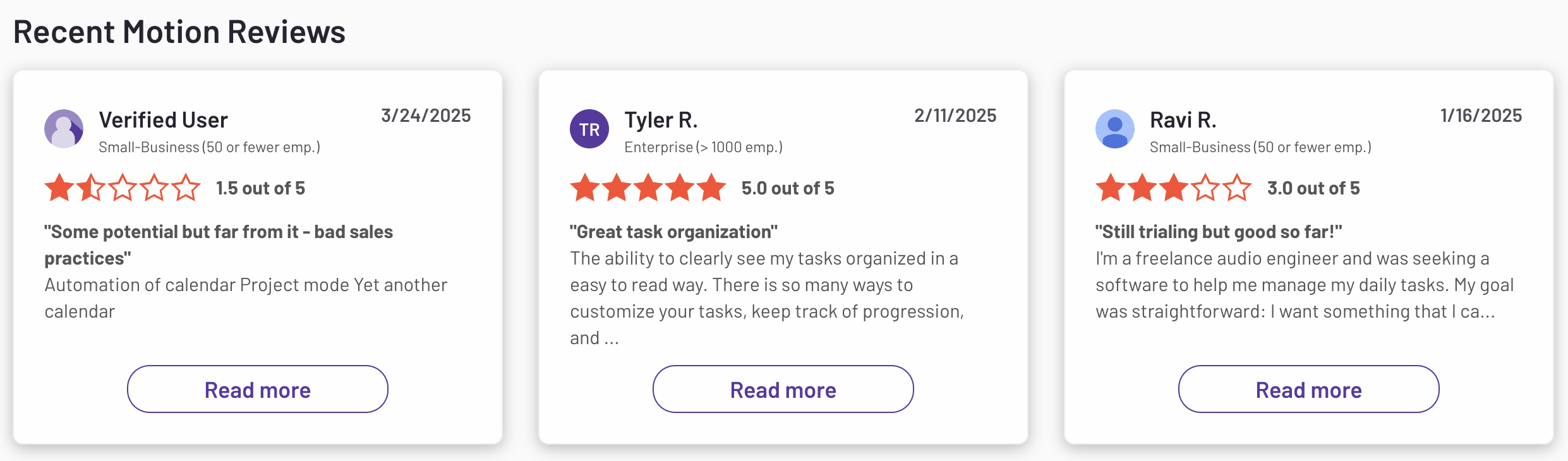
What I liked
- Automatic rescheduling is helpful when days get chaotic
What I disliked
- It’s opinionated - you need to adapt your workflow to how Motion works
- Takes some setup and adjustment before the AI feels “right”
- Can be complex for a personal use case
- Pricing is higher than basic task or calendar apps
Pricing:
- Individual plans typically start around $29–$49/month, depending on billing
- Team plans scale by number of users
- Free trial available to test the AI scheduling
Suitable For:
- Teams that want an AI employee to manage time and workload
How to Start:
- Go to Motion’s website
- Create an account and start the free trial
Motion reviews (source)
II. 5 Best Chatbot Artificial Intelligence Assistants
1. ChatGPT
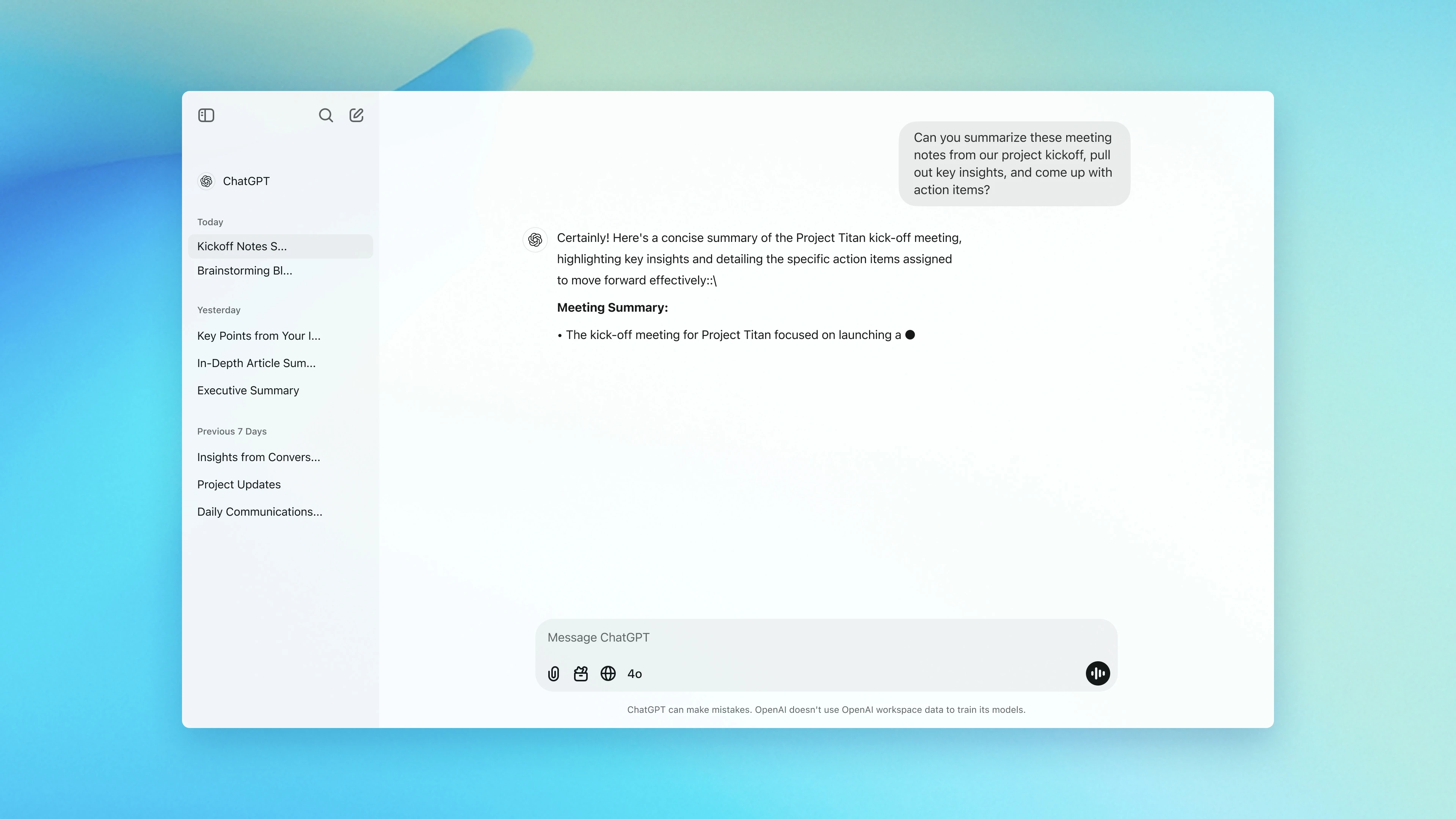
ChatGPT is an artificial intelligence assistant that lets you interact with AI through natural conversation to get work done faster. It can help with writing, research, planning, coding, brainstorming, summarizing, and day-to-day problem solving.
Key features
- Conversational AI that understands natural language prompts
- Text, image, and file support (you can upload documents and ask questions about them)
- Strong reasoning and context awareness across longer conversations
- Custom GPTs and tools for specialized workflows
- Available on web, desktop, and mobile with sync
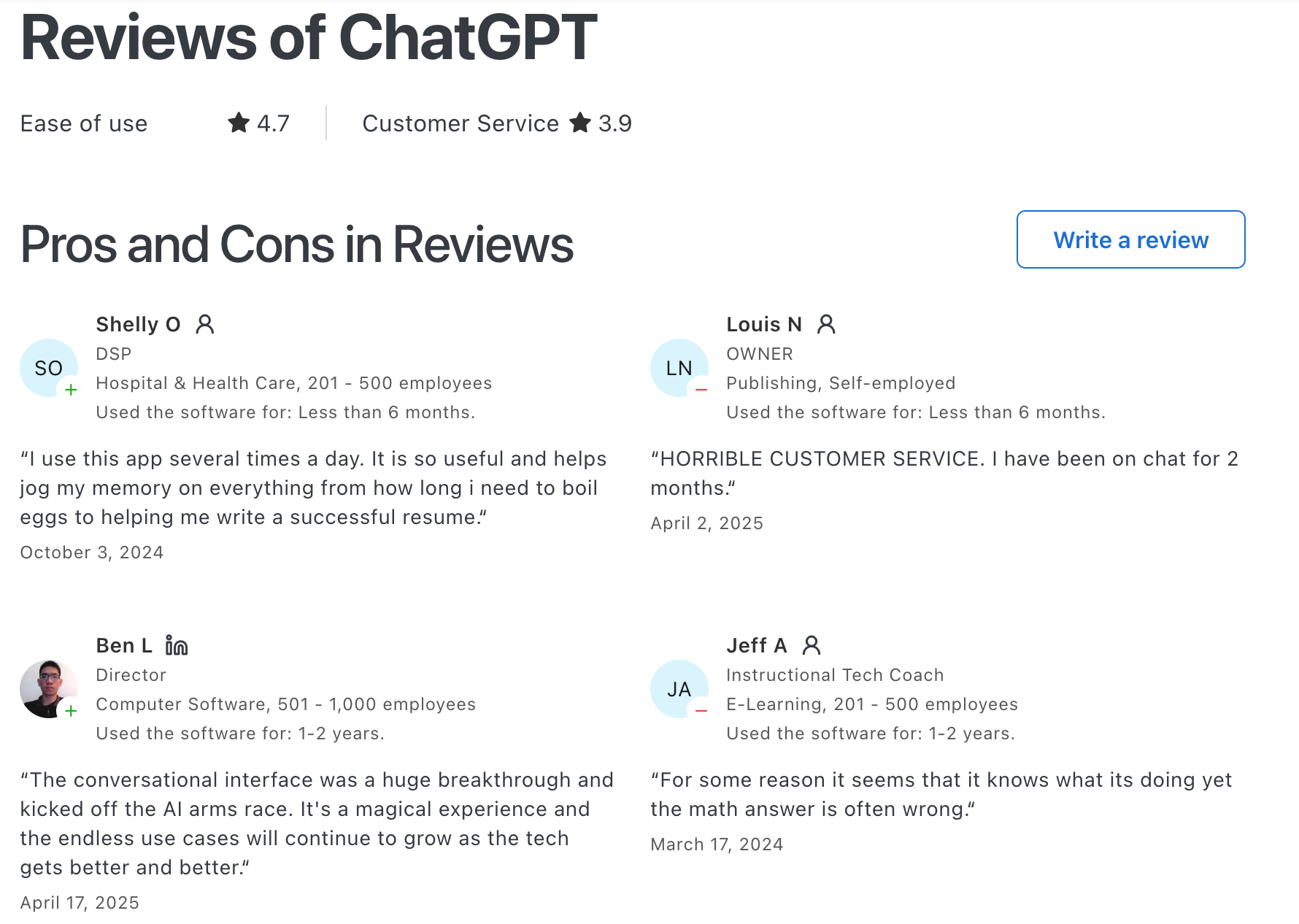
What I liked
- Extremely versatile
- Very low learning curve: you can start getting value immediately
- Improves quickly as new features and models roll out
- Works well as a “thinking partner” for planning, writing, and ideation
What I disliked
- Free plan has limits on usage and access to the best models
- Advanced automation and assistant-style features require paid plans
- Can still make mistakes, so outputs need verification for important work
- Not having a task or note management interface
Pricing
- Free plan available
- Plus plan around $20/month
- Higher-tier Pro and Team/Business plans for heavier usage and collaboration
Suitable for
- Individuals who want a flexible AI assistant for daily work and learning
- Teams experimenting with AI to boost productivity and ideation
How to start
- Go to ChatGPT
- Create a free account
ChatGPT Reviews (source)
2. Pi
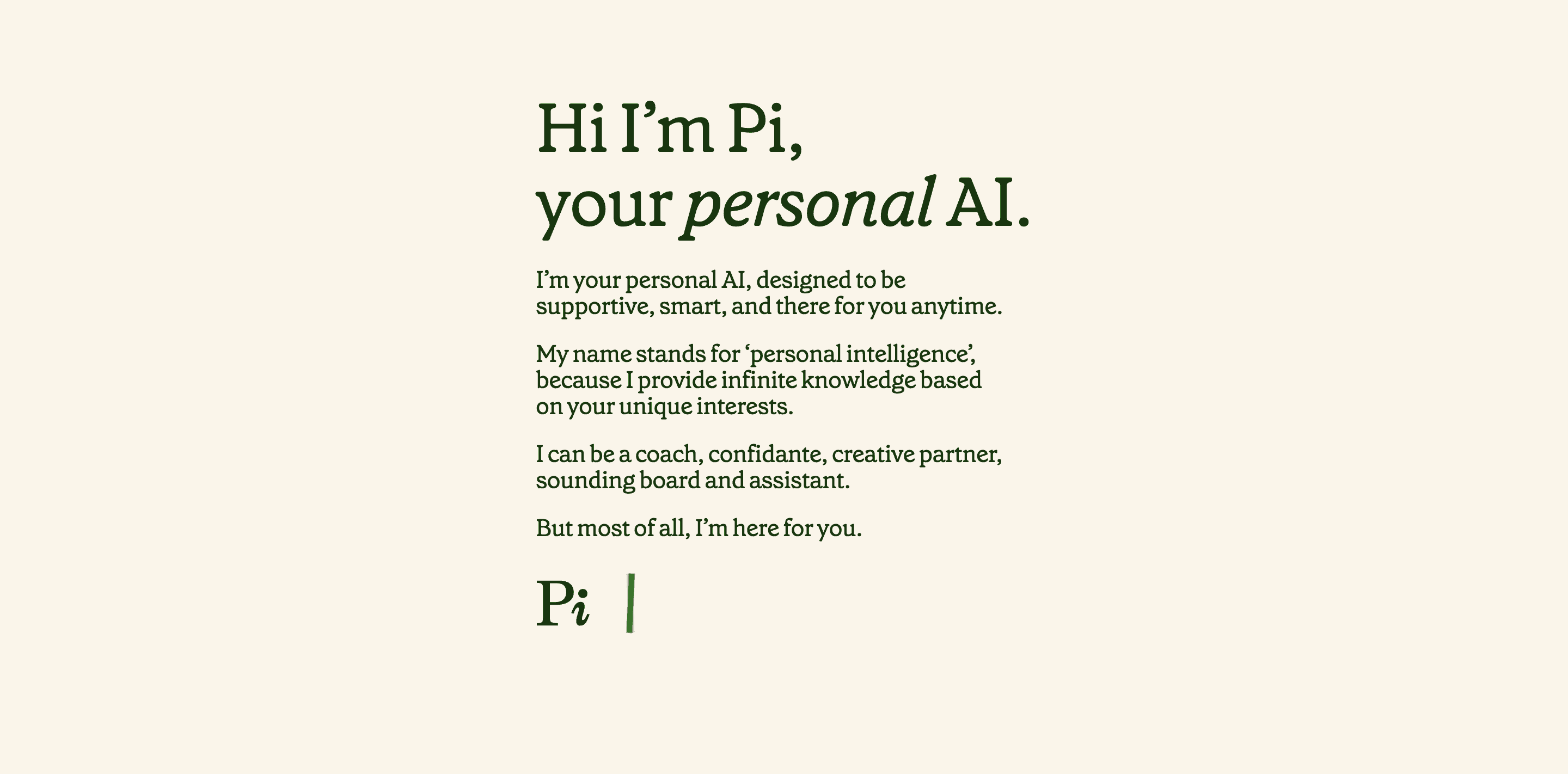
Pi is an artificial intelligence assistant designed to feel more like a thoughtful conversation partner than a traditional productivity bot. It focuses on natural dialogue, emotional intelligence, and helping users think things through.
Key features
- Conversational AI built for long, natural back-and-forth discussions
- Emotion-aware responses that adapt to your tone and communication style
- Available on web and mobile (iOS and Android)
- Context-aware within conversations to maintain flow and coherence
What I liked
- Feels genuinely human and empathetic, not robotic
- Extremely easy to use
- Great for thinking out loud, exploring ideas, or talking through problems
What I disliked
- Not built for task execution or automation
- No deep integrations with email, calendar, or work tools
- Responses can be high-level for technical or highly specialized topics
- Long-term memory across sessions is limited
Pricing
- Free to use
- No mandatory subscription for the core experience
Suitable for
- People who want a personal AI assistant that feels calm, supportive, and conversational
- Users who value emotional intelligence over raw productivity features
- Anyone who wants an AI to talk with them, not just answer queries
How to start
- Go to pi.ai
- Start chatting instantly on the web or download the mobile app
- Ask Pi anything and interact naturally
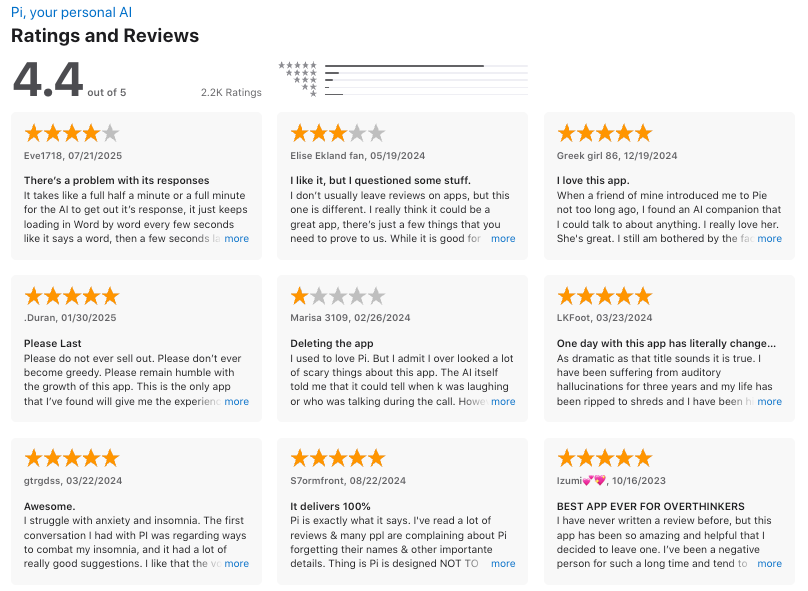
Pi.ai reviews (source)
3. Claude
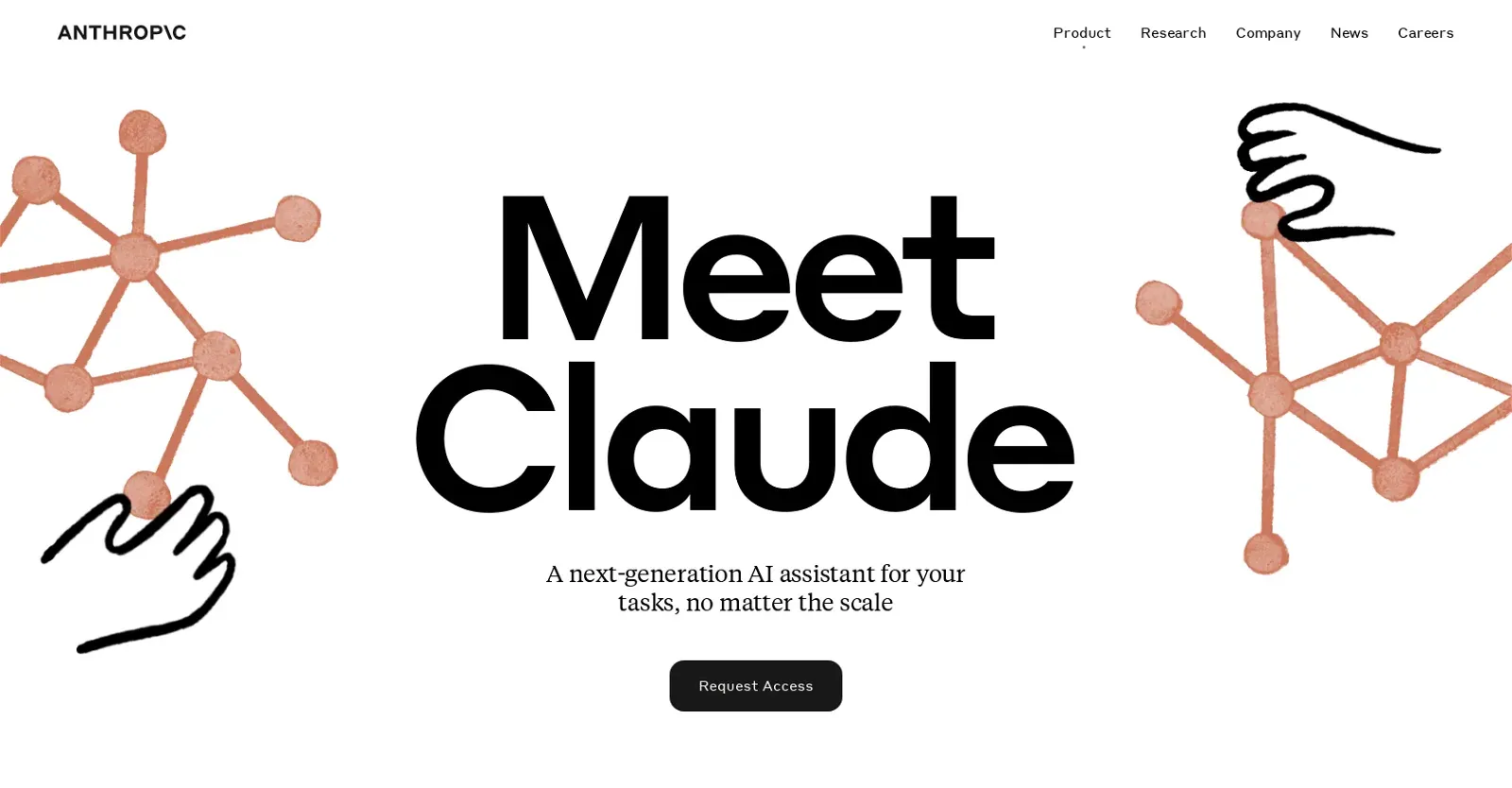
Claude is an artificial intelligence assistant developed by Anthropic. It’s a conversational AI designed to help with writing, research, coding, analysis, and everyday productivity tasks. The focus is on being helpful, clear, and safe, with strong reasoning and the ability to work with long, complex context.
Key features
- General-purpose AI assistant for writing, summarizing, brainstorming, and research
- Strong reasoning and long context windows for working with large documents
- Coding help, including writing, debugging, and explaining code
- File and document analysis (PDFs, text files, structured data)
- Available on web, desktop, iOS, and Android
What I liked
- Very good at structured writing, analysis, and long-form reasoning
- Handles long documents better than many basic chat assistants
- Strong emphasis on safety and reliability in responses
What I disliked
- Some complex or highly specific workflows need careful prompting
- Fewer built-in automation or agent features compared to no-code AI agent platforms
- Occasional availability or performance issues during high demand
Pricing
- Free plan available with limited usage
- Pro plan around $17–$20/month with higher limits and priority access
- Team and enterprise plans available with per-user or custom pricing
Suitable for
- Individuals who want a strong AI assistant for writing, research, and thinking
- Developers and knowledge workers who need help with code and analysis
- Teams looking for a conversational AI to support documents and collaboration
How to start
- Go to Claude
- Create a free account
- Start chatting and upload documents or prompts as needed
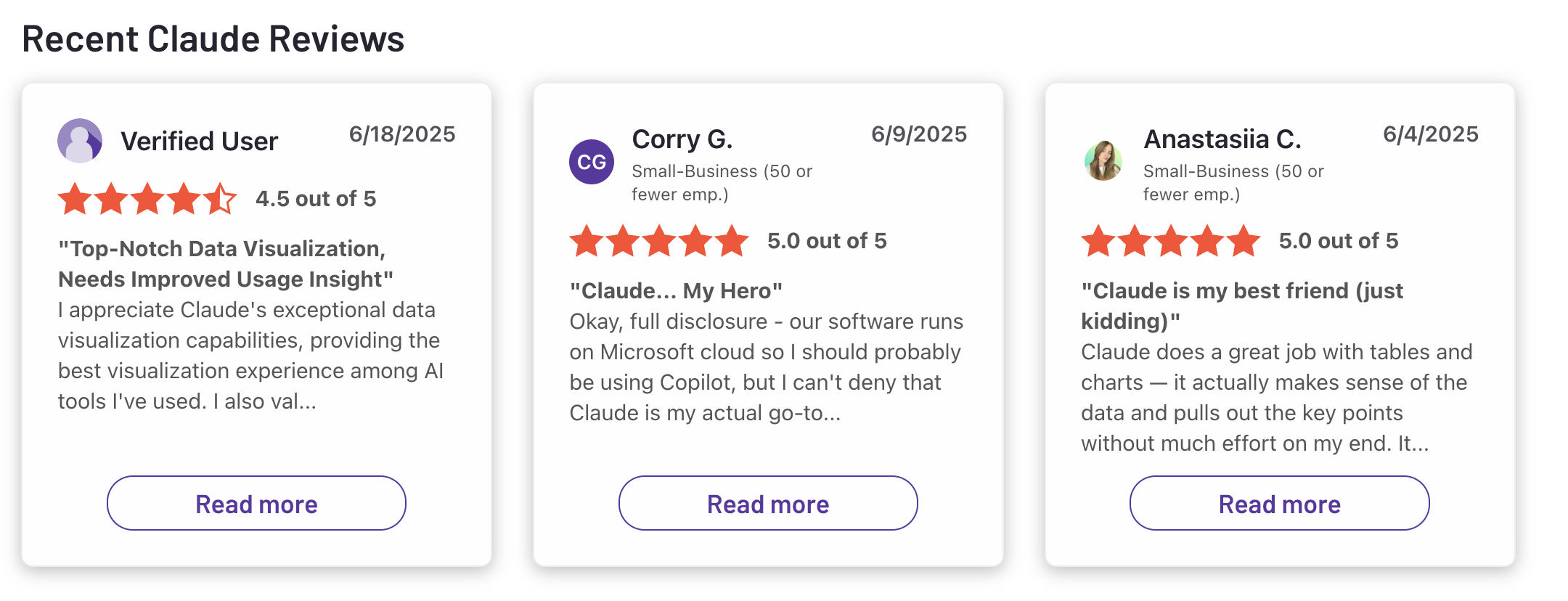
Claude reviews (source)
4. Gemini

Gemini is Google’s AI assistant designed to help you write, plan, brainstorm, learn, and handle everyday tasks. It works as a conversational assistant by text or voice and is deeply integrated across Google’s ecosystem.
Key features
- AI chat assistant that understands natural language and context
- Multimodal input: text, voice, images, files, and camera
- Deep integration with Gmail, Calendar, Docs, Maps, Photos, and YouTube
- Gemini Live for real-time help using your screen or camera
- Available on web, mobile apps, and built into Android and Chrome
What I liked:
- Strong Google app integrations make it useful for real work, not just chatting
- Multimodal input feels natural for quick questions or on-the-go help
- Free version is generous for everyday tasks
- Works well for writing, summarizing, planning, and learning
What I disliked:
- Advanced reasoning and higher limits require a paid plan
- Output quality can be inconsistent for complex or nuanced tasks
- Less customizable than some no-code or agent-based AI tools
Pricing:
- Free plan available for general use
- Paid plans (via Google One AI) unlock Gemini Advanced features
- Business access is bundled with Google Workspace plans
Suitable for:
- Individuals looking for a general-purpose personal AI assistant
- People heavily using Gmail, Google Docs, Calendar, and Maps
- Students, professionals, and teams already in the Google ecosystem
How to start:
- Go to Gemini
- Sign in with your Google account
Google Gemini review (source)
5. Copilot
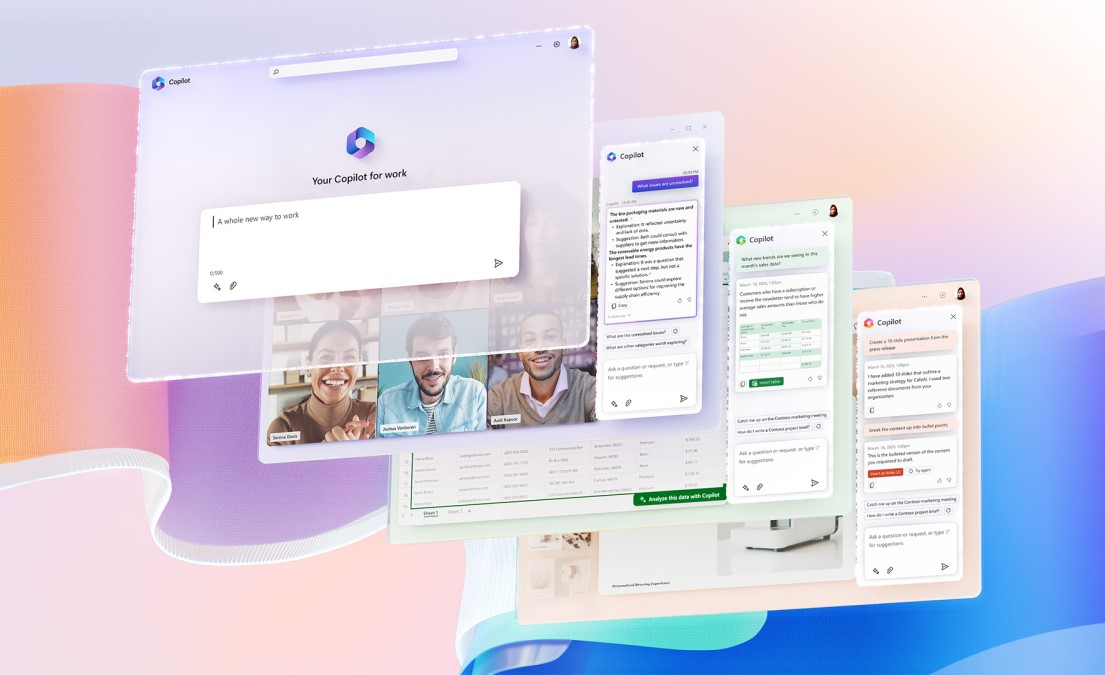
Microsoft Copilot is an artificial intelligence assistant designed to help you work faster, write better, and stay organized. It acts as a conversational AI that can answer questions, draft content, summarize information, and assist with daily tasks. Copilot is built directly into Microsoft products
Key features
- Built-in integration with Microsoft 365 apps like Word, Excel, Outlook, PowerPoint, Teams, and Windows
- Helps with writing, summarizing, brainstorming, planning, and data analysis
- Can pull context from your files, emails, and calendar (in work versions)
- Available across web, desktop, and Windows environments
What I liked:
- Deep integration with tools that many people already use daily
- Regular updates with new capabilities and improvements
What I disliked:
- Most powerful features require a paid plan
- Works best inside Microsoft’s ecosystem, less flexible outside it
- Responses can vary in quality depending on context and app integration
- Some advanced features aren’t available on all devices or regions
Pricing:
- Free plan with basic Copilot chat and AI assistance
- Copilot Pro (individual) around $20/month
- Microsoft 365 Copilot (business) around $30/user/month, plus a Microsoft 365 subscription
Suitable for:
- Individuals who want an AI assistant for writing, research, and planning
- Professionals and teams already using Microsoft 365
How to start:
- Go to Microsoft Copilot
- Sign in with a Microsoft account
- Use Copilot on the web, in Windows, or inside Microsoft 365 apps
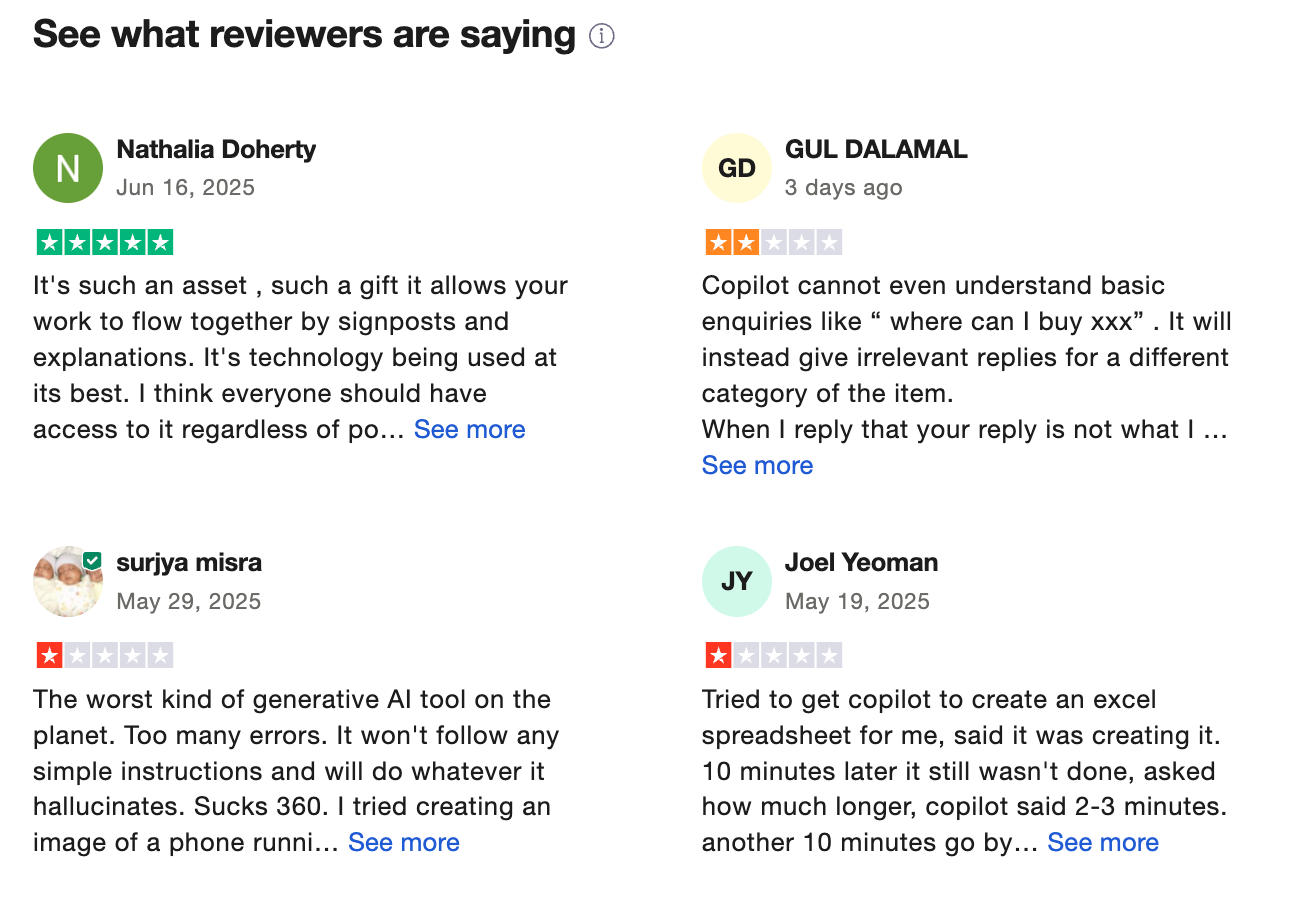
Copilot reviews (source)
Conclusion: The Best AI Assistant Is the One That Fits How You Think
The key takeaway from this comparison is simple: there is no single best AI assistant for everyone. Each tool is optimized for a different way of working.
Before committing to any AI assistant, ask yourself:
- Where do I lose the most time or mental energy?
- Do I need help thinking, executing, or staying organized?
- Do I want flexibility - or structured guidance?
- Will this tool integrate into how I already work?
Choose one thoughtfully. Use it consistently. Let it support your thinking rather than replace it. When used well, an AI assistant doesn’t just make you faster - it helps you work with more clarity, focus, and intention.
Stay on top of your work and life
FAQ: Best Artificial Intelligence Assistant
1. What is an Artificial Intelligence Assistant?
An Artificial Intelligence Assistant is a software system that helps you think, plan, and take action using natural language. Instead of clicking through dashboards or rigid menus, you interact by simply asking questions or giving instructions.
People use AI assistants to:
- Capture ideas and turn them into tasks
- Search notes, emails, or documents
- Summarize meetings and long content
- Plan schedules and prioritize work
- Draft messages, reports, or outlines
Popular AI assistants include Saner.AI, ChatGPT, Gemini, and Claude - each optimized for different workflows.
2. What can an Artificial Intelligence Assistant actually do?
A capable AI assistant goes beyond chat responses and helps with execution. Common capabilities include:
- Task creation from text – turns notes or messages into to-dos
- Contextual search – finds information based on meaning, not keywords
- Meeting summaries – extracts decisions and action items
- Daily planning – suggests what to focus on next
- Writing support – drafts, rewrites, or summarizes content
- Scheduling help – blocks time or proposes optimal slots
Some assistants focus on conversation, while others—like Saner—are designed to connect thinking directly to action.
3. What’s the difference between an AI assistant and a chatbot?
Not all chatbots are true AI assistants.
- Chatbots respond to prompts but often forget context once the conversation ends
- AI assistants remember, connect, and act across your notes, tasks, and calendar
For example:
- ChatGPT excels at reasoning and drafting
- Gemini integrates deeply with Google Workspace
- Saner focuses on follow-through: reminders, priorities, and context resurfacing
The best Artificial Intelligence Assistant depends on whether you want answers only or answers plus action.
4. Are there free Artificial Intelligence Assistants?
Yes. Many tools offer free tiers:
- Saner.AI – free plan includes AI reminders, natural-language note search, and calendar sync
- ChatGPT – free access with GPT
- Gemini – free with a Google account
- Pi – free conversational assistant designed for reflection
Free plans are useful for testing, but advanced planning and automation usually require paid tiers.
5. How do I start using an Artificial Intelligence Assistant?
The easiest way to start is by using it for one recurring pain point, such as:
- Forgetting follow-ups
- Losing track of notes
- Feeling overwhelmed by tasks
Try simple prompts like:
- “Remind me to follow up with Sarah next week”
- “Summarize my meeting notes from today”
- “What should I work on first tomorrow?”
Once comfortable, you can expand into planning, scheduling, and long-term organization.
6. What is the best Artificial Intelligence Assistant for ADHD?
For ADHD-prone users, the key factors are:
- Low setup
- Minimal context switching
- Automatic reminders and resurfacing
Saner is often favored because it:
- Turns messy thoughts into structured actions
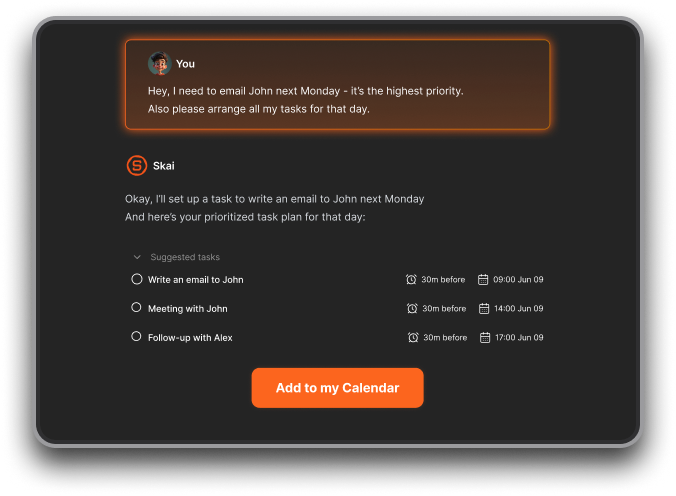
- Reduces the need for tags, folders, or manual sorting
- Nudges you at the right time instead of relying on memory
Other tools can help with thinking—but fewer help consistently with follow-through.
7. Which Artificial Intelligence Assistant is best for work?
The best AI assistant for work depends on your role:
- Task execution & planning: Saner
- Knowledge work & writing: ChatGPT, Claude
- Google-centric teams: Gemini
If your job involves juggling multiple projects, meetings, and follow-ups, assistants that connect notes + tasks + calendar tend to deliver more practical value.
8. Can AI assistants automatically schedule tasks?
Yes - some AI assistants specialize in scheduling:
- Saner.AI – suggests time slots based on priorities and context
- Reclaim – dynamically blocks time around existing meetings
- Motion – auto-schedules tasks by urgency and availability
Reclaim and Motion focus heavily on calendars, while Saner adds deeper note and context awareness.
9. Do Artificial Intelligence Assistants improve productivity?
They can - when used correctly.
Productivity gains usually come from:
- Fewer apps to manage
- Less mental load remembering tasks
- Faster access to relevant information
Instead of asking “What should I do?”, a good AI assistant surfaces the answer proactively.
10. Which AI assistant is best for entrepreneurs?
Entrepreneurs benefit most from assistants that handle ambiguity and context.
Saner is commonly used by founders because it:
- Turns brain dumps into actionable plans
- Connects investor notes, ideas, and tasks
- Surfaces old context when making new decisions
This reduces planning overhead and keeps momentum high.
11. How can managers use an Artificial Intelligence Assistant?
Managers often use AI assistants to:
- Track follow-ups from meetings
- Prepare for 1:1s and reviews
- Summarize long updates or email threads
- Prioritize what truly matters
Instead of managing tools, the assistant helps manage attention.
12. What’s the best Artificial Intelligence Assistant for executives and CEOs?
Executives typically need:
- A single source of truth
- Fast recall of decisions and commitments
- Minimal friction
AI assistants like Saner act as a command center, connecting conversations, tasks, and timelines - without requiring constant manual organization.
13. Can AI assistants help with meeting preparation?
Yes. This is one of the strongest use cases.
Before a meeting, you can ask:
- “What did we decide last time?”
- “What’s still pending?”
- “What should I follow up on?”
The assistant pulls relevant notes, tasks, and context so you walk in prepared.
14. Do AI assistants support voice input?
Some do:
- Saner.AI – supports voice-to-task capture
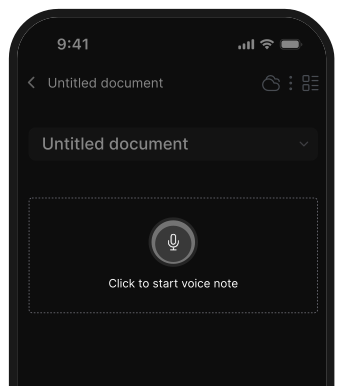
- ChatGPT & Gemini – voice via mobile or integrations
Voice input is especially useful for capturing ideas on the go.
15. How is an Artificial Intelligence Assistant different from traditional productivity tools?
Traditional tools require you to:
- Manually organize
- Decide what’s important
- Remember to check them
AI assistants reverse this:
- They understand meaning, not structure
- They surface what matters at the right time
- You ask one question instead of opening multiple apps
That’s why many users now look for the Best Artificial Intelligence Assistant instead of another to-do list or note app.
Use Artificial Intelligence Assistant to work more productive
[Last updated in 2026]