Why AI note-taking apps can revolutionize the productivity landscape?


How could AI note-taking apps redefine the productivity landscape?

Note-taking is a fundamental activity for many of us, including me. I use it to capture thoughts, preserve insights from books and articles, and act as an extended memory. Whether you're a student, a professional, or just someone who loves learning, I believe taking notes is crucial for retaining and organizing information.
But even though it's such a critical task, many of us struggle with traditional methods of note-taking.
Let's explore why and how embedding AI could revolutionize this essential activity
The Limitations of Traditional Note-Taking
For me, traditional note-taking is pen and paper or basic tools like Google Docs. While these methods are accessible and straightforward, they come with significant limitations that hinder my learning and working processes.
For instance, retrieving information from a stack of notebooks or a disorganized Google Docs can be like finding a needle in a haystack, especially if you can't remember the exact keywords you used.
Moreover, these tools are not helpful at all when you have already forgotten something you noted down (no reminder!) or when you need to search for new information quickly. They require constant switching between different tabs and documents, disrupting your flow and making the process distracting.
I'm envisioning a note workspace where I can do everything seamlessly, and current traditional note-taking apps won't satisfy that.
The Power of AI in Note-Taking

This is where AI note-taking apps step in, transforming this saturated landscape with features that cater directly to these needs. Imagine an app that not only stores your notes but understands them. Here are some direct benefits of using AI for note-taking:
- Natural Language Search: You can search your notes using everyday language, making it easier to find information even if you don't remember the exact terms you used.
- Speech to Text: For those who take note by voice, this feature can transform your fuzzy voice to notes, making revision more flexible and accessible.
- Summarization: AI can automatically summarize long texts, allowing you to grasp key points quickly without having to sift through pages of notes.
- Q&A: Perhaps most impressively, some AI note-taking apps let you ask questions about your notes and provide answers, much like interacting with a knowledgeable assistant.
Is there anything out there that fits my vision?

Despite the availability of various apps, there hasn't been one that seamlessly integrates all these features into a user-friendly workspace…
Why Saner.AI could be a game changer
That’s why we are building Saner.ai with the vision to fill this gap.
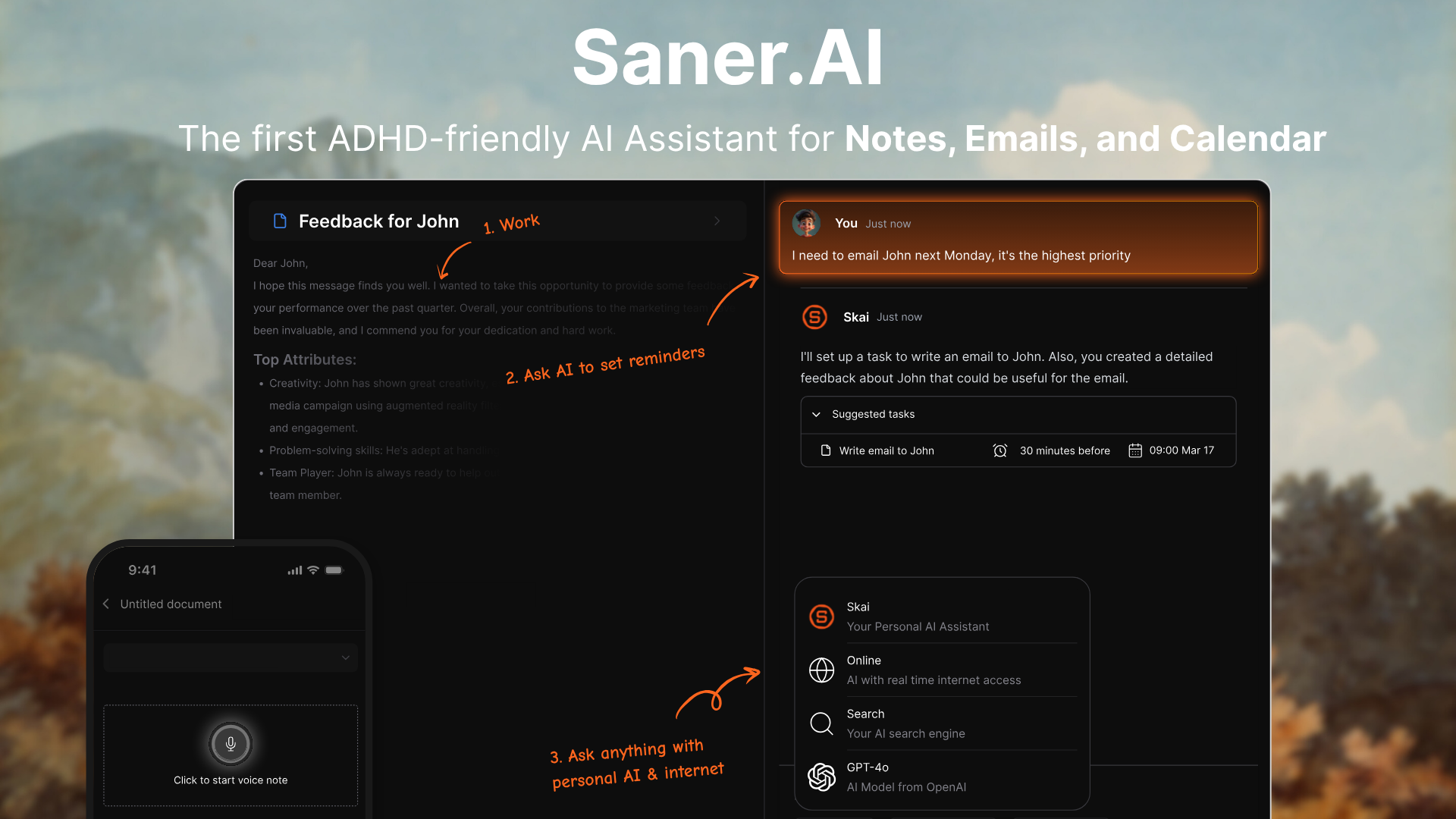
It's not just about taking notes - it's about creating an intuitive note-workspace where information retrieval becomes effortless, where the app reminds you of forgotten details, and where you can discover connections between different pieces of information internally and externally without ever leaving the app.
We aim to be more than just a note-taking app.
It's a comprehensive tool designed to enhance how we interact with information. It's about making your notes work for you, turning them into a dynamic resource that actively supports your learning and creative processes.
Conclusion
In a world where information is abundant but time is scarce, enhancing how we note, retrieve, and interact with our knowledge is crucial.
AI note-taking apps like Saner.ai promise to make our learning and working processes more intuitive, efficient, and integrated.
By leveraging AI, we can transform the traditional activity of note-taking into a process that helps us learn smarter, not harder. Whether you're drafting a research paper, planning a project, or just trying to remember what you read last week, AI note-taking apps could be the key to a more organized and productive result